Why Local SEO Is Make-or-Break for Restaurant Websites
Picture this: it’s 6:45 PM on a Friday, someone’s stomach is growling, and they grab their phone to search “Thai food delivery near me.” Google serves up three restaurants in the map pack. If yours isn’t one of them, you just lost that order to a competitor — possibly forever.
According to Google’s own data, searches containing “near me” have grown over 500% in recent years, and roughly 76% of people who search for something local on their smartphone visit a related business within 24 hours. For restaurants specifically, a BrightLocal survey found that 90% of consumers used the internet to find a local business in the past year, with restaurants being the most-searched local business category.
Here’s the uncomfortable truth: you could have the most beautiful WordPress site, a perfectly configured WooCommerce restaurant ordering system, and a menu that would make Gordon Ramsay weep — but none of it matters if hungry customers can’t find you in search results. Local SEO is the bridge between your online ordering system and the people searching for exactly what you serve.
WordPress gives you a massive advantage here. Unlike third-party ordering platforms that keep the SEO juice for themselves, your own WordPress site builds your domain authority over time. Every review, every optimized page, every local citation points back to a property you own. Let’s break down exactly how to make that work.
Setting Up Google Business Profile and Connecting It to Your WordPress Restaurant Site
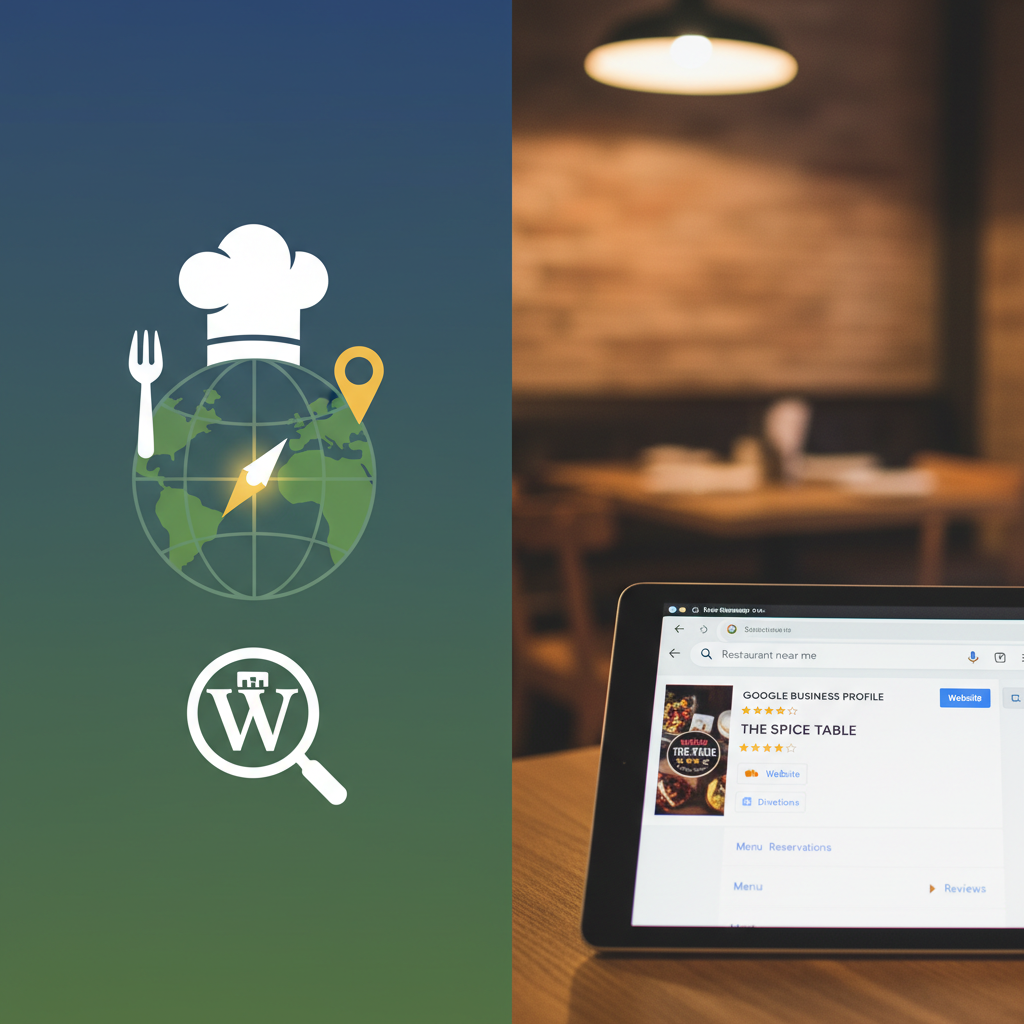
Your Google Business Profile (GBP) is arguably the single most important factor in local search visibility. It’s what powers the map pack — those three prominent listings that appear above organic results for local queries. If you haven’t claimed yours yet, head to business.google.com and get that done today.
Optimizing Every Field in Your Profile
Don’t just fill in the basics and call it done. Google rewards completeness. Here’s what to nail:
- Primary category: Choose “Restaurant” or a more specific option like “Pizza Restaurant,” “Thai Restaurant,” or “Mexican Restaurant.” You can add secondary categories like “Delivery Restaurant” or “Takeout Restaurant.”
- Business description: Write a compelling 750-character description that naturally includes your city, neighborhood, cuisine type, and ordering options (delivery, pickup, dine-in).
- Hours: Keep these ruthlessly accurate, including holiday hours. Google penalizes businesses that show as open when they’re actually closed.
- Menu link: Point this directly to your WordPress site’s menu page — not a PDF, not a third-party menu site.
- Order link: Link directly to your online ordering page. If you’re using FoodMaster (formerly WooFood) for your ordering system, this should point to your WooCommerce shop page or custom ordering page.
- Photos: Upload at least 10-15 high-quality photos of your food, interior, exterior, and staff. Businesses with photos receive 42% more requests for directions and 35% more click-throughs to their websites, according to Google.
NAP Consistency: The Foundation of Local Trust
NAP stands for Name, Address, and Phone number. This information must be identical everywhere it appears online — your WordPress site footer, your GBP, your Yelp listing, your Facebook page, everywhere. Even small discrepancies like “Street” vs. “St.” or different phone number formats can confuse search engines and dilute your local authority.
Add your full NAP in your WordPress site’s footer using plain HTML text (not embedded in an image). This ensures every page on your site reinforces your location data to search engines.
If you operate multiple locations, each one needs its own GBP listing and its own dedicated landing page on your WordPress site. Managing this gets complex quickly — proper multi-location restaurant management requires careful planning around separate menus, delivery zones, and location-specific content.
[IMAGE: Screenshot of a fully optimized Google Business Profile for a restaurant showing completed categories, photos, menu link, and order link sections]
Essential WordPress Plugins and Settings for Restaurant Local SEO
WordPress’s plugin ecosystem is one of its greatest strengths for SEO. Here’s the technical foundation you need to lay.
Installing and Configuring an SEO Plugin
Either Yoast SEO or Rank Math will serve you well. Both offer local SEO features, though Rank Math includes more local SEO functionality in its free version. Whichever you choose, here’s what to configure:
- Set your site’s homepage meta title to include your restaurant name, cuisine type, and city (e.g., “Marco’s Pizzeria | Authentic Wood-Fired Pizza in Austin, TX”).
- Enable XML sitemaps and verify they’re being generated correctly.
- Configure your local business information within the plugin’s settings panel — both Yoast and Rank Math have dedicated local SEO modules.
- Set up breadcrumbs, which help Google understand your site structure and often appear in search results.
Adding Restaurant Schema Markup
Schema markup is structured data that tells search engines exactly what your content represents. For restaurants, this is incredibly powerful. When properly implemented, schema can generate rich results showing your star rating, price range, hours, and even menu items directly in search results.
At minimum, add LocalBusiness schema (specifically the Restaurant subtype) to your homepage and location pages. This should include:
- Restaurant name, address, and phone number
- Opening hours (using the
openingHoursSpecificationproperty) - Cuisine type and price range
- Accepted payment methods
- Delivery area (using
areaServed) - Menu URL and online ordering URL
- Aggregate rating (if you have reviews)
Rank Math makes adding this schema relatively straightforward through its Schema Generator. You can also use the free Schema Pro plugin or manually add JSON-LD markup to your theme’s header. After implementation, validate your markup using Google’s Rich Results Test tool.
Additional Technical Essentials
A few more technical items that directly impact local rankings:
- SSL certificate: Your site must run on HTTPS. This is non-negotiable for any site accepting online orders, and Google uses it as a ranking signal.
- Mobile responsiveness: Google uses mobile-first indexing. Test your site with Google’s Mobile-Friendly Test. Your menu pages and ordering flow must work flawlessly on phones — that’s where the vast majority of “near me” searches happen.
- Page speed: Compress your food photography (tools like ShortPixel or Imagify work great as WordPress plugins), enable caching with WP Rocket or LiteSpeed Cache, and consider a CDN. Google’s Core Web Vitals are ranking factors, and slow restaurant sites hemorrhage potential customers.
On-Page SEO for Restaurant Pages: Menu, Ordering, and Location Pages
This is where many restaurant websites fall flat. They’ll have a beautifully designed menu page that’s essentially invisible to search engines because all the content is trapped in images or iframes.
Optimizing Your Menu Pages
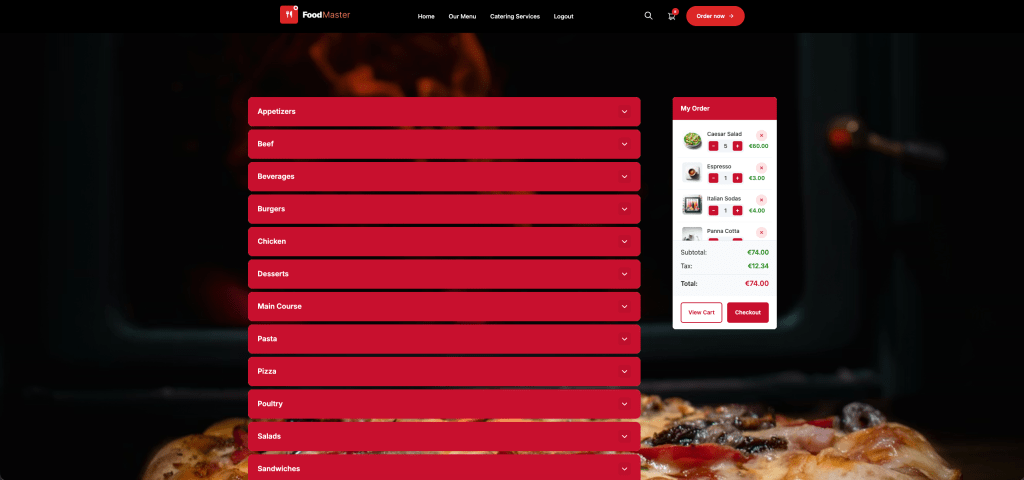
If you’re running your menu through FoodMaster’s WooCommerce-based ordering system, you already have a structural advantage: each menu item exists as a WooCommerce product with its own URL, title, and description field. This gives search engines actual text content to index, unlike a static PDF menu or image-based menu.
For each menu item or category page:
- Write unique, descriptive product descriptions that naturally include local keywords. Instead of just “Margherita Pizza — $14,” write “Our classic Margherita pizza features San Marzano tomatoes, fresh mozzarella, and basil on house-made dough, available for delivery across downtown Portland.”
- Add descriptive alt text to every food photo. Use format like “wood-fired margherita pizza from [Restaurant Name] in [City].” This helps with Google Image search, which drives meaningful traffic for food-related queries.
- Organize menu items into clear categories with their own pages (appetizers, entrees, desserts, lunch specials). Each category page is an opportunity to rank for specific terms.
- Use internal links between related menu items and categories. If someone’s looking at your pasta section, link to your wine menu or appetizers.
Creating Location-Specific Landing Pages
If you serve multiple neighborhoods or delivery zones, create dedicated landing pages for each area. A pizza restaurant in Chicago might have pages for “Pizza Delivery in Lincoln Park,” “Pizza Delivery in Wicker Park,” and “Pizza Delivery in Lakeview.”
Each page should contain:
- Unique content about serving that specific area (not just the same template with the neighborhood name swapped)
- Embedded Google Map showing your delivery coverage for that zone
- A direct link to start an online order with that delivery area pre-selected
- Mentions of local landmarks, cross-streets, or well-known spots in the neighborhood
Making Sure Ordering Pages Are Crawlable
One common mistake: restaurant owners accidentally block their ordering pages from search engines via robots.txt or noindex tags. Check that your WooCommerce shop page, product category pages, and individual menu item pages are all indexable. You can verify this in Google Search Console under the “Pages” report.
Also ensure your ordering flow doesn’t rely entirely on JavaScript rendering that Googlebot can’t process. WooCommerce-based solutions like FoodMaster render content server-side, which is inherently more SEO-friendly than single-page application ordering systems that load everything via JavaScript.
[IMAGE: Side-by-side comparison of a poorly optimized restaurant menu page (PDF/image-based) versus a well-optimized WordPress menu page with proper headings, descriptions, alt text, and schema markup]
Building Local Citations, Reviews, and Backlinks That Drive Restaurant Traffic
On-page optimization gets your site ready. Off-page signals — citations, reviews, and backlinks — tell Google that real people and real businesses in your community vouch for you.
Local Citations: Getting Listed Everywhere That Matters
A local citation is any online mention of your restaurant’s name, address, and phone number. The more consistent citations you have across trusted directories, the more confident Google becomes in your business’s legitimacy.
Start with these high-priority directories:
- Yelp — Still the dominant restaurant review platform. Claim and fully optimize your listing.
- TripAdvisor — Especially important if you’re in a tourist-friendly area.
- Apple Maps — Claim your listing via Apple Business Connect. iPhone users default to this for directions.
- Bing Places — Often overlooked, but Bing powers Alexa and other voice search devices.
- Facebook — Your business page acts as a citation. Keep NAP info current.
- Local chamber of commerce and city business directories.
- Industry-specific sites like OpenTable, Zomato, or Allmenus.
A tool like BrightLocal or Moz Local can audit your existing citations and identify inconsistencies. Fixing NAP discrepancies across 30-40 directories can produce noticeable ranking improvements within a few weeks.
Generating and Displaying Google Reviews
Google reviews are a top-three local ranking factor. According to BrightLocal’s 2023 Local Consumer Review Survey, 98% of consumers read online reviews for local businesses, and the average consumer reads 10 reviews before feeling able to trust a business.
Practical ways to generate more reviews:
- Include a “Leave us a review” link on your order confirmation page and in post-order emails. If your WooCommerce ordering plugin sends order status notifications, add your Google review link to the “completed” email.
- Print a QR code linking to your Google review page on receipts, table tents, and takeout bags.
- Respond to every review — positive and negative. Google has confirmed that responding to reviews improves local rankings.
To display reviews on your WordPress site, plugins like Widget for Google Reviews or WP Google Review Slider can pull in your latest Google reviews and display them on your homepage or a dedicated testimonials page. This adds fresh, keyword-rich user-generated content to your site automatically.
Local Link-Building for Restaurants
Backlinks from other local websites signal to Google that you’re a trusted part of the community. Restaurant-specific strategies that actually work:
- Food bloggers and local media: Invite local food bloggers for a tasting. A single blog post with a link to your site from a local food blog can significantly boost your local authority.
- Sponsorships and community events: Sponsor a little league team, a charity 5K, or a school fundraiser. These organizations almost always link to their sponsors from their websites.
- Supplier partnerships: If you source ingredients from local farms or breweries, ask them to mention the partnership on their site.
- Local news coverage: Pitch a story angle to your local newspaper or TV station. New restaurant openings, unique menu items, and community involvement are all newsworthy.
Tracking Your Restaurant’s Local SEO Performance in WordPress
You can’t improve what you don’t measure. Fortunately, tracking local SEO performance is straightforward once you set up the right tools.
Connecting Google Search Console and GA4
If you haven’t already, verify your site in Google Search Console (GSC) and install Google Analytics 4 (GA4). For WordPress, the easiest path is the Site Kit by Google plugin, which connects both tools and displays key metrics right in your WordPress dashboard.
In Google Search Console, pay attention to:
- Search queries: Filter for local terms like your city name, “near me,” neighborhood names, and “[cuisine] delivery in [city].” Track impressions and clicks for these queries over time.
- Click-through rate (CTR): If you’re getting impressions but low clicks, your meta titles and descriptions need work.
- Page indexing: Make sure all your menu pages, location pages, and ordering pages are indexed without errors.
In GA4, set up these custom explorations:
- Traffic by landing page, filtered to organic search — which pages bring the most visitors?
- Conversion events for completed orders (you can track WooCommerce purchases as GA4 conversion events).
- User location data — are you attracting visitors from your actual delivery area?
Google Business Profile Insights
Your GBP dashboard provides data you won’t find anywhere else: how many people found you via direct search vs. discovery search, how many requested directions, how many clicked to call, and how many clicked through to your website or ordering page. Check these monthly and look for trends.
Connecting SEO Data to Order Revenue
Here’s where restaurant owners using WooCommerce have a real advantage. You can directly connect the dots between organic search traffic and actual order revenue. If you’re running FoodMaster for your ordering system, every order is tracked as a WooCommerce transaction — which means GA4’s e-commerce tracking can attribute revenue to specific traffic sources and landing pages.
Set up a simple monthly reporting routine:
- Check GSC for changes in local keyword impressions and rankings.
- Review GA4 for organic traffic trends and conversion rates.
- Pull WooCommerce order data for the same period to see if organic traffic growth correlates with order growth.
- Review GBP insights for map pack performance.
- Check your review count and average rating — set a goal of gaining at least 4-5 new reviews per month.
This entire review takes about 30 minutes once you’ve done it a couple of times, and it gives you a clear picture of what’s working and where to focus next.
Putting It All Together
Local SEO for restaurants isn’t a one-time project — it’s an ongoing practice. But the compounding returns are enormous. Every optimized page, every new review, every consistent citation builds on the last. Restaurants that invest in their own WordPress site’s local SEO create a sustainable acquisition channel that doesn’t charge per-order commissions and doesn’t disappear when a third-party platform changes its algorithm.
Start with the highest-impact items: claim and optimize your Google Business Profile, fix your NAP consistency, add Restaurant schema markup, and make sure your menu content is real text that search engines can read. Then build from there with reviews, citations, and local content. Within three to six months, you should see meaningful improvements in local search visibility — and more importantly, more orders from customers who found you exactly when they were hungry.
Commission-free ordering
Run restaurant orders on your own WordPress site
FoodMaster adds delivery, pickup, dine-in, POS, and kitchen tools — with zero per-order fees.