On this page
- Why Local SEO Matters for Restaurant Websites
- Setting Up Google Business Profile and Connecting It to Your WordPress Site
- Optimizing Your Profile
- NAP Consistency Is Non-Negotiable
- On-Page SEO Essentials for Restaurant WordPress Sites
- Title Tags and Meta Descriptions
- Header Tags and Content Structure
- Image Optimization
- Location-Specific Landing Pages for Multi-Location Restaurants
- Schema Markup and Structured Data for Restaurants
- Key Schema Types for Restaurants
- How to Add Schema to WordPress
- Building Local Citations, Reviews, and Backlinks
- Local Citations: Consistency Across the Web
- Google Reviews: Your Most Powerful Ranking Signal
- Earning Local Backlinks
- Tracking Your Local SEO Results and What to Improve Over Time
- Google Search Console
- Google Business Profile Insights
- Tying SEO to Order Growth
- Common Issues to Watch For
- Putting It All Together
Why Local SEO Matters for Restaurant Websites
When someone gets hungry, they reach for their phone. Google processes billions of searches every day, and a massive chunk of those are local queries — people looking for restaurants, cafes, and takeout spots nearby. According to Google’s own data, searches containing “near me” have grown consistently year over year, and “restaurants near me” remains one of the most popular local search phrases across all industries.
Here’s what makes this so critical for restaurant owners: the local pack — that map with three business listings that appears at the top of Google search results — captures the lion’s share of clicks for restaurant-related queries. If your restaurant doesn’t appear in that local pack or on the first page of organic results, you’re essentially invisible to a huge pool of potential customers actively looking to spend money on food.
Unlike a national e-commerce brand competing for broad keywords, restaurants compete in a tightly defined geographic area. That’s actually good news. It means you don’t need a massive SEO budget or a team of specialists to rank well. You need a smart, focused local SEO strategy applied consistently to your WordPress site. The restaurants that nail local SEO see measurable increases in both foot traffic and online orders — and the ones that ignore it keep wondering why their dining room is half empty on a Tuesday night.
If you’re running a WordPress restaurant site — especially one powered by WooCommerce for online ordering — you already have a strong technical foundation. The rest comes down to execution, and that’s exactly what we’ll cover here.
Setting Up Google Business Profile and Connecting It to Your WordPress Site
Your Google Business Profile (GBP) is arguably the single most important local SEO asset your restaurant has. It’s what powers your appearance in the local pack, Google Maps, and the knowledge panel that shows up when someone searches your restaurant by name. If you haven’t claimed and optimized yours, stop reading and do it now at business.google.com.
Optimizing Your Profile
A bare-bones GBP listing won’t cut it. Google rewards completeness, so fill out every available field:
- Business name: Use your exact legal restaurant name. Don’t stuff keywords like “Best Pizza Downtown” into it — Google penalizes that.
- Primary category: Choose the most specific category available (e.g., “Thai Restaurant” instead of just “Restaurant”).
- Secondary categories: Add relevant ones like “Delivery Restaurant,” “Takeout Restaurant,” or “Catering Service.”
- Hours of operation: Keep these accurate, including holiday hours. Outdated hours frustrate customers and hurt your ranking signals.
- Menu link: Point this directly to your WordPress site’s menu page — not a third-party PDF host.
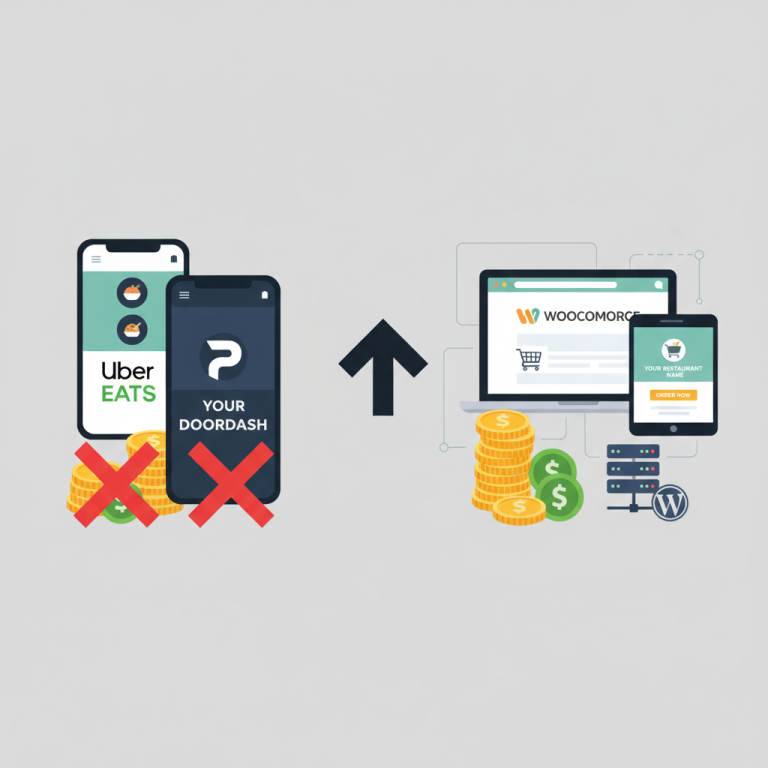
- Order link: This is where your WooCommerce store becomes a major advantage. Link directly to your online ordering page so customers order through your site, not a third-party platform that takes a commission cut.
- Photos: Upload at least 10-15 high-quality photos of your food, interior, exterior, and staff. Businesses with photos receive significantly more direction requests and website clicks than those without.
NAP Consistency Is Non-Negotiable
NAP stands for Name, Address, Phone number, and it needs to be identical everywhere it appears — your GBP, your WordPress site footer, your contact page, your social profiles, and every directory listing. Even small discrepancies (like “St.” vs. “Street” or a missing suite number) can confuse Google’s algorithms and dilute your local ranking signals.
On your WordPress site, place your full NAP in the footer using plain text (not embedded in an image). This ensures Google can crawl it on every page. If you’re using a WooCommerce restaurant ordering plugin like FoodMaster, your store address settings in WooCommerce should match your GBP listing exactly.
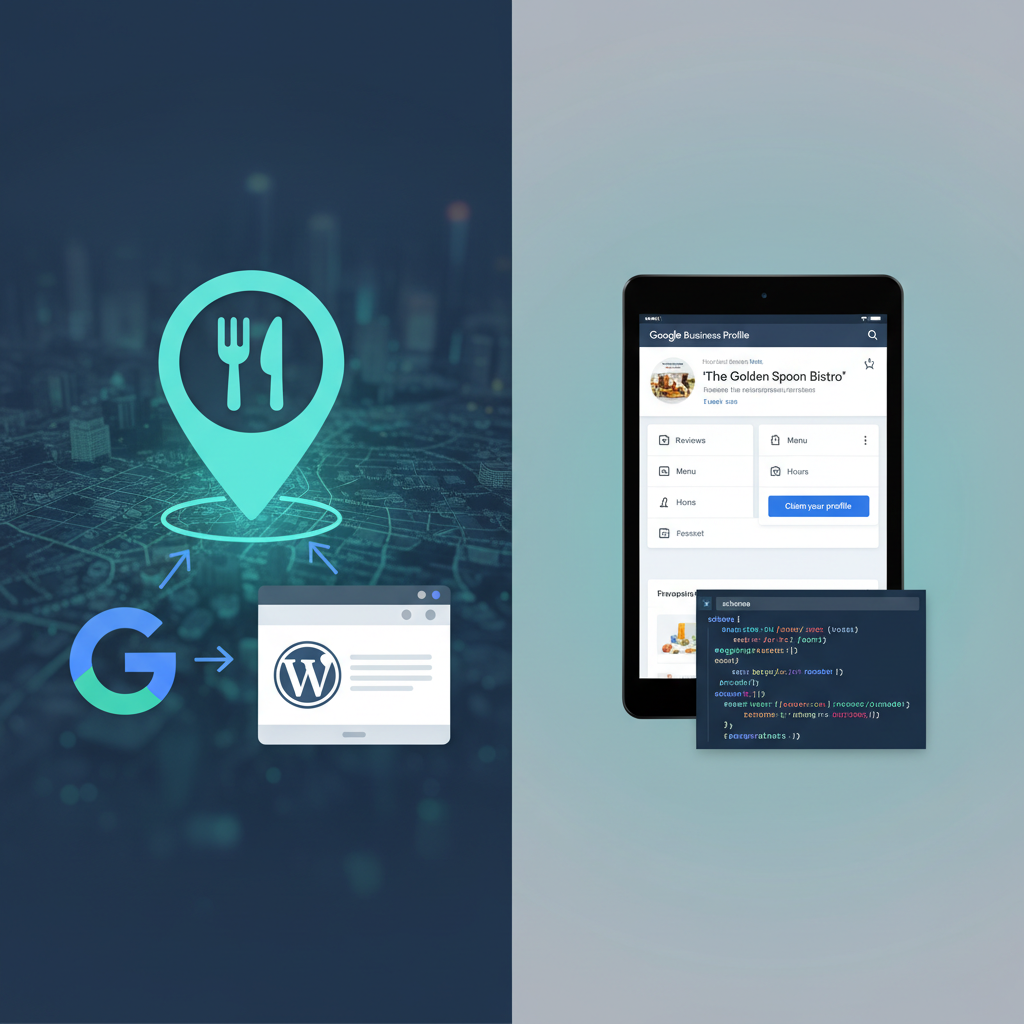
[IMAGE: Screenshot of a fully optimized Google Business Profile for a restaurant showing hours, photos, menu link, and order online button]
On-Page SEO Essentials for Restaurant WordPress Sites
Your Google Business Profile gets you into the local pack, but your actual website is what drives organic search rankings and converts visitors into customers. WordPress gives you excellent control over on-page SEO — you just need to use it properly.
Title Tags and Meta Descriptions
Every page on your site needs a unique, keyword-rich title tag and a compelling meta description. For a restaurant, your homepage title might look like:
“Mario’s Trattoria | Italian Restaurant in Downtown Austin | Order Online”
Notice the structure: brand name, what you are, where you are, and a call to action. Your meta description should expand on this with a reason to click — mention your specialty, delivery options, or a unique selling point.
Install an SEO plugin like Rank Math or Yoast SEO on your WordPress site. Both give you simple fields to customize title tags and meta descriptions for every page and post without touching code. Rank Math’s setup wizard is particularly beginner-friendly and includes local SEO modules built in.
Header Tags and Content Structure
Use H2 and H3 tags to organize your pages logically. Your menu page, for example, should use H2 tags for categories (“Appetizers,” “Pasta,” “Desserts”) and include descriptive text — not just item names and prices. A paragraph like “Our wood-fired pizzas are made with imported San Marzano tomatoes and hand-stretched dough” gives Google context about what your restaurant serves and helps you rank for specific food-related queries.
Image Optimization
Restaurant sites are inherently image-heavy, which is great for engagement but can hurt page speed if you’re not careful. Compress all images before uploading (ShortPixel or Imagify work well as WordPress plugins), and always fill in the alt text field with descriptive, keyword-relevant text. Instead of “IMG_4532.jpg” with blank alt text, use something like “Margherita pizza with fresh basil at Mario’s Trattoria Austin.”
Location-Specific Landing Pages for Multi-Location Restaurants
If your restaurant has multiple locations, don’t try to cram everything onto one page. Create a dedicated landing page for each location with its own unique content, address, embedded Google Map, hours, and ordering link. A URL structure like yoursite.com/locations/downtown-austin/ signals geographic relevance clearly to search engines.
Each location page should link to its own online ordering experience. With a plugin like FoodMaster, you can manage multiple menus and delivery zones within a single WooCommerce installation, making it straightforward to give each location its own ordering flow while keeping everything under one WordPress dashboard.
Schema Markup and Structured Data for Restaurants
Schema markup is a type of code you add to your site that helps Google understand your content at a deeper level. For restaurants, it’s a powerful but underused tool that can get you rich results in search — those enhanced listings that show star ratings, price ranges, hours of operation, and even menu items directly in the search results.
Key Schema Types for Restaurants
- LocalBusiness / Restaurant schema: Tells Google your business type, address, phone number, hours, price range, and cuisine type. This is the foundation.
- Menu schema: Allows you to mark up your menu sections and items so Google can display them in search results and the knowledge panel.
- Review / AggregateRating schema: If you display customer reviews on your site, marking them up can produce star ratings in search results, which dramatically improve click-through rates.
How to Add Schema to WordPress
You have a few options. The easiest is using a plugin. Rank Math includes a Local SEO module (available in their pro version) that generates LocalBusiness schema automatically. The free Schema Pro plugin also handles restaurant-specific markup well.
For more control, you can add JSON-LD schema manually to your theme’s header or use a custom HTML block on specific pages. Here’s a simplified example of what Restaurant schema looks like:
The JSON-LD block would include your @type as “Restaurant,” along with properties like name, address, telephone, openingHours, servesCuisine, and menu (pointing to your menu page URL). Google’s Rich Results Test tool lets you validate your markup to make sure it’s implemented correctly.
The payoff here is real. Restaurants with properly implemented schema often see higher click-through rates from search results because their listings are visually richer and more informative than competitors who show up as plain blue links.
[IMAGE: Side-by-side comparison of a Google search result for a restaurant with rich snippets (showing star rating, hours, price range) versus a plain search result without schema markup]
Building Local Citations, Reviews, and Backlinks
On-page optimization and schema get your site technically ready. But Google also evaluates your restaurant’s authority and trustworthiness based on what happens off your site — specifically through citations, reviews, and backlinks.
Local Citations: Consistency Across the Web
A citation is any online mention of your restaurant’s name, address, and phone number. The most important citation sources for restaurants include:
- Yelp
- TripAdvisor
- Apple Maps
- Bing Places
- Facebook Business Page
- OpenTable (if applicable)
- Local chamber of commerce directories
- City-specific food directories and blogs
Claim your listing on each of these platforms and ensure your NAP matches your Google Business Profile and WordPress site exactly. Tools like BrightLocal or Moz Local can audit your existing citations and flag inconsistencies, which is especially helpful if your restaurant has changed addresses or phone numbers in the past.
Google Reviews: Your Most Powerful Ranking Signal
Google reviews directly influence your local pack ranking. Restaurants with more reviews and higher average ratings consistently outrank competitors in the same area. But you can’t just wait and hope — you need a system for generating reviews.
The most effective approach is asking at the point of satisfaction. For dine-in customers, include a QR code on the receipt or table tent that links directly to your Google review page. For online ordering customers, send a follow-up email after delivery with a direct review link. If you’re using FoodMaster‘s WooCommerce ordering system, you can configure WooCommerce’s transactional emails to include a review request after order completion.
A few important rules: never offer incentives for reviews (Google prohibits this), always respond to reviews — both positive and negative — and respond promptly. A thoughtful reply to a negative review can actually improve your reputation more than the negative review hurts it.
Earning Local Backlinks
Backlinks from other local websites tell Google your restaurant is a trusted part of the community. Here are practical ways to earn them:
- Local food bloggers: Invite them for a complimentary meal in exchange for an honest review on their blog. Most food bloggers link back to the restaurant’s website.
- Community sponsorships: Sponsor a local sports team, charity event, or school fundraiser. These organizations almost always list sponsors with links on their websites.
- Local news and media: Pitch story ideas to local publications — a new menu launch, a charity initiative, or a milestone anniversary. Local news sites carry strong domain authority.
- Supplier partnerships: If you source ingredients from local farms or producers, ask them to feature your restaurant on their “where to find our products” page.
- Guest posts: Write a guest article for a local lifestyle blog about food trends, cooking tips, or the restaurant scene in your area.
Even five to ten quality local backlinks can make a noticeable difference in your rankings, especially in smaller markets where competitors aren’t doing any link building at all.
Tracking Your Local SEO Results and What to Improve Over Time
SEO isn’t a one-time project. It’s an ongoing process, and you need data to know what’s working and where to focus next. Fortunately, the tools you need are free.
Google Search Console
Connect your WordPress site to Google Search Console (GSC) if you haven’t already. GSC shows you exactly which search queries bring up your site, how many impressions and clicks you’re getting, and your average position for each keyword. For a restaurant, pay close attention to:
- Branded queries (your restaurant name) — these should show you ranking #1. If not, you have a fundamental issue.
- Non-branded local queries (“Italian restaurant downtown Austin,” “pizza delivery near me”) — these represent new customer discovery.
- Menu-specific queries (“best tiramisu Austin,” “gluten-free pizza 78701”) — these indicate your menu content is being indexed.
Look at the Performance report filtered by the last 3 months and compare it to the previous period. Are impressions growing? Is your average position improving? Which pages are gaining traction?
Google Business Profile Insights
Your GBP dashboard provides data on how customers find and interact with your listing: how many people searched for your business directly vs. discovered it through category searches, how many requested directions, called you, or clicked through to your website. The ratio of discovery searches to direct searches is a key metric — a growing number of discovery searches means your local SEO efforts are working to attract new customers who didn’t already know your name.
Tying SEO to Order Growth
The ultimate measure of local SEO success for a restaurant isn’t rankings — it’s revenue. In WooCommerce, you can track order volume and revenue over time and correlate it with your SEO improvements. If you implemented schema markup in March and saw a 15% increase in online orders by May, that’s a meaningful signal.
Set up Google Analytics 4 (GA4) on your WordPress site and configure e-commerce tracking for WooCommerce. This lets you see which traffic sources (organic search, Google Maps, direct) generate the most orders and revenue. You can then double down on what’s working — whether that’s optimizing more menu pages, generating more reviews, or creating content around popular search terms you’re discovering in Search Console.
Common Issues to Watch For
- Slow page speed: Google uses Core Web Vitals as a ranking factor. Use PageSpeed Insights to test your site and address any issues. Image compression, caching plugins (like WP Rocket), and a quality hosting provider make the biggest difference.
- Mobile usability problems: The vast majority of restaurant searches happen on mobile devices. Test your ordering flow on multiple phones. If your online menu is hard to navigate on a small screen, both Google and your customers will punish you for it.
- Thin content pages: Pages with just a menu list and no supporting text give Google very little to work with. Add descriptions, ingredient highlights, and context to your menu pages.
- Stale Google Business Profile: Post updates to your GBP weekly — new menu items, specials, events, or photos. Active profiles rank better than dormant ones.
Putting It All Together
Local SEO for a WooCommerce Restaurant Website (2025)”>WooCommerce Restaurant Website and Track Order Data (2025)”>restaurant website isn’t about gaming an algorithm. It’s about making it as easy as possible for hungry people in your area to find you, trust you, and order from you. The restaurants that dominate local search in 2025 will be the ones that maintain an optimized Google Business Profile, publish well-structured content on their WordPress site, earn genuine reviews, and build real connections in their local community.
The technical foundation matters too. Running your online ordering through your own WordPress site with a tool like FoodMaster — rather than relying entirely on third-party delivery platforms — means every order drives traffic and authority to your domain, not someone else’s. That compounds over time, strengthening your SEO while keeping commission fees in your pocket.
Start with the highest-impact items: claim and optimize your Google Business Profile, fix your NAP consistency, add schema markup, and set up a review generation system. Then build from there with content, backlinks, and ongoing monitoring. Six months from now, you’ll see the difference — not just in your rankings, but in your order volume.
Commission-free ordering
Run restaurant orders on your own WordPress site
FoodMaster adds delivery, pickup, dine-in, POS, and kitchen tools — with zero per-order fees.