
On this page
- Why SMS Order Notifications Matter for Restaurants in 2026
- Choosing the Right SMS Gateway for Your Restaurant
- Twilio
- Plivo
- MessageBird (now Bird)
- Vonage (formerly Nexmo)
- Local and Regional Gateways
- Setting Up SMS Notifications in WooCommerce Step-by-Step
- Step 1: Create Your Gateway Account and Get API Credentials
- Step 2: Install an SMS Plugin
- Step 3: Connect API Keys
- Step 4: Map Order Statuses to SMS Templates
- Step 5: Custom Hooks for Advanced Triggers
- Crafting SMS Templates That Actually Get Read
- Order Confirmation
- Kitchen Preparing
- Driver Assigned (Delivery)
- Out for Delivery
- Pickup Ready
- Table Order Ready (Dine-in via QR)
- Sending SMS to Kitchen Staff and Delivery Drivers
- Alerting the Kitchen on New Orders
- Rotating On-Duty Numbers
- Group SMS for Delivery Drivers
- Integrating with Your KDS Workflow
- Costs, Compliance, and Troubleshooting
- What Will This Actually Cost?
Your kitchen just accepted an order. The customer is refreshing their email inbox, wondering if anything happened. Twenty minutes later, they call the restaurant asking about their food, right as your team is plating it. Sound familiar? This is the exact friction that SMS order notifications eliminate — and in 2026, they’re no longer optional for restaurants running on WooCommerce.
This guide walks you through everything: picking the right SMS gateway, wiring it up to WooCommerce, writing messages people actually read, alerting your kitchen staff, and staying on the right side of TCPA and GDPR. Let’s get into it.
Why SMS Order Notifications Matter for Restaurants in 2026
Email has an average open rate somewhere between 20% and 30% depending on the industry. SMS regularly clocks in above 95%, and most messages are opened within three minutes of delivery. For a food order — where the window between “your pizza is out for delivery” and “the pizza is at your door” might be six minutes — that difference is everything.
Customers don’t just prefer SMS for food orders; they expect it. They’ve been trained by WooCommerce Restaurant Website: WordPress Security Checklist for 2025″>WooCommerce Restaurant (Without Losing Margin)”>Uber Eats, DoorDash, and Domino’s to receive a steady drip of status updates. When your independent restaurant only sends a single email receipt, it feels like a black box. That uncertainty translates directly into support calls, chargebacks, and one-star reviews that mention “I never knew if my order was coming.”
Here are the touchpoints where SMS pays for itself many times over:
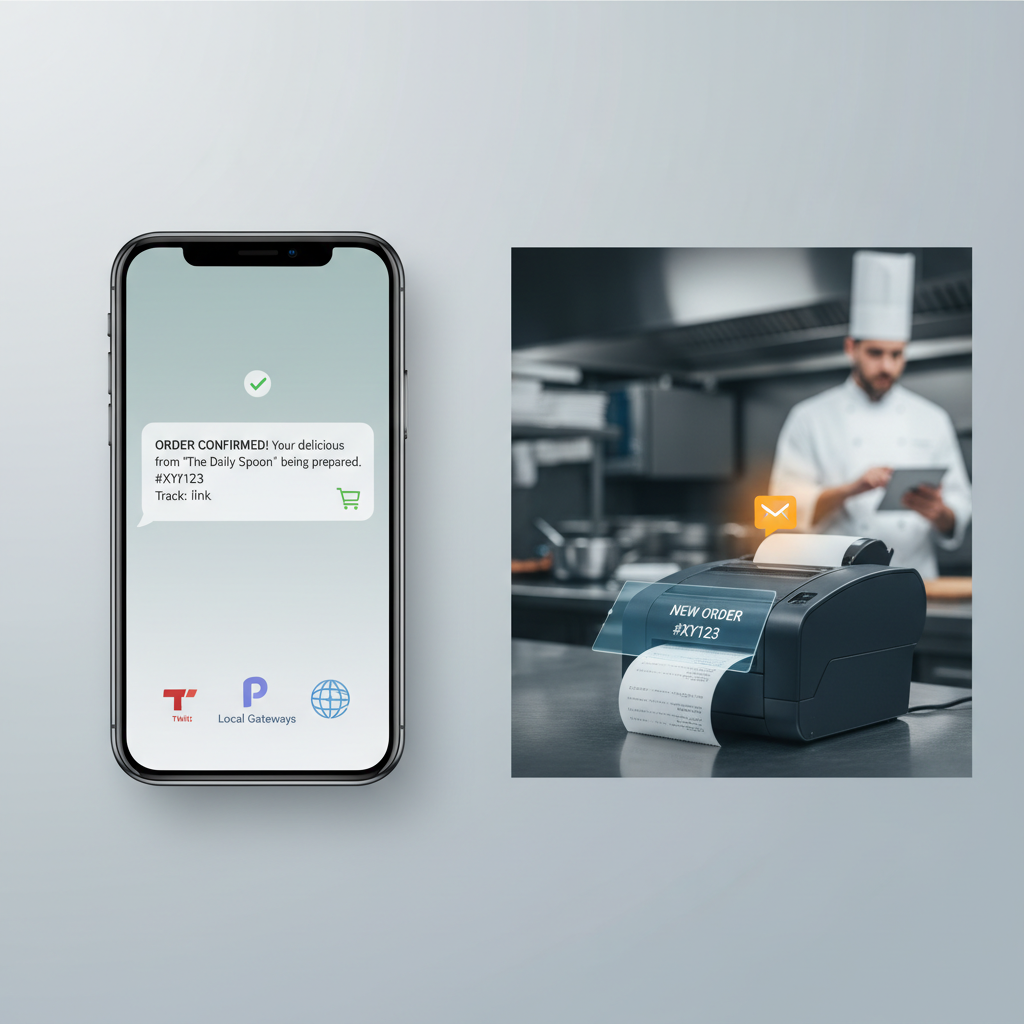
- Order confirmation — sent the moment payment clears, reassuring the customer the order landed.
- Kitchen accepted / preparing — a subtle but powerful signal that a human is on it.
- Driver assigned — includes the driver’s name and, ideally, a live tracking link.
- Out for delivery — reduces “where is my order?” tickets by an enormous margin.
- Pickup ready — critical for takeaway, especially during lunch rushes.
- Table order ready — pairs beautifully with QR ordering setups.
Restaurants running FoodMaster’s ordering system can trigger each of these on specific WooCommerce order status changes, which makes the automation clean and predictable.
Choosing the Right SMS Gateway for Your Restaurant
Not all SMS providers are equal. The right choice depends on your country, order volume, and whether you need two-way messaging (so customers can reply STOP or confirm delivery details).
Twilio
Twilio is the default choice for most WordPress developers because nearly every SMS plugin supports it out of the box. Pricing in the US is around $0.0083 per outbound SMS to mobile numbers, plus roughly $1.15/month per phone number. Coverage spans nearly every country, and their delivery reliability is excellent. The downside: Twilio is not the cheapest, and A2P 10DLC registration in the US now adds paperwork before you can send at scale.
Plivo
Plivo is Twilio’s closest competitor, often cheaper by 20–30% on outbound SMS in the US and India. Their API is very similar to Twilio’s, so switching between them later isn’t painful. Great choice if you’re cost-sensitive and doing over a few hundred messages a month.
MessageBird (now Bird)
Strong in Europe with excellent local sender ID support in the Netherlands, Germany, France, and the UK. If your restaurant is EU-based and you want alphanumeric sender IDs (so the SMS shows “MarioPizza” instead of a phone number), Bird is worth a look.
Vonage (formerly Nexmo)
Reliable global coverage, similar pricing to Twilio, and solid two-way SMS. Popular with mid-sized chains that already use Vonage for voice.
Local and Regional Gateways
Don’t overlook these. In India, providers like MSG91, TextLocal, and Fast2SMS offer prices as low as ₹0.15 per SMS with DLT-compliant templates. In the UK, TxtLocal and Firetext are common. In the Middle East, Unifonic dominates. For a single-location restaurant sending 300 SMS a month in one country, a local gateway is almost always cheaper and offers better local sender ID options.
Quick rule of thumb: single-location restaurant under 500 orders/month? Use a local gateway. Multi-branch chain across countries? Twilio or Plivo for consistency.
Setting Up SMS Notifications in WooCommerce Step-by-Step
Let’s build this out. I’ll use Twilio as the example because it’s the most universally supported, but the flow is nearly identical for any provider.
Step 1: Create Your Gateway Account and Get API Credentials
- Sign up at your chosen provider and verify your business identity (required in the US for A2P registration).
- Buy or provision a phone number capable of SMS in your country.
- Grab your Account SID and Auth Token (Twilio) or equivalent API key/secret from your provider’s dashboard.
- Register a sender ID if your country supports alphanumeric IDs — for example, “SushiKing” is far more recognizable than a random long code.
Step 2: Install an SMS Plugin
Popular options include YITH WooCommerce SMS Notifications, WooCommerce Twilio SMS Notifications (the official one from WooCommerce.com), and OTP-focused plugins like Digits that also handle transactional SMS. If you’re already using FoodMaster for restaurant orders, you can hook into its custom order statuses (like “In Kitchen” and “Out for Delivery”) which most generic SMS plugins can also target.
Step 3: Connect API Keys
In your SMS plugin settings, paste your Account SID, Auth Token, and the “From” number or sender ID. Send a test SMS to your own mobile before doing anything else — 90% of setup problems reveal themselves at this step.
Step 4: Map Order Statuses to SMS Templates
This is where it gets restaurant-specific. WooCommerce ships with statuses like pending, processing, on-hold, and completed. FoodMaster and similar restaurant plugins add statuses like preparing, ready-for-pickup, and out-for-delivery. Map each to a distinct template so customers get relevant messages, not vague generic ones.
Step 5: Custom Hooks for Advanced Triggers
If you need something the plugin doesn’t handle natively — say, an SMS only when the order total is above $50, or only for delivery orders — drop this into your child theme’s functions.php:
add_action('woocommerce_order_status_changed', 'wpslash_send_custom_sms', 20, 4);
function wpslash_send_custom_sms($order_id, $old_status, $new_status, $order) {
    if ($new_status !== 'out-for-delivery') return;
    $phone = $order->get_billing_phone();
    $name  = $order->get_billing_first_name();
    $msg   = "Hi $name, your order #$order_id is out for delivery! Track it: https://yoursite.com/track/$order_id";
    // Call your gateway's API here, e.g. via wp_remote_post()
    wpslash_twilio_send($phone, $msg);
}
Keep your Twilio helper function in a small custom plugin rather than the theme so it survives theme changes.
Crafting SMS Templates That Actually Get Read
SMS is a 160-character medium. Anything longer gets split into multiple segments — you pay for each, and reading experience suffers. Concatenated messages using GSM-7 encoding drop to 153 characters each; if you use emoji or non-Latin characters, you shift to UCS-2 and get only 70 characters per segment. Test your templates in a segment calculator before going live.
Here are copy-ready templates you can plug in today. Personalization tokens vary by plugin but usually follow the pattern {customer_name}, {order_id}, {order_total}.
Order Confirmation
Hi {customer_name}, we got your order #{order_id} for {order_total}. We’ll text you again when it’s ready. — Mario’s Pizza
Kitchen Preparing
Order #{order_id}: our chefs are on it! Estimated ready time: {ready_time}. Reply HELP for support.
Driver Assigned (Delivery)
{customer_name}, {driver_name} is delivering your order #{order_id}. Track live: {tracking_url}
Out for Delivery
Your order is on the way! ETA {eta_minutes} min. Driver: {driver_name} ({driver_phone}).
Pickup Ready
Order #{order_id} is ready for pickup at {branch_address}. See you soon! Show this SMS at the counter.
Table Order Ready (Dine-in via QR)
Table {table_number}: your food is on its way from the kitchen. Enjoy!
A few rules I’ve learned the hard way:
- Lead with the useful info — order number or status — not “Dear valued customer.”
- Include your restaurant name once, especially if you’re using a numeric sender ID. Otherwise the SMS looks like spam.
- Add a phone number in at least one message so customers can reply or call if something’s wrong.
- Skip the marketing. Transactional SMS is not the place to push your loyalty program. Send a separate marketing SMS with explicit opt-in.
- Test on both iOS and Android — link previews render differently.
Sending SMS to Kitchen Staff and Delivery Drivers
Customer notifications are half the story. The other half is making sure your internal team knows what’s happening. A well-configured SMS layer can replace a lot of shouting across the pass.
Alerting the Kitchen on New Orders
The simplest setup: fire an SMS to the on-duty kitchen phone every time a new order hits “processing” status. This is a lifeline for restaurants that don’t have a dedicated kitchen display system yet, or that use their kitchen tablet as a backup. FoodMaster users usually pair this with automatic ticket printing — SMS is the belt-and-suspenders layer for when the printer runs out of paper on a Friday night.
add_action('woocommerce_order_status_processing', 'wpslash_notify_kitchen');
function wpslash_notify_kitchen($order_id) {
    $order = wc_get_order($order_id);
    $items = count($order->get_items());
    $msg = "NEW ORDER #$order_id — $items items — Total: " . $order->get_total();
    wpslash_twilio_send('+15551234567', $msg); // Kitchen phone
}
Rotating On-Duty Numbers
Don’t hardcode a single manager’s phone. Store the “on-duty kitchen number” in a WordPress option and let the shift manager update it from the admin dashboard. For multi-branch operations, tie the number to the order’s branch or location taxonomy.
Group SMS for Delivery Drivers
When an order is ready for delivery, blast the SMS to all on-duty drivers simultaneously with a “first come, first served” claim link. The first driver who taps the link is assigned the order; the plugin marks the others as unavailable for that job. This works surprisingly well for restaurants with 3–5 drivers on a shift.
Integrating with Your KDS Workflow
If you already run a kitchen display system, SMS should be the fallback, not the primary channel. Trigger internal SMS only when: (a) the KDS hasn’t acknowledged an order within 90 seconds, or (b) the order is flagged priority. This prevents notification fatigue — kitchens that get 200 SMS a shift stop reading them.
Costs, Compliance, and Troubleshooting
What Will This Actually Cost?
Let’s do the math for a restaurant doing 500 orders per month with 4 SMS per order (confirmation, preparing, out-for-delivery, delivered). That’s 2,000 outbound SMS/month.
- Twilio (US): 2,000 × $0.0083 = $16.60 + ~$1.15 number rental = ~$18/month
- Plivo (US): roughly $12–14/month for the same volume
- MSG91 (India): 2,000 × ₹0.20 ≈ ₹400 = ~$5/month
Commission-free ordering
Run restaurant orders on your own WordPress site
FoodMaster adds delivery, pickup, dine-in, POS, and kitchen tools — with zero per-order fees.