On this page
- Why Email Marketing Is Essential for WooCommerce Restaurants (and How It Differs from Retail eCommerce)
- Building and Segmenting Your Restaurant Email List in WooCommerce
- Collection Points That Work for Restaurants
- GDPR and Consent Best Practices
- Segmentation Strategies Specific to Restaurants
- Setting Up Abandoned Cart Recovery Emails for Food Orders
- Timing Is Everything
- Configuring Abandoned Cart Emails
- Email Template and Incentive Strategy
- Creating Post-Order Follow-Up and Review Request Sequences
- The Post-Order Email Sequence
- Personalization Using Order Data
- Building Re-Engagement and Win-Back Campaigns for Lapsed Restaurant Customers
- Defining “Lapsed” for Restaurant Customers
- Win-Back Email Templates
- When to Sunset Subscribers
- Measuring Email Campaign Performance and Optimizing for More Orders
- Key Metrics to Track
- Tracking Email-Driven Revenue
- A/B Testing Strategies for Restaurants
- Monthly Email Calendar Template for Restaurants
- Putting It All Together
Why Email Marketing Is Essential for WooCommerce Restaurants (and How It Differs from Retail eCommerce)
A restaurant customer who orders once a week spends roughly 52 times more per year than someone who tries your food a single time and never comes back. That repeat behavior is the engine behind every profitable restaurant — and email marketing is the most reliable way to keep it running. According to data from the Data & Marketing Association, email marketing generates an average return of $36 for every $1 spent, making it one of the highest-ROI channels available to any business. For restaurants, where margins are tight and customer loyalty is everything, that return can be even higher because the purchase cycle is so short.
Restaurant email marketing operates on fundamentally different dynamics than retail eCommerce. Your customers aren’t browsing for weeks before buying a pair of shoes. They’re hungry right now, they order frequently, and their decisions are driven by time of day, cravings, and convenience. This means your emails need to hit inboxes at precisely the right moments — before lunch, ahead of the weekend, or during that 6 PM “what’s for dinner?” window.
There’s another critical reason to invest in direct email relationships: ownership of your customer data. Restaurants that rely exclusively on WooCommerce Restaurant: Sync Orders, Manage Drivers, and Expand Your Delivery Reach Without Losing Control (Complete Guide)”>third-party delivery platforms like DoorDash or Uber Eats don’t own their customer list. Those platforms control the relationship, charge steep commissions (often 15–30% per order), and can change their algorithms overnight. When you run your own ordering system — using something like a WooCommerce restaurant ordering plugin — every order generates a customer record you own. That email address becomes an asset you can market to for years without paying a middleman.
Building and Segmenting Your Restaurant Email List in WooCommerce
Before you can send a single campaign, you need a healthy, permission-based email list. The good news is that WooCommerce captures customer emails at checkout by default. But there are several additional touchpoints where you can grow your list faster.
Collection Points That Work for Restaurants
- Checkout opt-in checkbox: Add a “Send me exclusive deals and menu updates” checkbox during the ordering process. WooCommerce supports this natively, and plugins like Mailchimp for WooCommerce add a subscription checkbox automatically.
- Pop-ups with an incentive: Offer first-time visitors 10% off their first order or free delivery in exchange for their email. Tools like OptinMonster or Mailchimp’s built-in landing pages handle this well.
- QR code table cards: If you offer dine-in service, place QR codes on tables that link to a signup page. Customers who order via QR table ordering already provide their details — make sure you’re capturing consent to market to them.
- Loyalty program enrollment: Tie email collection to your rewards program. Customers who sign up for points or stamps expect to hear from you.
GDPR and Consent Best Practices
If you serve customers in the EU or UK, you need explicit opt-in consent before sending marketing emails. Use a clear, unchecked checkbox (no pre-ticked boxes) with specific language about what they’re signing up for. Store consent records with timestamps. Both Mailchimp and AutomateWoo support GDPR-compliant data handling when configured correctly.
Segmentation Strategies Specific to Restaurants
A generic “blast everyone” approach wastes your best asset. Segment your list based on data WooCommerce already tracks:
- Order frequency: Weekly regulars vs. monthly orderers vs. one-time buyers
- Order type: Delivery customers vs. pickup vs. dine-in (each group responds to different offers)
- Average order value: High spenders may respond to premium menu items; budget-conscious customers want deals
- Cuisine preferences: If your menu spans categories (pizza, pasta, salads), segment by what people actually order
- Lapsed customers: Anyone who hasn’t ordered in 30+ days gets their own segment for win-back campaigns
- Location: For multi-location restaurants, ensure customers only receive promotions relevant to their nearest branch
[IMAGE: Diagram showing restaurant email list segmentation with categories like order frequency, delivery vs pickup, cuisine preference, and lapsed customers branching from a central customer database]
Setting Up Abandoned Cart Recovery Emails for Food Orders
Cart abandonment in restaurant ordering behaves nothing like retail. When someone abandons a cart full of clothing, they might come back in three days. When someone abandons a food order, they’re going to eat something within the hour — and it probably won’t be from your restaurant unless you act fast.
Timing Is Everything
For food orders, your first abandoned cart email should send within 15 to 30 minutes, not the 1–24 hour window that retail eCommerce typically uses. The customer is still hungry. They may have gotten distracted, encountered a payment issue, or started comparing delivery fees. A quick nudge can recover that order before they open a competitor’s app.
Configuring Abandoned Cart Emails
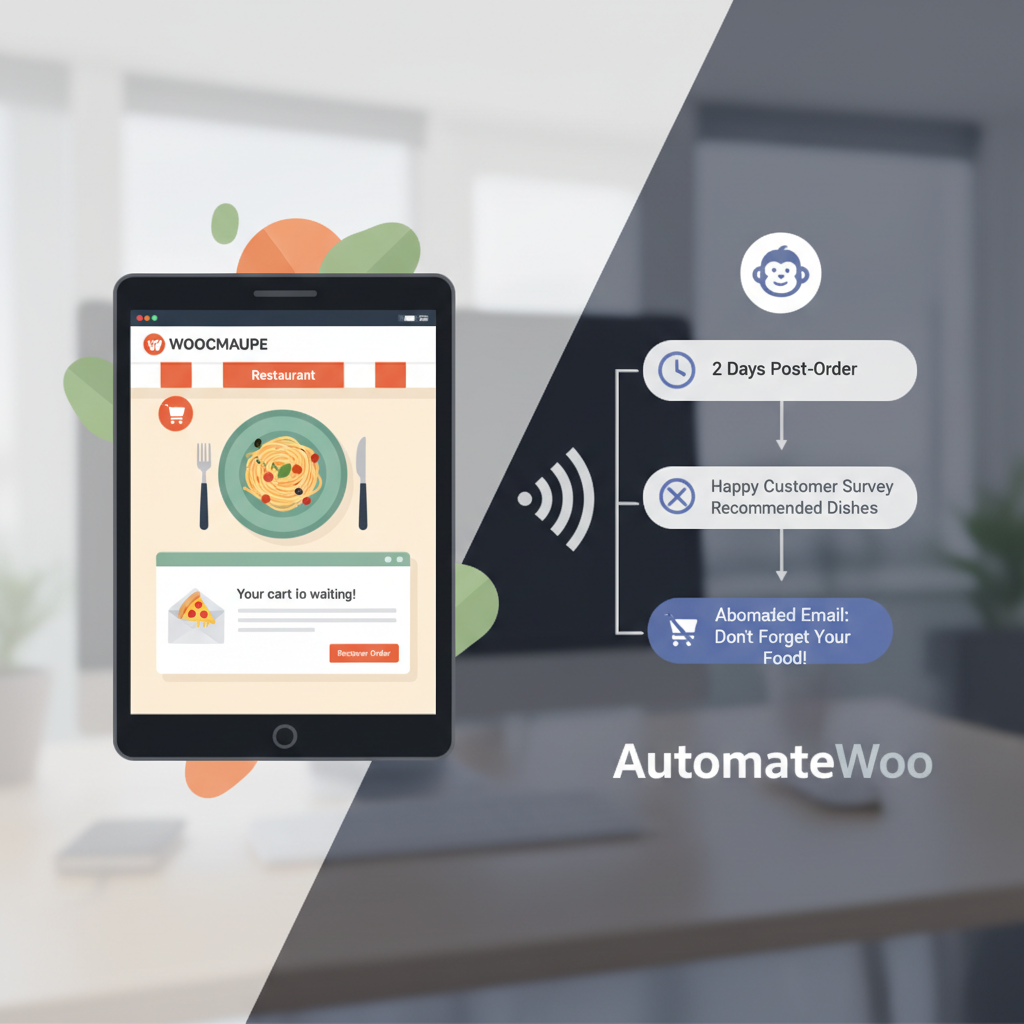
AutomateWoo is purpose-built for WooCommerce and includes an abandoned cart workflow out of the box. To set it up:
- Navigate to AutomateWoo → Workflows → Add Workflow
- Select the “Cart Abandoned” trigger
- Set the delay to 20 minutes for the first email
- Use the built-in variables to pull in the customer’s cart contents (product names, images, total)
- Add a clear call-to-action button linking back to their cart
Mailchimp for WooCommerce also supports abandoned cart emails through its automation builder. The setup is simpler but offers less granular control over timing — Mailchimp’s default abandoned cart delay is typically one hour, which may be too slow for food orders. If you use Mailchimp, consider adjusting this to the shortest available interval.
Email Template and Incentive Strategy
Keep the email short and visual. Here’s a proven structure for food order recovery:
- Subject line: “Your [restaurant name] order is waiting 🍕” or “Still hungry? Your cart is ready”
- Body: Show the items they left behind with images. Remind them of the estimated delivery time.
- Incentive (optional): Offer free delivery or a small discount (5–10%) on the second email only. Don’t train customers to expect discounts on the first touchpoint.
- Urgency element: “Order in the next 30 minutes for delivery by [time]”
A/B test your subject lines aggressively. Food-related emojis, specific menu item names, and urgency language (“Your pad thai is getting cold” vs. “Complete your order”) can produce dramatically different open rates. AutomateWoo supports A/B testing natively within workflows.
Creating Post-Order Follow-Up and Review Request Sequences
The moment after a customer receives their food is the most emotionally charged point in the entire ordering experience. If the food was great, they’re happy and receptive. This is your window to build loyalty, collect reviews, and drive the next order.
The Post-Order Email Sequence
Set up a three-email automated sequence triggered by order completion:
Email 1 — Thank You + Feedback (1–2 hours after delivery): Send a warm thank-you message. Ask a simple question: “How was your meal?” Link to a one-click satisfaction survey or a star rating. Keep it frictionless — nobody wants to fill out a long form after eating dinner.
Email 2 — Review Request (24 hours after delivery): If the customer responded positively (or didn’t respond at all), ask them to leave a Google or Yelp review. Provide a direct link to your Google Business Profile review page. Restaurants with more recent reviews rank higher in local search, so this email directly impacts your visibility.
Email 3 — Cross-Sell / Next Order Nudge (3–5 days later): Use WooCommerce order data to personalize this email. If someone ordered a burger, suggest your loaded fries or milkshakes. If they ordered a family meal deal, highlight your weekend catering options. The personalization variables in AutomateWoo let you pull in the customer’s last ordered items and recommend complementary products.
Personalization Using Order Data
Both AutomateWoo and Mailchimp can pull WooCommerce order data into emails. With AutomateWoo, you can use variables like {{ order.items }}, {{ customer.first_name }}, and {{ order.total }} to create messages that feel personal rather than generic. A subject line like “Sarah, your margherita pizza pairs perfectly with our new tiramisu” outperforms “Check out our dessert menu” every time.
If you’re running your restaurant ordering through FoodMaster, all order data — including delivery vs. pickup status, order items, and customer details — flows directly into WooCommerce, making it fully accessible to any email automation tool that integrates with WooCommerce.
[IMAGE: Screenshot mockup of a post-order follow-up email showing a thank-you message, the customer’s ordered items with images, a star rating feedback widget, and a personalized cross-sell recommendation section]
Building Re-Engagement and Win-Back Campaigns for Lapsed Restaurant Customers
Every restaurant has a segment of customers who ordered once or twice and then disappeared. Research from Bain & Company has shown that increasing customer retention by just 5% can increase profits by 25–95%. Win-back campaigns target exactly this opportunity.
Defining “Lapsed” for Restaurant Customers
Unlike retail, where a customer might naturally go months between purchases, restaurant customers who stop ordering have usually switched to a competitor or reverted to cooking at home. Set up these time-based segments:
- 14 days inactive: Early warning. A gentle nudge is appropriate.
- 30 days inactive: They’ve likely found an alternative. A stronger incentive is needed.
- 60+ days inactive: Last chance before you consider sunsetting them from active campaigns.
Win-Back Email Templates
14-day email: “We miss you, [Name]! Here’s what’s new on our menu this week.” Highlight new items, seasonal specials, or popular dishes. No discount needed yet — just remind them you exist.
30-day email: “It’s been a while — here’s 15% off your next order.” Pair a coupon code with a compelling reason to return. WooCommerce’s built-in coupon system makes it straightforward to generate unique discount codes. AutomateWoo can automatically create and insert personalized coupon codes into emails, complete with expiration dates and usage limits.
60-day email: “Last chance: exclusive offer just for you.” Make this your strongest offer — perhaps free delivery plus a percentage discount. If they don’t respond to this, move them to a suppression list. Continuing to email unresponsive subscribers hurts your sender reputation and deliverability rates.
When to Sunset Subscribers
If a subscriber hasn’t opened any of your emails in 90 days and hasn’t placed an order, remove them from your active marketing list. You can keep them in a separate “dormant” segment for occasional re-engagement attempts (once per quarter), but stop including them in weekly promotions. High bounce rates and low engagement signal spam to email providers, which can land your messages in everyone’s junk folder.
Measuring Email Campaign Performance and Optimizing for More Orders
Vanity metrics like total emails sent mean nothing if they don’t translate to orders. Here are the KPIs that actually matter for restaurant email marketing:
Key Metrics to Track
- Open rate: Industry average for restaurants is around 18–22% according to Mailchimp’s benchmark data. If you’re below this, your subject lines or send times need work.
- Click-to-order conversion rate: What percentage of people who click through from an email actually complete an order? This is your most actionable metric.
- Revenue per email: Total revenue attributed to email divided by total emails sent. Track this monthly to gauge overall channel health.
- Customer lifetime value (CLV) by segment: Compare CLV of customers who receive your emails vs. those who don’t. This justifies your email marketing investment.
Tracking Email-Driven Revenue
Mailchimp for WooCommerce automatically tracks revenue attribution — you can see exactly how much revenue each campaign and automation generated directly in your Mailchimp dashboard. AutomateWoo logs conversions within WordPress, viewable under its reporting section. For deeper analysis, set up UTM parameters on all email links and track them in Google Analytics 4 under the Acquisition → Traffic Acquisition report.
A/B Testing Strategies for Restaurants
Test one variable at a time to get clean results:
- Send time: Try 10:30 AM (pre-lunch decision window) vs. 4:30 PM (pre-dinner) for promotional emails
- Subject lines: Test specific menu items (“Our new spicy chicken sandwich is here”) vs. offers (“Free delivery this weekend”)
- Offer types: Percentage discounts vs. free delivery vs. free item with purchase — these perform differently depending on your average order value
Monthly Email Calendar Template for Restaurants
Structure your monthly sends around a predictable cadence:
- Week 1: New menu item announcement or seasonal special
- Week 2: Midweek promotion (Tuesday/Wednesday are typically slow — drive orders with a targeted deal)
- Week 3: Customer spotlight, behind-the-scenes content, or chef’s recommendation
- Week 4: Weekend deal or loyalty reward reminder
Layer your automated sequences (abandoned cart, post-order, win-back) on top of this calendar. The automated emails handle individual customer journeys, while the scheduled campaigns keep your brand top-of-mind for the entire list.
Putting It All Together
Email marketing for a WooCommerce restaurant isn’t a “set it and forget it” project, but the foundational automations — abandoned cart recovery, post-order follow-ups, and lapsed customer win-backs — can run continuously once configured. Start with abandoned cart recovery since it targets customers who already demonstrated intent to buy. Then layer in your post-order sequence to build loyalty and collect reviews. Finally, set up win-back campaigns to recapture revenue that would otherwise walk out the door permanently.
The restaurants that thrive with direct online ordering are the ones that treat every customer email as a long-term relationship, not a one-time transaction. With WooCommerce as your ordering backbone and tools like AutomateWoo or Mailchimp handling the automation, you have everything you need to build a retention engine that keeps customers coming back — without handing a cut of every order to a third-party platform.
Commission-free ordering
Run restaurant orders on your own WordPress site
FoodMaster adds delivery, pickup, dine-in, POS, and kitchen tools — with zero per-order fees.