
On this page
- Why Age Verification Matters for WooCommerce Restaurants Selling Alcohol
- The 3 Layers of Age Verification You Actually Need
- Layer 1: The Soft Age Gate (Site Entry)
- Layer 2: Checkout-Level Verification
- Layer 3: Physical ID Check at Handoff
- Best WooCommerce Plugins for Age Verification in 2026
- 1. Age Gate (by Agilecraft)
- 2. WPFactory Age Verification for WooCommerce
- 3. WooCommerce Age Verification by PluginUs
- 4. FoodMaster (for Layers 2 and 3)
- 5. Custom Snippet Approach
- Step-by-Step: Setting Up Age Verification on Your Restaurant Menu
- Step 1: Categorize Your Alcohol Products Properly
- Step 2: Install and Configure Your Age Gate Plugin
- Step 3: Add a Checkout-Level Confirmation
- Step 4: Block Alcohol-Only Delivery to Restricted Zones
- Configuring Delivery Driver and Pickup Workflows for ID Checks
- Kitchen Ticket and Receipt Flags
- Driver App Notes and Order Screens
- SMS and Email Reminders
- Staff Training on Refusal Procedures
- Staying Compliant: Regional Rules, Logs, and Common Mistakes
- United States
- United Kingdom
- European Union
- Australia
- Keeping Verification Logs
Selling a pepperoni pizza online is simple. Selling a bottle of Chianti to go with it? That’s where WooCommerce restaurants suddenly find themselves navigating a minefield of licensing rules, driver responsibilities, and potential five-figure fines. If your pizzeria, gastropub, or ghost kitchen has added beer, wine, or cocktails to the online menu, age verification isn’t a “nice to have” feature — it’s the difference between a thriving business and a suspended liquor license.
This guide walks you through exactly how to add proper age verification to a WooCommerce restaurant site in 2026, covering the legal reasoning, the best plugins, the setup steps, and the workflow tweaks your delivery drivers and pickup staff absolutely need.
Why Age Verification Matters for WooCommerce Restaurants Selling Alcohol
Alcohol delivery exploded during the pandemic and never went back. In the US, more than 35 states now permit some form of restaurant alcohol delivery or to-go cocktails, but every single one requires the seller to verify the recipient is of legal drinking age. In the UK, the Licensing Act 2003 and the widely adopted Challenge 25 policy hold the seller responsible if a minor receives alcohol — even through a third-party driver. Australia’s RSA (Responsible Service of Alcohol) laws work similarly.
The consequences of getting this wrong are severe:
- Fines ranging from $1,000 to $10,000+ per incident in most US states
- Liquor license suspension or revocation, which for a wine-focused restaurant can be terminal
- Chargebacks and payment processor penalties — Stripe and Square both flag alcohol merchants and can freeze funds if compliance evidence is missing
- Civil liability if an intoxicated minor causes harm after receiving alcohol from your restaurant
The businesses most affected in 2026 aren’t just wine bars. It’s the pizzeria adding craft beer six-packs to boost average order value. The burger joint bundling boozy milkshakes. The Italian café upselling Prosecco with brunch. The ghost kitchen running a cocktail-only virtual brand out of a shared commissary. If any of that sounds familiar, keep reading.
The 3 Layers of Age Verification You Actually Need
Most restaurant owners think of age verification as a single popup. In reality, a compliant setup has three distinct layers, and skipping any one of them creates a legal gap.
Layer 1: The Soft Age Gate (Site Entry)
This is the “Are you 18/21 or older?” popup that appears when someone lands on your site or tries to view alcohol products. It’s the weakest layer legally — anyone can click “Yes” — but it establishes intent and shifts some responsibility to the customer. It also stops obvious minors from browsing.
Layer 2: Checkout-Level Verification
Here you require the customer to confirm date of birth, tick a legally binding checkbox, or in stricter jurisdictions upload an ID scan before payment. This creates a timestamped record you can produce during an audit. It’s also where you should block alcohol-only orders from being delivered to certain zip codes if your license doesn’t cover them.
Layer 3: Physical ID Check at Handoff
The one every restaurant underestimates. Whether it’s a delivery driver at the door or a staff member handing off a curbside order, someone must physically verify a government-issued ID matching the order name and confirming legal age. This is where WooCommerce alone completely falls short — vanilla WooCommerce has no concept of driver instructions, printed ID flags, or refusal workflows.
Skipping Layer 3 is the single most common mistake, and it’s the one regulators specifically look for during sting operations.
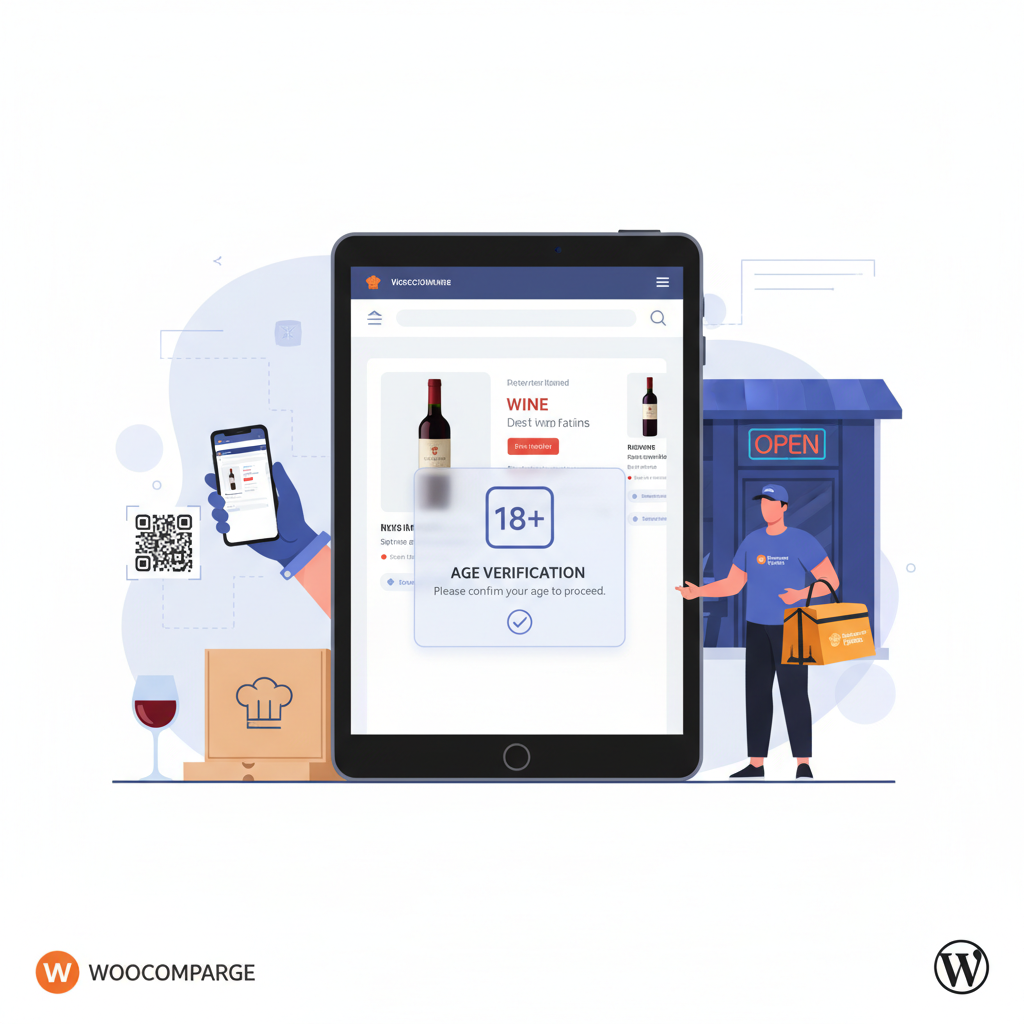
[IMAGE: diagram showing the three layers of age verification from website entry through checkout to delivery handoff]
Best WooCommerce Plugins for Age Verification in 2026
There’s no single plugin that handles all three layers perfectly, so most restaurants combine a dedicated age gate plugin with their ordering system. Here are the options worth considering.
1. Age Gate (by Agilecraft)
Probably the most popular free option on WordPress.org with over 40,000 active installs. It handles Layer 1 beautifully — full-screen or popup gates, category-specific triggers, DOB input rather than a simple yes/no, and cookie remembering. The premium version adds re-verification intervals and multi-language support.
Best for: Restaurants that want a solid site-entry gate without paying much. Pricing: free core, ~$39/year premium.
2. WPFactory Age Verification for WooCommerce
More e-commerce focused. It restricts specific products or categories, adds a mandatory checkbox at checkout, and lets you require customers to enter their full date of birth before purchasing flagged items. Good audit trail via order meta.
Best for: Restaurants with a mixed menu where only some categories (wine, beer) need verification. Pricing: around $49/year.
3. WooCommerce Age Verification by PluginUs
A cleaner UI-focused plugin. Nice design templates, mobile-optimized popups, and useful analytics on how many visitors bounce at the gate. Less feature-heavy on the checkout side.
Best for: Brand-conscious restaurants where the age gate is the first impression. Pricing: ~$29 one-time on CodeCanyon.
4. FoodMaster (for Layers 2 and 3)
This is where things get interesting for restaurants specifically. FoodMaster’s restaurant ordering system handles the parts a generic age plugin can’t: adding “ID REQUIRED” flags directly to kitchen tickets and driver receipts, sending SMS notifications reminding customers to have ID ready, category-based checkout rules that flag alcohol orders differently, and integration with thermal printers so the flag prints in bold on every ticket. Combined with a simple age gate plugin, it covers all three layers end-to-end.
Best for: Pizzerias, burger joints, and full-service restaurants that need delivery/pickup workflows on top of verification.
5. Custom Snippet Approach
For developers or agencies, a lightweight custom function hooked into woocommerce_before_checkout_form can add DOB fields and validation without a plugin. It’s leaner and faster, but you lose the polished UI and audit logs. Only recommended if you have a developer on retainer.
Step-by-Step: Setting Up Age Verification on Your Restaurant Menu
Here’s the practical setup most restaurants should follow. This assumes you already have WooCommerce configured with your menu and a working ordering plugin.
Step 1: Categorize Your Alcohol Products Properly
In WooCommerce, go to Products → Categories and create dedicated categories like “Beer”, “Wine”, “Cocktails”, or a parent “Alcohol” category. Don’t just tag them — proper categorization is what lets your age plugin restrict only these items instead of blocking your entire menu (which kills conversions on food-only orders).
Step 2: Install and Configure Your Age Gate Plugin
Install Age Gate or WPFactory Age Verification from the plugin repository. In settings:
- Set the minimum age based on your jurisdiction — 21 for the US, 18 for the UK, EU, and Australia
- Choose “category-based restriction” rather than site-wide (so users browsing the pizza menu aren’t blocked)
- Enable date-of-birth input instead of a simple yes/no button — it’s more defensible legally
- Set cookie duration to 24 hours max, so returning users still get re-verified periodically
- Customize colors, logo, and copy to match your brand — a generic popup looks spammy and hurts conversions
Step 3: Add a Checkout-Level Confirmation
Even with the entry gate, add a mandatory checkbox at checkout that reads something like: “I confirm I am at least 21 years old and understand a valid government-issued photo ID will be required upon delivery or pickup. Alcohol will not be handed over without ID.”
This is trivial to add via WooCommerce’s checkout field hooks or with a plugin like Checkout Field Editor. Store the acceptance in order meta so it appears in the admin order view.
Step 4: Block Alcohol-Only Delivery to Restricted Zones
If your license only covers certain zip codes or postal areas, use your ordering plugin’s delivery zone rules to prevent alcohol categories from being ordered outside those zones. FoodMaster handles this cleanly with category-based zone restrictions — you can allow food delivery to zone A but restrict alcohol to zone B where you’re licensed.
[IMAGE: WooCommerce admin screen showing product category settings for wine and beer with age restriction options enabled]
Configuring Delivery Driver and Pickup Workflows for ID Checks
This is the layer that separates hobbyist setups from professional operations. When an order containing alcohol comes in, everyone in the fulfillment chain needs to know instantly.
Kitchen Ticket and Receipt Flags
Every printed kitchen ticket for an order containing alcohol should have a bold, unmistakable “ID REQUIRED — DO NOT HAND OVER WITHOUT VALID PHOTO ID” banner at the top. Not a small footnote — a full-width bold banner. Thermal printers connected via FoodMaster’s automatic printing module support conditional printing rules exactly for this purpose. You set a rule: if order contains category “Alcohol”, inject a header block on the printed ticket.
Driver App Notes and Order Screens
If you use in-house drivers, their order screen should display the alcohol flag prominently — ideally in red at the top. Include:
- The specific alcohol items being delivered
- Required action: “Check photo ID. Refuse delivery if under 21, intoxicated, or ID unavailable.”
- A confirmation button the driver taps after checking ID, timestamped and logged
- A refusal button that triggers automatic customer notification and refund workflow
SMS and Email Reminders
The moment a customer places an alcohol order, send an automated SMS: “Thanks for your order! Since your order contains alcohol, our driver will need to see a valid photo ID (must match the name on the order) upon delivery. Please have it ready.” This dramatically reduces failed deliveries and refusals at the door.
Staff Training on Refusal Procedures
Every driver and front-of-house staff member handling pickup orders needs a written, signed refusal protocol. It should cover:
- What ID types are acceptable (driver’s license, passport, state ID — not expired)
- How to handle the “my friend is picking it up” situation (name on ID must match order)
- How to spot obvious fake IDs (thickness, holograms, DOB math errors)
- How to politely refuse and log the refusal
- What happens with the alcohol on refusal (returned to restaurant, customer refunded for alcohol portion only in most jurisdictions)
Document the training and keep signed copies. If a regulator ever visits, this paperwork is gold.
Staying Compliant: Regional Rules, Logs, and Common Mistakes
Compliance isn’t a one-time setup. It’s an ongoing operational discipline, and the specifics vary significantly by region.
United States
Alcohol laws are state-by-state, with some counties adding their own layer. Legal age is 21 everywhere. States like California, New York, and Florida have relatively permissive to-go alcohol rules, while Utah and Pennsylvania remain highly restrictive. Check your state ABC (Alcohol Beverage Control) website for delivery-specific requirements — some require the driver to hold a specific server permit.
United Kingdom
Legal age is 18, but the industry-standard Challenge 25 policy means you should ID anyone who looks under 25. The Licensing Act 2003 makes it a criminal offense to sell alcohol to a minor, with unlimited fines possible. Premises license reviews can be triggered by a single failed test purchase.
European Union
Ages range from 16 (beer/wine in Germany, Belgium) to 18 (spirits and most other countries). GDPR adds a wrinkle: storing customer date of birth requires a lawful basis, clear privacy notice, and data minimization. Only store DOB if you actually need it, and delete it after a reasonable retention period (typically 12–24 months for tax/audit purposes).
Australia
Legal age is 18. Each state has its own RSA certification requirement, and drivers delivering alcohol in NSW, Victoria, and Queensland must complete RSA training. Fines for supplying to minors can exceed AU$11,000 per offense.
Keeping Verification Logs
For every alcohol order, you should retain:
Commission-free ordering
Run restaurant orders on your own WordPress site
FoodMaster adds delivery, pickup, dine-in, POS, and kitchen tools — with zero per-order fees.