On this page
- Why Integrating Third-Party Delivery Services with Your WooCommerce Restaurant Site Is a Game-Changer
- Understanding Your Options: DoorDash Drive, Uber Direct, Stuart, and Other White-Label Delivery APIs Compared
- DoorDash Drive
- Uber Direct
- Stuart
- Quick Comparison Table
- Step-by-Step: Connecting DoorDash Drive to Your WooCommerce Restaurant Ordering System Using Webhooks and API Integrations
- 1. Apply for a DoorDash Drive Developer Account
- 2. Set Up Your WordPress Site to Make API Calls
- 3. Authenticate Using JWT Tokens
- 4. Configure Webhooks for Status Updates
- 5. Test in Sandbox Mode
- Step-by-Step: Setting Up Uber Direct and Stuart for On-Demand Delivery Dispatch from Your WordPress Site
- Uber Direct Integration
- Stuart Integration
- Managing Delivery Zones, Real-Time Driver Tracking, and Automatic Fee Calculations in WooCommerce
- Delivery Zones
- Real-Time Driver Tracking
- Automatic Fee Calculations
- Troubleshooting Common Issues, Optimizing Delivery Revenue, and Best Practices for a Seamless Customer Experience
- Common Issues and How to Fix Them
- Optimizing Delivery Revenue
- Best Practices for Customer Experience
- Bringing It All Together
Running a Online Orders“>restaurant website on WooCommerce gives you full control over your brand, your menu, and your customer relationships. But there’s always been one nagging challenge: getting the food from your kitchen to the customer’s door without relying on marketplace apps that take 15–30% commissions on every order.
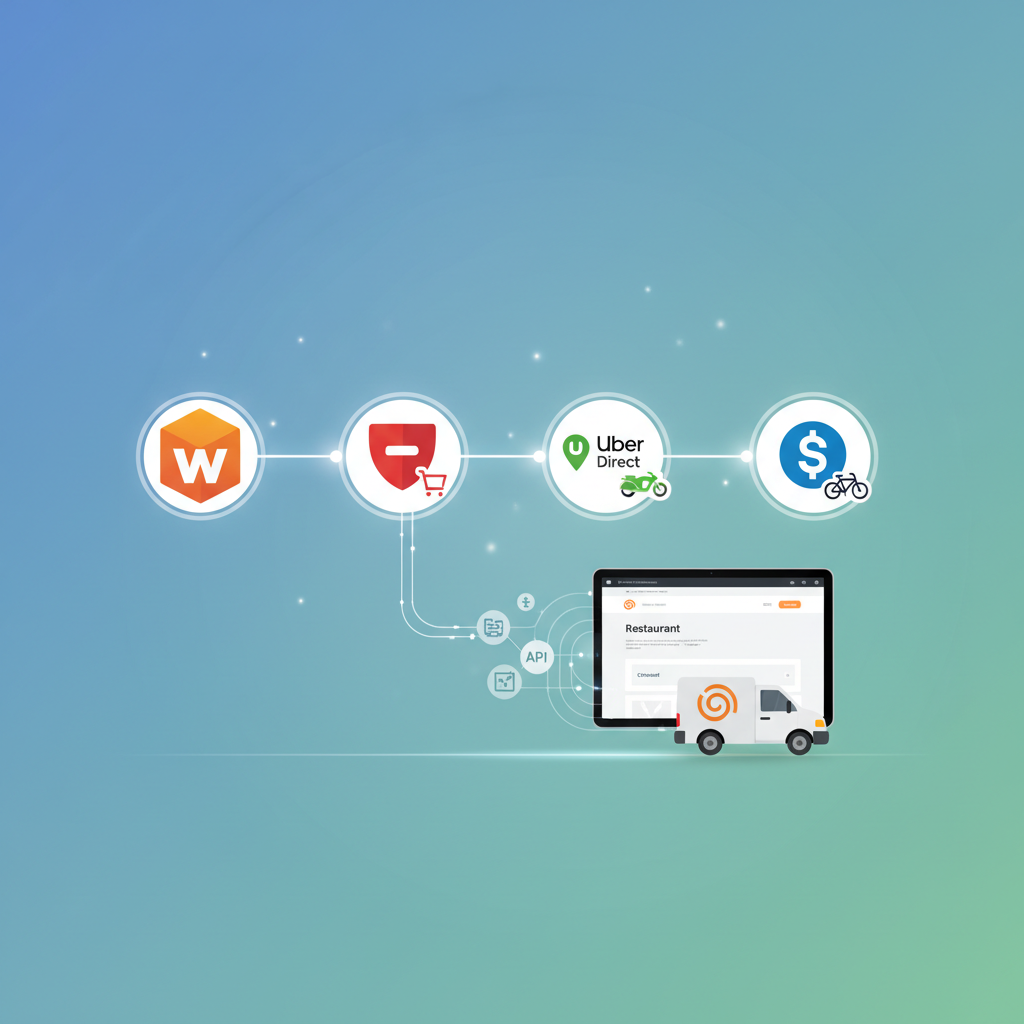
That’s where white-label delivery APIs come in. Services like DoorDash Drive, Uber Direct, and Stuart let you tap into their massive driver networks without listing your restaurant on their marketplace. Customers order directly from your website, and you simply dispatch a driver on demand. No branding from a third party. No commission on the food itself. Just a flat delivery fee.
This guide walks you through the entire process — from understanding your options to connecting these services to your WooCommerce store, managing delivery zones, and troubleshooting the inevitable hiccups along the way.
Why Integrating Third-Party Delivery Services with Your WooCommerce Restaurant Site Is a Game-Changer
Let’s be blunt: most restaurants lose money on marketplace deliveries. When DoorDash or Uber Eats takes a 25% cut of a $40 order, that’s $10 gone before you’ve paid for ingredients, labor, or packaging. Over a month, those commissions can easily eat up your entire profit margin on delivery orders.
White-label delivery APIs flip this model. Here’s why they matter:
- Dramatic cost savings: Instead of percentage-based commissions, you pay a flat per-delivery fee (typically $5–$10 depending on distance). On a $40 order, that’s a massive difference compared to $10+ in marketplace commissions.
- You own the customer relationship: Orders come through your website, so you collect the customer’s email, phone number, and order history. That data is gold for marketing and retention.
- Wider delivery reach without hiring drivers: Building an in-house delivery team is expensive and logistically complex. These APIs give you access to thousands of drivers already on the road in your area.
- Better customer experience: Customers stay on your branded site, see your menu the way you want it displayed, and often get real-time tracking — all without being tempted by competitor restaurants on a marketplace app.
If you’re already running your restaurant’s online ordering through a WooCommerce-based system like FoodMaster, adding a delivery API integration is the logical next step to build a fully independent ordering and delivery operation.
Understanding Your Options: DoorDash Drive, Uber Direct, Stuart, and Other White-Label Delivery APIs Compared
Not all delivery APIs are created equal. Each has different coverage areas, pricing structures, and technical requirements. Here’s a practical comparison to help you decide which one (or which combination) makes sense for your restaurant.
DoorDash Drive
DoorDash Drive is the white-label delivery arm of DoorDash. It’s available across the United States, Canada, and Australia, leveraging the same driver network (called “Dashers”) that powers the DoorDash marketplace. Pricing is typically a flat fee per delivery based on distance, with no percentage-based commissions. The API is well-documented, supports real-time tracking, and allows you to schedule deliveries in advance or request them on demand.
Uber Direct
Uber Direct works similarly but taps into Uber’s global driver network. It’s available in over 30 countries, which makes it the strongest option if you operate outside North America. Uber Direct offers real-time ETAs, proof of delivery, and flexible pickup windows. Pricing is also distance-based and competitive with DoorDash Drive.
Stuart
Stuart is a European-focused delivery platform owned by DPD Group. It’s particularly strong in the UK, France, Spain, and other European markets. Stuart offers both on-demand and scheduled deliveries, with a clean API that’s popular among restaurants, grocery stores, and retailers. If your WooCommerce Restaurant Ordering: How to Build a Powerful System Effortlessly”>WooCommerce restaurant serves customers in Europe, Stuart is likely your best bet.
Quick Comparison Table
- Coverage: DoorDash Drive (US, Canada, Australia) | Uber Direct (30+ countries) | Stuart (UK, France, Spain, Poland, Portugal, Italy)
- Pricing model: All three use flat per-delivery fees based on distance — no food commissions
- Real-time tracking: Available on all three platforms
- Scheduled deliveries: Supported by all three
- API documentation quality: DoorDash and Uber are both excellent; Stuart’s is solid but slightly less extensive
Pro tip: Many restaurants integrate two services simultaneously and use logic to select the cheapest or fastest available driver for each order. This redundancy also protects you if one service has a driver shortage in your area.
Step-by-Step: Connecting DoorDash Drive to Your WooCommerce Restaurant Ordering System Using Webhooks and API Integrations
Let’s get into the technical setup. Connecting DoorDash Drive to your WooCommerce site requires some development work, but the process is straightforward if you follow these steps.
1. Apply for a DoorDash Drive Developer Account
Head to the DoorDash Developer Portal and sign up for a Drive API account. You’ll need to provide your business details, including your restaurant’s name, address, and expected delivery volume. DoorDash typically approves accounts within a few business days.
Once approved, you’ll receive your API credentials: a Developer ID, Key ID, and Signing Secret. Keep these secure — they’re used to authenticate every API request.
2. Set Up Your WordPress Site to Make API Calls
You’ll need a custom plugin or a code snippet (placed in a custom plugin file, not your theme’s functions.php) that fires when a new delivery order is placed. The basic flow looks like this:
- Customer places an order on your WooCommerce site and selects “delivery” as the order type.
- Your site sends a POST request to the DoorDash Drive API’s
/deliveriesendpoint with the pickup address (your restaurant), dropoff address (customer’s address), order details, and pickup time. - DoorDash responds with a delivery ID, estimated pickup time, and tracking URL.
- Your site stores the tracking URL and delivery ID in the order’s metadata and optionally sends it to the customer via email or SMS.
3. Authenticate Using JWT Tokens
DoorDash Drive uses JSON Web Tokens (JWT) for authentication. You’ll generate a JWT using your Developer ID, Key ID, and Signing Secret. Most implementations use a server-side library (PHP’s firebase/php-jwt package works well in WordPress) to create the token before each API call.
4. Configure Webhooks for Status Updates
DoorDash can send webhook notifications to your site when the delivery status changes — for example, when a Dasher is assigned, when they arrive at your restaurant, and when the delivery is complete. Set up a custom REST API endpoint in WordPress to receive these webhooks, then update the WooCommerce order status accordingly.
This is where things get really powerful. If you’re using FoodMaster for your restaurant ordering system, the plugin already handles order statuses and delivery workflows. You can hook into its existing order status system to automatically update orders as the driver progresses, keeping both your kitchen staff and customers informed in real time.
5. Test in Sandbox Mode
DoorDash provides a sandbox environment where you can simulate deliveries without dispatching real drivers. Test every scenario: successful delivery, customer cancellation, driver reassignment, and address errors. Only switch to production mode once you’re confident the integration handles edge cases gracefully.
Step-by-Step: Setting Up Uber Direct and Stuart for On-Demand Delivery Dispatch from Your WordPress Site
Uber Direct Integration
The Uber Direct API follows a similar pattern to DoorDash Drive, but with a few differences in authentication and endpoints.
- Create an Uber Developer account at the Uber Developer Dashboard. Register your app and request access to the Direct API (also sometimes called Uber Eats Delivery API for white-label).
- Obtain OAuth 2.0 credentials. Unlike DoorDash’s JWT approach, Uber uses OAuth 2.0 client credentials flow. You’ll exchange your Client ID and Client Secret for an access token, which you include in the Authorization header of each API request.
- Create a delivery request by sending a POST to the
/deliveriesendpoint with pickup and dropoff details, item descriptions, and any special instructions. - Poll for updates or use webhooks. Uber Direct supports both polling (checking status periodically) and webhook callbacks. Webhooks are strongly recommended for a responsive customer experience.
- Display the tracking URL on the WooCommerce order confirmation page and in the order confirmation email. Uber provides a branded tracking page that shows the driver’s location in real time.
Stuart Integration
Stuart’s API is clean and developer-friendly, making it a favorite for European restaurant sites.
- Sign up at Stuart’s API portal and get your API credentials (Client ID and Client Secret).
- Authenticate via OAuth 2.0 — similar to Uber Direct. Request an access token and use it for subsequent calls.
- Create a job (Stuart’s term for a delivery) by posting pickup and dropoff details to the
/jobsendpoint. You can include package size, transport type (bike, motorbike, car, van), and time windows. - Receive webhook updates as the courier picks up and delivers the order. Stuart’s webhook events are well-structured and include GPS coordinates for real-time tracking.
For both services, the WordPress integration logic is nearly identical to the DoorDash setup: hook into WooCommerce’s order creation process, dispatch the delivery via API, store tracking info in order meta, and update statuses via webhooks.
Managing Delivery Zones, Real-Time Driver Tracking, and Automatic Fee Calculations in WooCommerce
Getting the API connected is only half the battle. You also need to manage the operational details that make or break the delivery experience.
Delivery Zones
Before a customer completes an order, you need to verify that their address falls within a serviceable delivery zone. There are two approaches:
- Use the delivery API’s coverage check: DoorDash Drive and Uber Direct both offer endpoints to verify whether a delivery is possible for a given address before you create the order. Call this endpoint during checkout validation.
- Define your own zones in WooCommerce: Use WooCommerce’s built-in shipping zones or a plugin like FoodMaster (which includes delivery zone management with radius-based or zip code-based restrictions) to limit ordering to areas you know are well-served by drivers.
Real-Time Driver Tracking
All three services provide tracking URLs that you can embed or link to from the customer’s order confirmation page. For a more integrated experience, you can use the API’s status webhooks to display a live order tracker directly on your WordPress site — showing stages like “Driver assigned,” “Picking up your order,” “On the way,” and “Delivered.”
Automatic Fee Calculations
Delivery fees vary based on distance, time of day, and demand. You have a few options for handling this:
- Flat fee: Charge customers a fixed delivery fee (e.g., $4.99) regardless of the actual API cost. Simple, but you may lose money on longer deliveries.
- Dynamic fee: Call the delivery API’s quote endpoint during checkout to get the actual delivery cost, then pass that (with or without a markup) to the customer. This is more complex but ensures you never deliver at a loss.
- Subsidized fee: Charge a lower fee than the actual cost to encourage delivery orders, absorbing the difference as a customer acquisition cost.
The dynamic approach is the most sustainable for most restaurants. You can use WooCommerce’s custom shipping method functionality to calculate fees on the fly based on the API’s quote response.
Troubleshooting Common Issues, Optimizing Delivery Revenue, and Best Practices for a Seamless Customer Experience
Common Issues and How to Fix Them
- No drivers available: This happens during off-peak hours or in areas with low driver density. Solution: integrate a second delivery service as a fallback. If DoorDash Drive can’t find a driver within 5 minutes, automatically dispatch through Uber Direct or Stuart.
- Address validation failures: Customers often enter incomplete or incorrectly formatted addresses. Use Google Places Autocomplete on your checkout form to standardize addresses before they hit the delivery API.
- Webhook delivery failures: If your WordPress site is temporarily down or slow, you’ll miss status updates. Implement webhook retry logic on your endpoint and add a periodic polling fallback that checks for any missed updates.
- Order timing mismatches: If you dispatch a driver too early, they’ll arrive before the food is ready and cancel. Too late, and the food gets cold. Coordinate your pickup time with your kitchen’s actual preparation time — most ordering plugins, including FoodMaster, let you set estimated preparation times per order or per item category.
Optimizing Delivery Revenue
- Set minimum order amounts for delivery orders. A $15 minimum ensures you’re not losing money dispatching a driver for a single coffee.
- Offer free delivery above a threshold (e.g., “Free delivery on orders over $35”). This increases average order value and offsets the delivery cost.
- Track your delivery cost per order monthly. If a particular zone consistently costs more than you charge, either increase the fee for that zone or remove it from your delivery area.
- Promote pickup as an alternative. Not every order needs a driver. Make pickup easy and attractive (with a small discount, for example) to reduce your overall delivery costs.
Best Practices for Customer Experience
- Communicate clearly at every step. Send an order confirmation email immediately, a “driver on the way” notification when the delivery is dispatched, and a delivery confirmation when it arrives.
- Provide accurate ETAs. Use the delivery API’s estimated time data rather than guessing. Customers tolerate a 40-minute wait if you told them 40 minutes. They don’t tolerate 40 minutes if you said 20.
- Make tracking accessible. Include the tracking link prominently in the order confirmation page and email. Don’t bury it.
- Handle issues proactively. If a delivery is running late or a driver cancels, notify the customer before they have to reach out to you. This single practice dramatically reduces negative reviews.
- Collect feedback. After each delivery, send a brief follow-up asking about the experience. Use this data to identify recurring problems with specific delivery services or zones.
Bringing It All Together
Integrating third-party delivery APIs with your WooCommerce restaurant site isn’t a weekend project — it requires planning, development, and testing. But the payoff is substantial: you keep more revenue per order, own your customer data, and deliver an experience that feels entirely yours.
Start by choosing the delivery service that matches your geographic coverage. Build the integration in sandbox mode, test thoroughly, and launch with a limited delivery zone before expanding. If you’re running your ordering system on FoodMaster, you already have a solid foundation with built-in delivery zone management, order status workflows, and kitchen coordination — which makes the API integration significantly smoother.
The restaurants winning in 2025 aren’t the ones listed on every marketplace app. They’re the ones that own their ordering channel, control their delivery costs, and build direct relationships with their customers. This is how you get there.
Commission-free ordering
Run restaurant orders on your own WordPress site
FoodMaster adds delivery, pickup, dine-in, POS, and kitchen tools — with zero per-order fees.