
On this page
- Why Real-Time Order Tracking Matters for Restaurant Websites
- How Restaurant Order Tracking Works With WooCommerce
- Step-by-Step: Adding Custom Order Statuses for Food Preparation and Delivery
- Option 1: Using a Restaurant-Specific Plugin
- Option 2: Registering Custom Statuses With Code
- Configuring Automatic Status Transitions
- Displaying a Live Order Tracking Page for Customers
- The Basic WooCommerce Approach
- Building a Visual Progress Tracker
- Real-Time Updates Without Page Refresh
- Sending Automatic Status Update Notifications (Email & SMS)
- Email Notifications
- SMS Notifications
- Tying It All Together
- Pro Tips: Integrating Delivery Driver Tracking and Estimated Time of Arrival
- Adding Estimated Delivery Times
- Live Driver Location Tracking
- Letting Drivers Update Order Status From Their Phones
- Handling Edge Cases Gracefully
- Bringing It All Together
Why Real-Time Order Tracking Matters for Restaurant Websites
Picture this: a hungry customer just placed an order on your WooCommerce Restaurant Website (2025)”>Restaurant Website With WordPress and WooCommerce (From Scratch)”>restaurant website. They’re sitting on their couch, stomach growling, refreshing their email every thirty seconds wondering if their pad thai is even being made yet. That anxiety — the “where is my food?” black hole — is one of the biggest friction points in online food ordering.
Real-time order tracking eliminates that uncertainty entirely. According to a 2023 survey by Salesforce, 88% of customers say the experience a company provides is as important as its products or services. In the food delivery space, that experience hinges heavily on transparency after the order is placed. Customers who can see their order moving through stages — received, preparing, on its way — feel more in control and less likely to call your restaurant in a panic.
The operational benefits are just as compelling. Restaurants that implement order tracking typically see a significant drop in inbound “where is my order?” calls and messages. That’s time your staff can spend actually preparing food instead of answering phones. And there’s a direct revenue impact: customers who trust your ordering process are far more likely to order again. Repeat customers spend, on average, 67% more than new ones according to Bain & Company research.
If you’re running a WooCommerce-based restaurant site, the good news is that you already have the foundation for a solid tracking system. You just need to customize it for the way restaurants actually work.
How Restaurant Order Tracking Works With WooCommerce
WooCommerce ships with a set of default order statuses designed for general eCommerce: Pending Payment, Processing, On Hold, Completed, Cancelled, Refunded, and Failed. These work fine when you’re shipping t-shirts or electronics, but they don’t reflect what actually happens in a restaurant kitchen.
A typical restaurant order goes through a very specific lifecycle:
- Order Received — The order lands in your system and payment is confirmed.
- Preparing — Your kitchen staff has acknowledged the order and started cooking.
- Ready for Pickup / Ready for Delivery — The food is packaged and waiting to go out the door.
- Out for Delivery — A driver has picked up the order and is en route (for delivery orders).
- Delivered / Completed — The customer has their food.
The gap between WooCommerce’s default “Processing” status and “Completed” is where all the restaurant magic happens — and where customers are left completely in the dark unless you build out those intermediate steps.
This is where a purpose-built restaurant ordering plugin for WooCommerce becomes invaluable. Rather than hacking together custom statuses from scratch, tools like FoodMaster are designed specifically around the restaurant order lifecycle, with built-in status flows that match how kitchens actually operate. FoodMaster includes a kitchen display system and POS that lets staff move orders through preparation stages without ever touching the WordPress dashboard.
[IMAGE: Diagram showing the restaurant order lifecycle from order received through preparing, ready, out for delivery, and delivered stages, with corresponding WooCommerce status mappings]
Step-by-Step: Adding Custom Order Statuses for Food Preparation and Delivery
Option 1: Using a Restaurant-Specific Plugin
The fastest and most reliable approach is using a plugin that already understands restaurant workflows. FoodMaster handles this out of the box — it registers custom order statuses tailored to food preparation and delivery, and provides interfaces for kitchen staff and delivery drivers to update orders in real time. No code required, and the statuses integrate cleanly with WooCommerce’s existing order management system.
If you’re already using FoodMaster for your online menu and ordering, the custom statuses are baked into the plugin’s workflow. Your staff can update order statuses from the kitchen display screen, a tablet mounted in the kitchen, or even a mobile phone — which is critical during a dinner rush when nobody has time to log into wp-admin.
Option 2: Registering Custom Statuses With Code
If you prefer a manual approach or need highly customized status names, you can register new order statuses using a code snippet in your theme’s functions.php file or a site-specific plugin. Here’s how to add a “Preparing” status:
First, register the status with WordPress:
function register_preparing_order_status() {
    register_post_status( 'wc-preparing', array(
        'label'                     => 'Preparing',
        'public'                    => true,
        'show_in_admin_status_list' => true,
        'show_in_admin_all_list'    => true,
        'exclude_from_search'       => false,
        'label_count'               => _n_noop( 'Preparing (%s)', 'Preparing (%s)' )
    ) );
}
add_action( 'init', 'register_preparing_order_status' );
Then add it to the WooCommerce order status dropdown:
function add_preparing_to_order_statuses( $order_statuses ) {
    $new_statuses = array();
    foreach ( $order_statuses as $key => $status ) {
        $new_statuses[ $key ] = $status;
        if ( 'wc-processing' === $key ) {
            $new_statuses['wc-preparing'] = 'Preparing';
        }
    }
    return $new_statuses;
}
add_filter( 'wc_order_statuses', 'add_preparing_to_order_statuses' );
Repeat this pattern for each status you need: “Ready for Pickup” (wc-ready-pickup), “Out for Delivery” (wc-out-delivery), and so on. The key is inserting them in the correct order within the status array so they appear logically in the admin dropdown.
Configuring Automatic Status Transitions
Manual status updates work, but automation reduces errors and speeds things up. You can set time-based transitions (e.g., automatically move from “Received” to “Preparing” after 2 minutes) or trigger-based transitions (e.g., when a kitchen staff member taps “Start” on the kitchen display).
For most restaurants, a hybrid approach works best: automatic transition from payment confirmed to “Order Received,” then manual control from there since kitchen timing varies by dish complexity and current volume. FoodMaster’s kitchen display system handles this elegantly — staff tap to acknowledge an order, which triggers the status change and any associated customer notifications.
Displaying a Live Order Tracking Page for Customers
Custom statuses are useless if customers can’t see them. You need a front-end tracking page that translates those backend statuses into something visual and reassuring.
The Basic WooCommerce Approach
WooCommerce includes a built-in order tracking shortcode: [woocommerce_order_tracking]. Drop this on any page, and customers can enter their order ID and billing email to see their current status. It’s functional but bare-bones — it just shows the status name as text with no visual progress indicator.
Building a Visual Progress Tracker
What customers actually want is a visual step indicator — a progress bar that shows where their order sits in the journey from placed to delivered. Think of the Domino’s tracker, but for your independent restaurant.
To build this, you’ll need to either:
- Use a plugin with built-in tracking UI — FoodMaster provides customer-facing order tracking that shows the current preparation stage, which is the simplest path if you’re already using it for your ordering system.
- Customize the WooCommerce “My Account” orders page — Override the
myaccount/view-order.phptemplate to add a visual progress bar that highlights the current status step. - Build a standalone tracking page — Create a custom page template with a form that accepts an order number, queries the order status via WooCommerce’s REST API or PHP functions, and renders a styled progress indicator.
For the visual progress bar, CSS flexbox with step indicators works well. Each step represents a status in your workflow, and the current status gets an “active” class that fills in the progress. Use your restaurant’s brand colors to make it feel cohesive with the rest of your site.
Real-Time Updates Without Page Refresh
The “real-time” part of real-time tracking means the page should update without the customer needing to refresh. There are two common approaches:
- AJAX polling — A JavaScript function checks the order status every 15-30 seconds via a lightweight AJAX call. Simple to implement and works on any hosting setup.
- WebSockets or Server-Sent Events — Pushes updates instantly when a status changes. More technically complex and requires server support, but provides true real-time feedback.
For most restaurant websites, AJAX polling at 20-second intervals strikes the right balance between responsiveness and server load. Your customers will see updates within seconds of a status change, which feels instantaneous when you’re waiting for dinner.
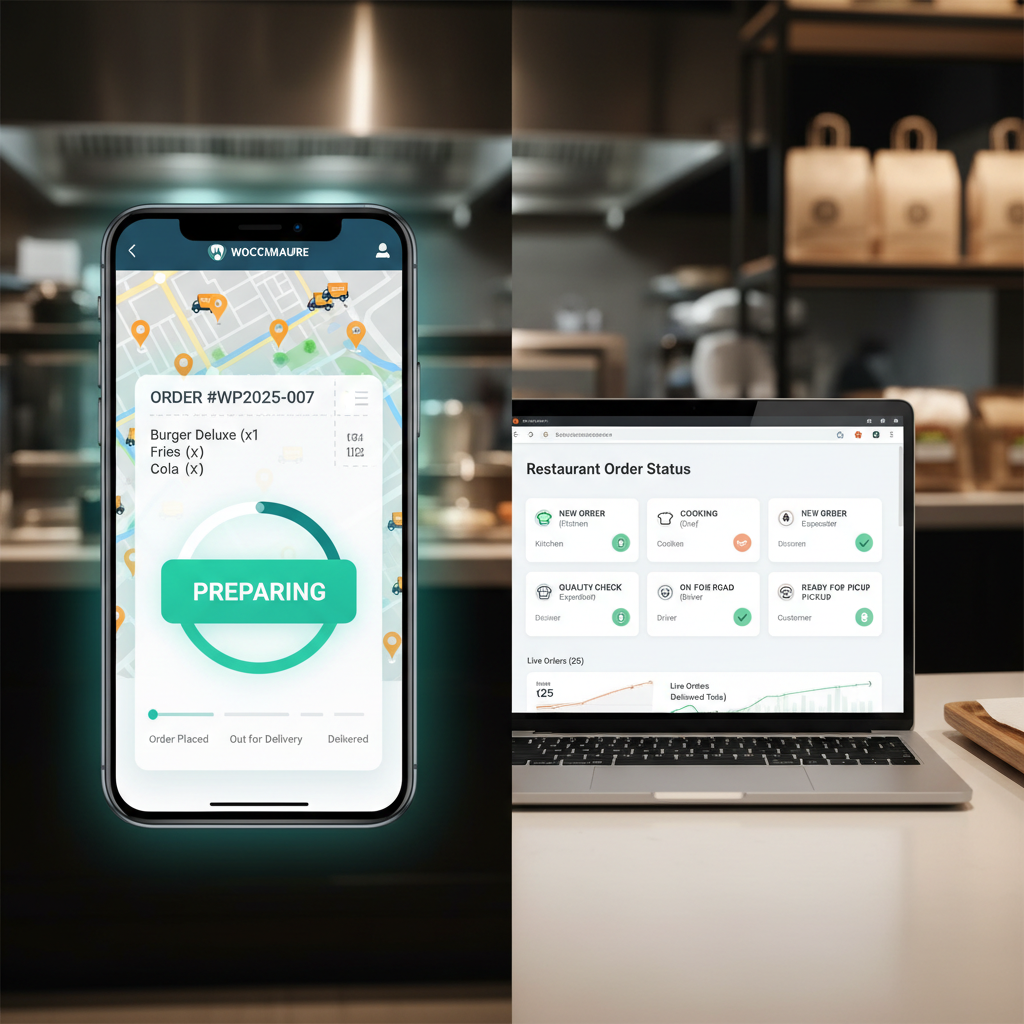
[IMAGE: Screenshot mockup of a customer-facing order tracking page showing a horizontal progress bar with steps for Order Received, Preparing, Ready, Out for Delivery, and Delivered, with the Preparing step highlighted as active]
Sending Automatic Status Update Notifications (Email & SMS)
A tracking page is great for customers who actively check it, but proactive notifications are what truly reduce anxiety. The goal is simple: every time your order moves to a new stage, the customer gets a message before they have to ask.
Email Notifications
WooCommerce already sends emails for default status changes (processing, completed), but your custom statuses won’t trigger emails automatically. You need to hook into the status transition and fire off a notification.
If you registered custom statuses via code, add email triggers using the woocommerce_order_status_changed action hook. This lets you send a custom email template when an order moves to “Preparing,” “Ready for Pickup,” or “Out for Delivery.”
Keep these emails short and scannable. A “Your order is being prepared!” email doesn’t need three paragraphs — it needs a clear subject line, the status update, an estimated time if available, and a link to the tracking page. That’s it.
SMS Notifications
Email open rates hover around 20% on average. SMS open rates? Over 90%, with most messages read within 3 minutes. For time-sensitive food orders, SMS is the superior channel.
Twilio and similar SMS APIs integrate with WooCommerce through various plugins. The setup typically involves:
- Creating an account with an SMS provider and getting API credentials.
- Installing a WooCommerce SMS notification plugin that supports custom order statuses.
- Mapping each custom status to an SMS template (e.g., “Your order #1234 is now being prepared! Estimated ready time: 25 minutes”).
- Collecting the customer’s phone number during checkout (make sure this field is required if you’re relying on SMS).
A practical tip: don’t send an SMS for every status change. Customers appreciate updates, but five texts for a single pizza order feels excessive. The sweet spot is typically three messages: order confirmed, food is ready or out for delivery, and delivered. Let the tracking page handle the granular in-between updates.
Tying It All Together
The best notification setup uses email as the baseline (everyone has email) and SMS as the priority channel for delivery orders where timing matters most. If you’re using FoodMaster, its notification system works alongside WooCommerce’s built-in email infrastructure, so you’re not building parallel systems from scratch.
Pro Tips: Integrating Delivery Driver Tracking and Estimated Time of Arrival
Basic order tracking tells customers what’s happening. Advanced tracking tells them when it’ll arrive. That distinction separates a good experience from a great one.
Adding Estimated Delivery Times
Estimated time of arrival (ETA) can be calculated from two variables: preparation time and delivery time.
Preparation time varies by what’s ordered. A salad takes 8 minutes; a slow-roasted brisket platter takes 25. You can assign estimated prep times to individual menu items or categories, then calculate the total based on the longest-prep item in the order (since kitchens work in parallel, not sequentially).
Delivery time depends on distance. If you’ve already configured delivery zones — which FoodMaster supports with radius-based and zone-based delivery area settings — you can assign estimated drive times to each zone. A 2-mile zone might get a 10-minute estimate; a 5-mile zone gets 20 minutes. Add prep time plus delivery time, and you’ve got a reasonably accurate ETA to display on the tracking page.
Live Driver Location Tracking
Showing the driver’s real-time location on a map is the gold standard of delivery tracking. Implementing this requires:
- A mobile app or web app for drivers that shares GPS location at regular intervals.
- Google Maps Platform (or an alternative like Mapbox) to render the map and calculate routes. Google’s Directions API and Maps JavaScript API are the standard tools here. Note that Google Maps API usage is billed per request, so budget accordingly — most restaurant volumes stay well within the free tier.
- A real-time data layer (Firebase Realtime Database or a WebSocket connection) to push location updates to the customer’s tracking page without constant polling.
This is technically the most complex piece of the tracking puzzle and may be overkill for a single-location restaurant doing 30 deliveries a night. But for high-volume operations or multi-location restaurants, it’s a competitive differentiator that puts you on par with major delivery platforms — without paying their 15-30% commission fees.
Letting Drivers Update Order Status From Their Phones
Your delivery driver shouldn’t need to call the restaurant to say “I’ve delivered the order.” They need a simple interface — ideally on their phone — where they can tap “Picked Up” and “Delivered” to trigger the corresponding status changes and customer notifications.
FoodMaster addresses this with its delivery management features, allowing drivers to view assigned orders and update statuses from a mobile-friendly interface. This closes the loop between kitchen, driver, and customer without requiring everyone to be in the same room or on the same phone call.
Handling Edge Cases Gracefully
Real-world delivery doesn’t always go smoothly. Build your tracking system to handle these scenarios:
- Delayed orders — If an order sits in “Preparing” longer than the estimated prep time, proactively notify the customer with an updated ETA rather than letting the progress bar stall silently.
- Order modifications — If a customer calls to change their order after it’s been placed, the status should reflect any reset in preparation time.
- Failed deliveries — If a driver can’t reach the customer, there should be a status for “Delivery Attempted” with instructions for the customer to contact the restaurant.
Bringing It All Together
Real-time order tracking isn’t a luxury feature anymore — it’s table stakes for any restaurant taking online orders seriously. Customers who order from DoorDash or Uber Eats already expect this level of visibility. When you offer the same experience on your own website, you keep those customers (and their repeat orders) without surrendering a chunk of every sale to a third-party platform.
The implementation path depends on your technical comfort level and order volume. For most WordPress restaurant owners, starting with a purpose-built solution like FoodMaster — which bundles custom order statuses, kitchen displays, and delivery management into a single plugin — gets you 90% of the way there without writing a line of code. From that foundation, you can layer on SMS notifications, ETA calculations, and even live driver tracking as your operation grows.
Start with the basics: custom statuses that reflect your kitchen workflow, a visual tracking page your customers can check, and automated notifications for the key milestones. Get those three pieces right, and you’ll see fewer “where’s my food?” calls, higher customer satisfaction, and more repeat orders hitting your system every week.
Commission-free ordering
Run restaurant orders on your own WordPress site
FoodMaster adds delivery, pickup, dine-in, POS, and kitchen tools — with zero per-order fees.