
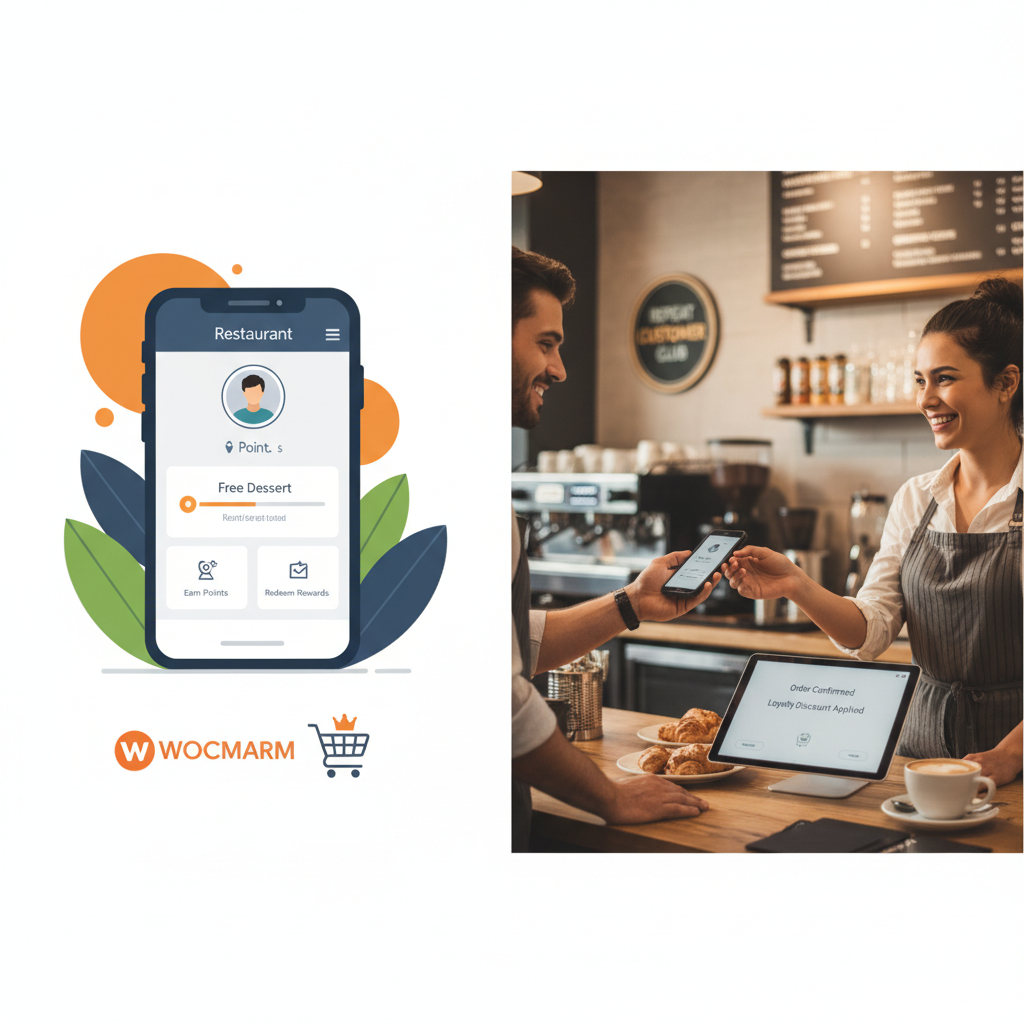
Why Restaurant Loyalty Programs Matter More Than Ever in 2025
Here’s a number that should stop every restaurant owner in their tracks: acquiring a new customer costs five to seven times more than keeping an existing one. For restaurants operating on razor-thin margins — often between 3% and 9% — that math changes everything about where you invest your marketing budget.
Repeat customers don’t just come back more often. They spend more per order. According to research from Bain & Company, increasing customer retention by just 5% can boost profits by 25% to 95%. In the restaurant world specifically, loyal customers tend to spend roughly 67% more than first-time visitors, according to data frequently cited by the National Restaurant Association.
The old punch-card model — “buy 10 subs, get one free” — served its purpose for decades. But it’s a relic now. Customers lose physical cards, forget them at home, and there’s zero data for you to work with. Digital loyalty programs, on the other hand, track every interaction, automate rewards, and give you actionable insights into ordering patterns.
If you’re running a WooCommerce Restaurant (2025)”>WooCommerce Restaurant Website (2025)”>restaurant website on WooCommerce — especially with a food ordering plugin like FoodMaster handling your delivery and pickup orders — you’re already sitting on the infrastructure to build a loyalty program that drives real, measurable revenue growth. The question isn’t whether you need one. It’s which type to build and how to set it up properly.
Types of Loyalty Programs That Work Best for Online Food Ordering
Not all loyalty programs are created equal, and what works for a coffee chain won’t necessarily work for a pizza delivery operation. Here are the four models that consistently perform well for restaurant websites:
Points-Per-Order System
Customers earn a fixed number of points for every completed order, regardless of the total. This is the simplest model and works beautifully for restaurants where the average order value stays relatively consistent — think lunch spots, pizza places, or single-cuisine takeout restaurants. The psychology is straightforward: “Order 10 times, earn a free meal.”
Spend-Based Rewards
Customers earn points based on how much they spend (e.g., 1 point per dollar). This model naturally incentivizes larger orders and works particularly well for delivery-focused restaurants where customers might add appetizers, drinks, or desserts to hit a reward threshold. It’s also fairer for restaurants with wide price ranges on their menu.
Tiered VIP Programs
Customers progress through tiers — Bronze, Silver, Gold — unlocking better perks at each level. This gamification element creates a powerful psychological pull. Tiered programs work exceptionally well for multi-location restaurants or those with a strong brand identity. The “status” element keeps customers loyal even when competitors offer discounts.
Referral Bonuses
Existing customers get rewarded for bringing in new ones. Both the referrer and the new customer receive a discount or bonus points. This model is especially effective for delivery-focused restaurants expanding into new neighborhoods, since word-of-mouth carries enormous weight in food decisions.
Which should you choose? For most WooCommerce restaurant websites, a hybrid approach works best: a spend-based points system as the foundation, with a simple tier structure layered on top and a referral bonus to fuel growth. Single-location restaurants can keep it simple with points-per-order. Delivery-heavy operations should lean into spend-based rewards to boost average order value.
[IMAGE: Comparison table showing four loyalty program types (points-per-order, spend-based, tiered, referral) with columns for best restaurant type, complexity level, and primary benefit]
How to Set Up a Points and Rewards System in WooCommerce (Step by Step)
WooCommerce doesn’t include loyalty features out of the box, but several well-built plugins make it straightforward to add. The two most established options are WooCommerce Points and Rewards (the official extension) and YITH WooCommerce Points and Rewards. Both integrate directly with WooCommerce’s checkout flow, which means they’ll work alongside your ordering setup — including if you’re using FoodMaster for your restaurant ordering system.
Step 1: Install and Activate Your Loyalty Plugin
From your WordPress dashboard, navigate to Plugins → Add New and search for your chosen rewards plugin. Install and activate it. If you’re using the official WooCommerce Points and Rewards extension, you’ll download it from WooCommerce.com and upload it manually via Plugins → Add New → Upload Plugin.
Step 2: Configure Your Point-to-Currency Ratio
This is the most critical decision you’ll make. A common starting point for restaurants is 1 point per $1 spent and 100 points = $5 discount. That means a customer spending $20 per order would need 5 orders to earn a $5 reward — a 5% effective discount rate that’s sustainable for most restaurant margins.
Navigate to WooCommerce → Settings → Points & Rewards (the exact path varies by plugin). Set your earning rate and redemption rate. For food ordering, avoid setting the ratio too generously. A 10% effective discount rate will eat into margins fast when you’re already covering food costs, packaging, and delivery logistics.
Step 3: Define How Customers Earn Points
Most plugins let you award points for multiple actions:
- Per dollar spent: The core earning mechanism. Set this as your primary method.
- Account creation: Award 50–100 bonus points for signing up. This incentivizes account creation, which you need for order tracking and reordering anyway.
- First order bonus: A one-time bonus of 50–200 points on the first completed order helps new customers feel immediately invested in the program.
- Product reviews: Award 10–25 points for leaving a review on a menu item. This builds social proof for your restaurant.
Step 4: Set Up Redemption at Checkout
In your plugin settings, enable the checkout redemption option. Customers should see a clear message like “You have 150 points. Apply 100 points for a $5 discount?” directly on the checkout page. Set a minimum redemption threshold — requiring at least 100 points to redeem prevents customers from using tiny discounts on every order, which creates administrative headaches.
Also set a maximum discount per order. For restaurants, capping the discount at 50% of the order total protects you from scenarios where a customer with a massive point balance orders a single item and pays almost nothing.
Step 5: Adjust Settings for Food Ordering Specifics
Here’s where restaurant websites differ from regular e-commerce. Make sure you configure these details:
- Exclude delivery fees from point earning. Customers should earn points on food, not on the $5 delivery charge. Most plugins let you exclude specific fee categories.
- Exclude tips from point calculations. If you’re using a tipping system on your WooCommerce checkout, ensure tips don’t inflate point earnings.
- Award points only on completed orders. Set the point-awarding order status to “Completed” rather than “Processing” to prevent points from being awarded on cancelled or refunded orders.
Creating Reward Tiers, Birthday Perks, and Referral Bonuses to Keep Customers Coming Back
Building a Tiered Rewards Structure
Tiers transform a transactional points program into an emotional loyalty driver. Here’s a structure that works well for most restaurant websites:
- Bronze (0–499 lifetime points): Standard earning rate (1 point per $1). Access to basic rewards redemption.
- Silver (500–1,499 lifetime points): 1.25x earning rate. Free delivery on orders over $30. Early access to new menu items.
- Gold (1,500+ lifetime points): 1.5x earning rate. Free delivery on all orders. Exclusive menu items or combos. Priority order processing.
The “free delivery” perk at Silver tier is particularly powerful. Delivery fees are one of the biggest friction points in online food ordering — removing them for loyal customers can dramatically increase order frequency. If you’re using FoodMaster to manage your delivery zones and fees, you can create coupon codes tied to each tier that automatically waive delivery charges for qualifying customers.
Some plugins like YITH support tier-based rules natively. For others, you may need to combine your points plugin with WooCommerce’s built-in coupon system or a membership plugin to create the tier structure.
Adding Birthday Rewards
Birthday rewards have some of the highest redemption rates of any loyalty perk — often exceeding 30%. The setup requires two pieces: collecting the customer’s birthday and automating the reward delivery.
Add a birthday field to your account registration form using a plugin like Checkout Field Editor for WooCommerce. Then use an email automation tool — Mailchimp, Klaviyo, or even AutomateWoo — to trigger an email 3–5 days before the birthday with a unique coupon code. A free dessert, a $10 credit, or double points on their birthday order all work well. Keep the expiration window tight (7–14 days) to create urgency.
Setting Up a Refer-a-Friend Program
Referral programs for restaurants work best with a simple, symmetrical reward: “Give $5, Get $5.” The referring customer shares a unique link or code. When their friend places their first order, both parties receive a $5 credit or bonus points.
Plugins like AutomateWoo’s Refer a Friend add-on or dedicated referral plugins handle the tracking, unique link generation, and reward distribution. Set a minimum order value for the referral to count (e.g., the friend’s first order must be at least $15) to prevent abuse.
[IMAGE: Screenshot-style mockup of a restaurant checkout page showing a loyalty points balance, a “Apply Points” button, and a referral code input field]
Promoting Your Loyalty Program: Email, SMS, and On-Site Strategies That Actually Work
A loyalty program that nobody knows about is just a plugin sitting on your server. Promotion is where most restaurant owners drop the ball. Here’s how to fix that.
Automated Email Sequences
Set up these four automated emails as a minimum:
- Welcome email: Immediately after account creation, explain the loyalty program, how points work, and what rewards are available. Include the sign-up bonus points prominently.
- Post-order points summary: After every completed order, send an email showing points earned, total balance, and how close they are to the next reward. “You earned 22 points today! You’re only 78 points away from a $5 reward.”
- Points expiration warning: If you set points to expire (recommended: 12 months of inactivity), send a reminder 30 days before expiration. This alone can reactivate dormant customers.
- Tier upgrade celebration: When a customer hits Silver or Gold status, send a congratulatory email detailing their new perks. Make them feel special.
SMS Notifications
SMS open rates hover around 98%, compared to roughly 20% for email. For time-sensitive promotions like “Double points this weekend” or “You’re 20 points from a free appetizer — order tonight!”, SMS is unbeatable. Tools like Twilio or dedicated WooCommerce SMS plugins can be triggered by the same order events that trigger your emails.
On-Site Promotion
Place loyalty program callouts in three high-visibility spots on your restaurant website:
- Homepage banner or announcement bar: A simple “Join our rewards program — earn points on every order” with a link to sign up.
- Menu/ordering page: A subtle badge next to the “Add to Cart” button showing potential points earned. “This order earns you 25 points!”
- Checkout page: Display the customer’s current points balance and available rewards. This is where redemption happens, so make it impossible to miss.
If you’re using FoodMaster’s built-in ordering interface, you can add custom messages or banners within the ordering flow using WordPress hooks or the plugin’s customization options, keeping the loyalty messaging visible without disrupting the ordering experience.
Tracking Results and Optimizing Your Restaurant Loyalty Program Over Time
Launching the program is step one. Making it profitable requires ongoing measurement and adjustment.
Key Metrics to Track
Open your WooCommerce analytics dashboard alongside your loyalty plugin’s reporting section and monitor these numbers monthly:
- Repeat order rate: What percentage of customers place more than one order per month? A healthy loyalty program should push this above 30% within six months.
- Average order value (AOV) lift: Compare AOV for loyalty members vs. non-members. You should see a 10–20% increase among enrolled customers if your spend-based incentives are working.
- Redemption rate: What percentage of earned points actually get redeemed? Industry benchmarks for restaurant loyalty programs sit around 40–60%. Below 20% means rewards feel too far away. Above 80% might mean you’re being too generous.
- Customer lifetime value (CLV): Track the total revenue from loyalty members over 6 and 12 months. This is your north-star metric.
- Enrollment rate: What percentage of customers join the program? If it’s under 25%, your promotion strategy needs work.
Optimization Tips That Actually Move the Needle
A/B test your reward thresholds. If your redemption rate is low, try temporarily lowering the points needed for the first reward. Some restaurants find that a quick early win — earning a free drink after just 2 orders — dramatically improves long-term engagement even if the reward itself is small.
Adjust point values seasonally. Run double-points promotions during slow periods (typically January and late summer for many restaurants). This costs you nothing upfront and drives orders when you need them most.
Avoid the “impossible reward” trap. If your average customer orders twice a month and spends $25 per order, they earn roughly 50 points monthly. If your first reward requires 500 points, that’s 10 months of ordering before any payoff. Most customers will disengage long before that. Structure your program so the first meaningful reward is achievable within 4–6 orders.
Watch for point hoarding. If customers accumulate thousands of points without redeeming, it creates a liability on your books and means the program isn’t actively influencing behavior. Set reasonable expiration policies and send reminders to encourage regular redemption.
Survey your best customers. Your Gold-tier members are your most valuable feedback source. Ask them quarterly what rewards they’d value most. You might discover that early access to seasonal specials matters more to them than discounts — and that costs you virtually nothing to offer.
Putting It All Together
A well-executed loyalty program isn’t just a marketing tactic — it’s a revenue engine. The restaurants that thrive with online ordering in 2025 aren’t the ones spending the most on ads to acquire new customers. They’re the ones building systems that make existing customers want to come back again and again.
Start with the foundation: a WooCommerce-based restaurant website powered by a solid restaurant ordering plugin that handles your menu, delivery zones, and checkout flow. Layer a points and rewards plugin on top. Configure your earning rates conservatively, set up two or three tiers with genuinely valuable perks, and promote the program at every customer touchpoint.
Then measure, adjust, and iterate. The restaurants that treat their loyalty programs as living systems — not set-and-forget features — are the ones that see 20%, 30%, even 50% increases in customer lifetime value. Your WooCommerce setup gives you all the data and flexibility you need. Now go build something your customers actually want to be part of.
Commission-free ordering
Run restaurant orders on your own WordPress site
FoodMaster adds delivery, pickup, dine-in, POS, and kitchen tools — with zero per-order fees.