
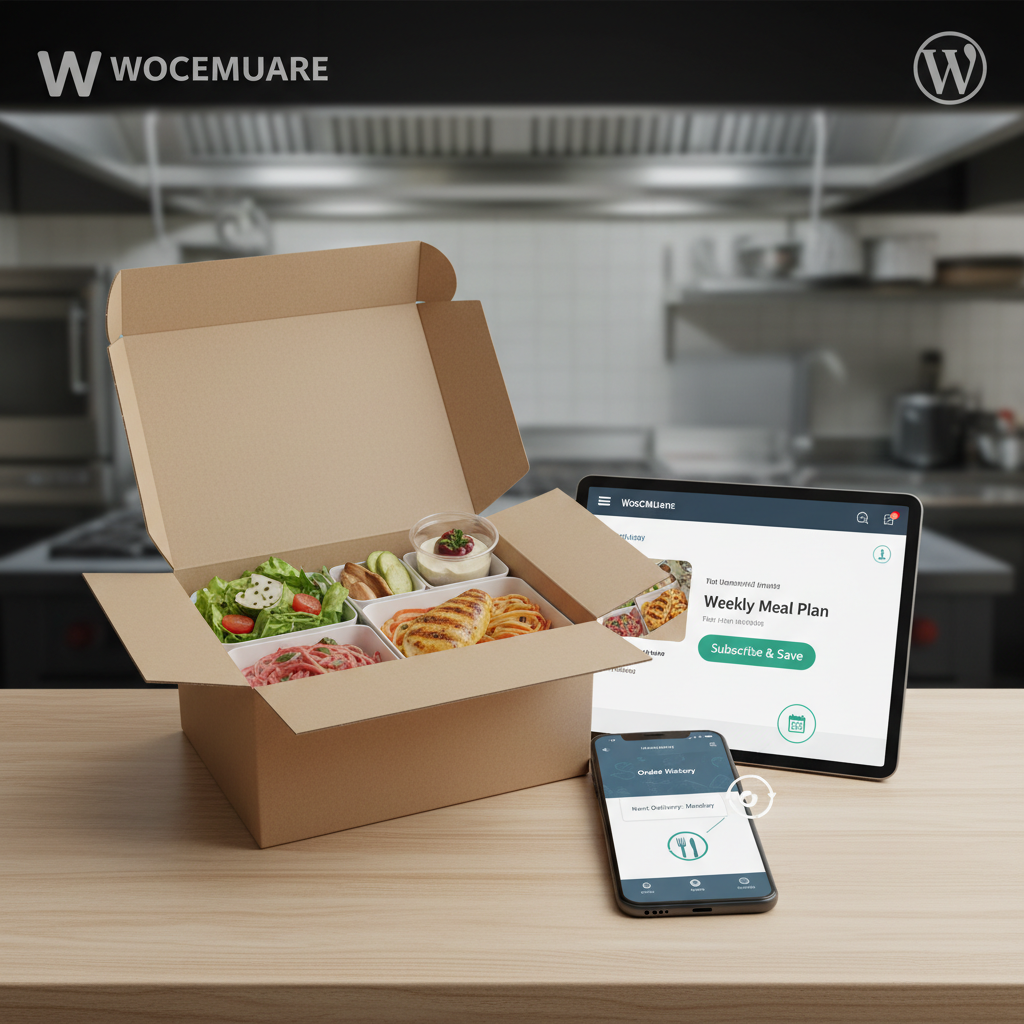
Why Meal Subscriptions Are a Game-Changer for Restaurants
Picture this: instead of waking up each morning wondering how many orders you’ll get, you already know that 200 subscribers are expecting their weekly meal boxes on Thursday. That’s the power of recurring food orders — and it’s reshaping how independent restaurants think about revenue.
The meal subscription model isn’t new (Blue Apron launched back in 2012), but it’s evolved far beyond meal kit delivery companies. Local restaurants, coffee shops, bakeries, and meal prep kitchens are now offering their own subscription plans directly through their websites. Weekly lunch plans for nearby office workers, monthly artisan bread boxes, daily cold-brew subscriptions, bi-weekly family dinner kits — the variations are endless.
Why does this model work so well? Three reasons stand out:
- Predictable revenue: Subscriptions smooth out the feast-or-famine cycle that plagues most restaurants. When you know exactly how many meals to prepare each week, you reduce food waste and can negotiate better prices with suppliers.
- Higher customer lifetime value: A subscriber paying $60/week for a lunch plan generates over $3,000 annually — far more than an occasional dine-in customer. Research from McKinsey has shown that subscription-based e-commerce businesses have grown by more than 100% year-over-year in recent years.
- Reduced acquisition costs: Retaining a subscriber is dramatically cheaper than constantly marketing for new one-time orders. Once someone commits to a plan, they tend to stick around — especially if you give them flexibility.
Restaurants like Everytable (a Los Angeles-based chain) have built entire business models around affordable meal subscriptions. Smaller operations are following suit: local meal prep companies use weekly subscription boxes as their primary revenue stream, while pizzerias offer “Pizza of the Month” clubs that keep customers engaged year-round.
The best part? If you’re already running a WooCommerce-based restaurant website, adding subscriptions doesn’t require rebuilding anything from scratch.
What You Need Before Setting Up WooCommerce Subscriptions for Food Orders
Before you start creating subscription products, let’s make sure your foundation is solid. Here’s what you need in place:
A Working WooCommerce Restaurant Website
You need WooCommerce installed and configured with your menu items already set up as products. If you’re using a WooCommerce restaurant ordering plugin like FoodMaster, your menu structure, delivery zones, and order management are already handled. FoodMaster works on top of WooCommerce, which means any WooCommerce-compatible subscription plugin will layer right on top of your existing setup without conflicts.
A Payment Gateway That Supports Recurring Billing
Not every payment gateway can automatically charge customers on a recurring schedule. You need one that supports tokenized payments — meaning it securely stores the customer’s card details and can charge it again without requiring manual input each cycle. Your best options are:
- Stripe: The most popular choice for WooCommerce subscriptions. Supports automatic recurring charges, handles failed payment retries, and works globally.
- PayPal (with Reference Transactions enabled): Works, but you’ll need to contact PayPal to enable reference transactions on your account — it’s not turned on by default.
- Square: A solid option if you’re already using Square for in-store POS.
A Subscription Plugin
WooCommerce doesn’t support recurring products out of the box. You’ll need a dedicated plugin. The main options include:
- WooCommerce Subscriptions (by Woo) — The most feature-rich option. Handles variable billing schedules, free trials, sign-up fees, and subscriber management. It’s a premium plugin, but it’s the gold standard.
- SUMO Subscriptions — A more affordable alternative with solid features.
- HForce Subscriptions for WooCommerce — A free option that covers basic recurring billing if you’re testing the waters.
Since FoodMaster integrates natively with WooCommerce’s product system, subscription products you create will flow through the same WooCommerce Restaurant in WordPress”>kitchen display, order management, and even automatic printing workflows you already use for one-time orders. That’s a huge operational advantage — no separate system to manage.
[IMAGE: Diagram showing the tech stack layers — WooCommerce at the base, FoodMaster for restaurant ordering, and a subscription plugin on top, all connected to Stripe for recurring payments]
Step-by-Step: Creating Your First Meal Subscription Product in WooCommerce
Let’s walk through the actual setup. I’ll use WooCommerce Subscriptions for this walkthrough since it’s the most widely used, but the general concepts apply to other plugins too.
Step 1: Install and Activate Your Subscription Plugin
Download and install the subscription plugin of your choice via Plugins → Add New → Upload Plugin in your WordPress dashboard. Activate it, and you’ll notice new product types become available in WooCommerce.
Step 2: Create a New Subscription Product
Go to Products → Add New. In the Product data dropdown, you’ll now see options like “Simple subscription” and “Variable subscription.” For a straightforward weekly meal box, choose Simple subscription. For plans where customers pick from different meal sizes or dietary preferences, choose Variable subscription.
Step 3: Configure the Billing Schedule
This is where it gets specific to food businesses. Set these fields carefully:
- Subscription price: e.g., $59.99
- Billing interval: Every 1 week (for weekly meal boxes), every 2 weeks, or every 1 month
- Subscription length: Leave as “Never expire” for ongoing subscriptions, or set a fixed duration like 12 weeks for a seasonal plan
- Sign-up fee: Optional. Some restaurants charge a one-time setup fee (e.g., $10 for an insulated delivery bag). This gets charged only on the first payment.
- Free trial: Offering a free first week can dramatically boost sign-ups. Set the trial period to 1 week if you want to use this tactic.
Step 4: Add Meal Preferences Using Variations
This is critical for food subscriptions. Go to the Attributes tab and create attributes like:
- Plan Size: 5 meals/week, 10 meals/week, 15 meals/week
- Dietary Preference: Standard, Vegetarian, Keto, Gluten-Free
- Protein Choice: Chicken, Beef, Fish, Plant-Based
Check “Used for variations,” then go to the Variations tab to set different prices for each combination. A 5-meal vegetarian plan might be $49.99/week, while a 15-meal standard plan runs $109.99/week.
Step 5: Write a Compelling Product Description
Don’t just list what’s included — sell the convenience. Mention that meals arrive fresh, that the menu rotates weekly, and that subscribers can pause anytime. Add high-quality photos of actual meals, not stock images.
Step 6: Set Up Shipping or Local Delivery
If you’re already using FoodMaster for delivery zone management, your subscription orders will inherit those same delivery settings. Make sure your delivery zones cover the areas you want to offer subscriptions in, and consider whether you’ll offer free delivery for subscribers as a perk.
Managing Subscribers, Renewals, and Failed Payments Like a Pro
Creating the product is the easy part. Running the subscription operation smoothly week after week — that’s where most restaurants stumble.
Viewing and Managing Active Subscribers
WooCommerce Subscriptions adds a dedicated WooCommerce → Subscriptions page in your dashboard. Here you can see every active, paused, and cancelled subscription at a glance. Each subscription shows the customer’s name, plan, next payment date, and status. You can filter by status to quickly see who’s due for renewal this week.
Handling Pauses and Cancellations
Life happens — customers go on vacation, get sick, or simply need a break. Allowing subscribers to pause their subscription (rather than forcing them to cancel) is one of the most effective churn-reduction tactics available. In your subscription plugin settings, enable the “Suspend” option so customers can pause from their account page. Set a maximum number of pauses per year (e.g., 4) to prevent abuse.
Automatic Renewal Emails
Configure WooCommerce to send reminder emails 3 days before each renewal. This gives customers time to update their payment method if their card expired, or to pause if they need to skip a week. Go to WooCommerce → Settings → Emails and customize the “Subscription Renewal Reminder” template with your branding.
Dealing with Failed Payments
Failed payments are inevitable. Cards expire, accounts get frozen, and banks flag unfamiliar recurring charges. Here’s how to handle it without losing subscribers:
- Configure your subscription plugin to retry failed payments automatically — typically 3 attempts over 7 days.
- Send a friendly “payment failed” email immediately with a direct link to update payment details.
- After all retries fail, set the subscription to “On Hold” rather than “Cancelled” — this makes reactivation easy.
Kitchen Workflow Integration
Here’s where having an integrated system pays off. If you’re running FoodMaster, your subscription renewal orders appear in the same order queue as your regular delivery and pickup orders. The kitchen display and automatic printing features treat them identically — your kitchen staff doesn’t need to check a separate system. They just see orders come in and prepare them.
[IMAGE: Screenshot of a WooCommerce dashboard showing the Subscriptions management page with active, paused, and pending cancellation subscriptions listed in a table view]
How to Let Customers Customize Their Weekly Meals and Swap Items
The number one reason people cancel meal subscriptions? They get bored eating the same thing every week. Giving subscribers control over their meals is the single most impactful thing you can do to reduce churn.
The Deadline-Based Selection Model
The most practical approach for restaurants works like this:
- Each week (say, every Monday), you publish the upcoming week’s menu options on your site.
- Subscribers have until a cutoff deadline (e.g., Wednesday at 11:59 PM) to log in and select their meals for the following week.
- If they don’t make selections by the deadline, they receive a default selection (which you define).
- After the cutoff, the kitchen prepares exactly what was ordered.
This model balances customer flexibility with kitchen planning. You know your exact prep quantities by Thursday morning for a Monday delivery.
Implementation Approaches
There are a few ways to build this:
- WooCommerce Product Add-Ons + a custom order form: Use a plugin like WooCommerce Product Add-Ons to let subscribers choose from checkboxes or dropdowns for each meal slot. Combine this with a shortcode or custom page that only active subscribers can access.
- Gravity Forms or WPForms with conditional logic: Create a weekly selection form that populates options based on the current week’s menu. Link form submissions to the customer’s subscription order.
- A dedicated “build your box” plugin: Plugins like YITH WooCommerce Product Bundles or Mix and Match Products let customers assemble their own box from available options, which integrates cleanly with subscription renewals.
Practical Tips for Meal Swaps
- Limit choices to 8-12 options per week. Too many choices create decision fatigue and slow down your kitchen.
- Always include a “Chef’s Choice” default option for subscribers who don’t want to think about it.
- Send an email every Monday with the new menu and a direct link to the selection page. Make it dead simple.
- Display allergen information and calorie counts next to each option — subscribers expect this level of detail.
Marketing Your Meal Subscription: Tips to Get Your First 50 Subscribers
You’ve built the system. Now you need people to actually subscribe. Here’s a realistic playbook to get your first 50 paying subscribers without a massive ad budget.
Convert Your Existing One-Time Customers First
Your easiest wins are people who already order from you regularly. Pull a report from WooCommerce showing customers who’ve placed 3+ orders in the past 60 days. These people already love your food — they just need a reason to commit.
Send them a targeted email: “You’ve ordered from us 5 times this month. Save 15% by switching to our Weekly Meal Plan — same meals, automatic delivery, no reordering hassle.” A 15-20% discount on the subscription price (compared to ordering à la carte) is usually enough to convert regular customers.
Promote Subscriptions on Your Website
Add a banner or announcement bar to your homepage and menu pages highlighting the subscription option. If you’re using FoodMaster for your online ordering, your menu pages already get regular traffic — capitalize on that by placing a “Subscribe & Save” callout next to popular items.
Create a dedicated landing page for your subscription plan that explains exactly what’s included, shows sample meals, displays pricing clearly, and includes testimonials from early subscribers (even if you need to offer free trials to get those first few).
Offer a Risk-Free First Week
Remember that free trial option we configured earlier? Use it aggressively in your marketing. “Try your first week free — cancel anytime” removes all friction. Yes, some people will cancel after the trial. But conversion rates from trial to paid subscription in the food industry typically range from 40-60% when the food is genuinely good.
Leverage Social Media with Real Content
Post weekly “unboxing” style content showing what’s in that week’s subscription box. Short-form video works incredibly well here — a 30-second Instagram Reel or TikTok showing the meals being packed and delivered generates far more interest than a static graphic.
Encourage existing subscribers to share their meals with a branded hashtag. Offer a small credit ($5 off next renewal) for every subscriber who posts a photo and tags your restaurant.
Use Push Notifications to Re-Engage
If you’ve set up web push notifications on your WordPress site, use them to nudge visitors who viewed the subscription page but didn’t purchase. A well-timed notification — “Still thinking about our Weekly Meal Plan? Your first week is on us 🍽️” — can recover abandoned interest effectively.
Local Partnerships and Corporate Plans
Reach out to nearby offices and coworking spaces about corporate lunch subscriptions. A company buying 20 lunch subscriptions for their team gets you nearly halfway to your 50-subscriber goal in a single deal. Offer a corporate discount (10-15%) and simplified billing (one invoice for all employees).
Keeping Your Subscription Program Thriving Long-Term
Getting to 50 subscribers is a milestone, but the real work is keeping them. Here are the habits that separate restaurants with thriving subscription programs from those that fizzle out after a few months:
- Rotate your menu relentlessly. Subscribers should never see the same weekly menu twice within a 6-week cycle. Seasonal ingredients give you a natural reason to refresh options.
- Survey subscribers quarterly. A simple 3-question Google Form asking what they love, what they’d change, and what new options they’d like to see makes subscribers feel heard — and gives you actionable data.
- Monitor your churn rate monthly. If more than 10% of subscribers cancel in a given month, something’s wrong. Dig into the reasons (send a cancellation survey) and fix the root cause.
- Reward loyalty. After 3 months, send subscribers a surprise bonus item — an extra dessert, a free drink, a handwritten thank-you note. Small gestures create outsized loyalty.
The meal subscription model isn’t just a trend — it’s a structural shift in how food businesses build sustainable revenue. With WooCommerce as your foundation, a solid subscription plugin handling the billing, and FoodMaster managing your restaurant operations from kitchen display to delivery, you have everything you need to launch a subscription program that actually works. Start with one simple plan, get your first 50 subscribers, learn what they want, and iterate from there. The restaurants that win with subscriptions aren’t the ones with the fanciest tech — they’re the ones that consistently deliver great food on a predictable schedule.
Commission-free ordering
Run restaurant orders on your own WordPress site
FoodMaster adds delivery, pickup, dine-in, POS, and kitchen tools — with zero per-order fees.