On this page
- Why Loyalty Programs Matter for Restaurants With Online Ordering
- Types of Restaurant Loyalty Programs You Can Run With WordPress
- Points-Based Systems
- Visit-Based Rewards
- Tiered VIP Programs
- Referral-Based Programs
- How to Set Up a Points and Rewards System in WooCommerce (Step-by-Step)
- Step 1: Install a Points and Rewards Plugin
- Step 2: Configure Your Earn and Redeem Ratios
- Step 3: Assign Points to Menu Item Purchases
- Step 4: Enable Point Redemption at Checkout
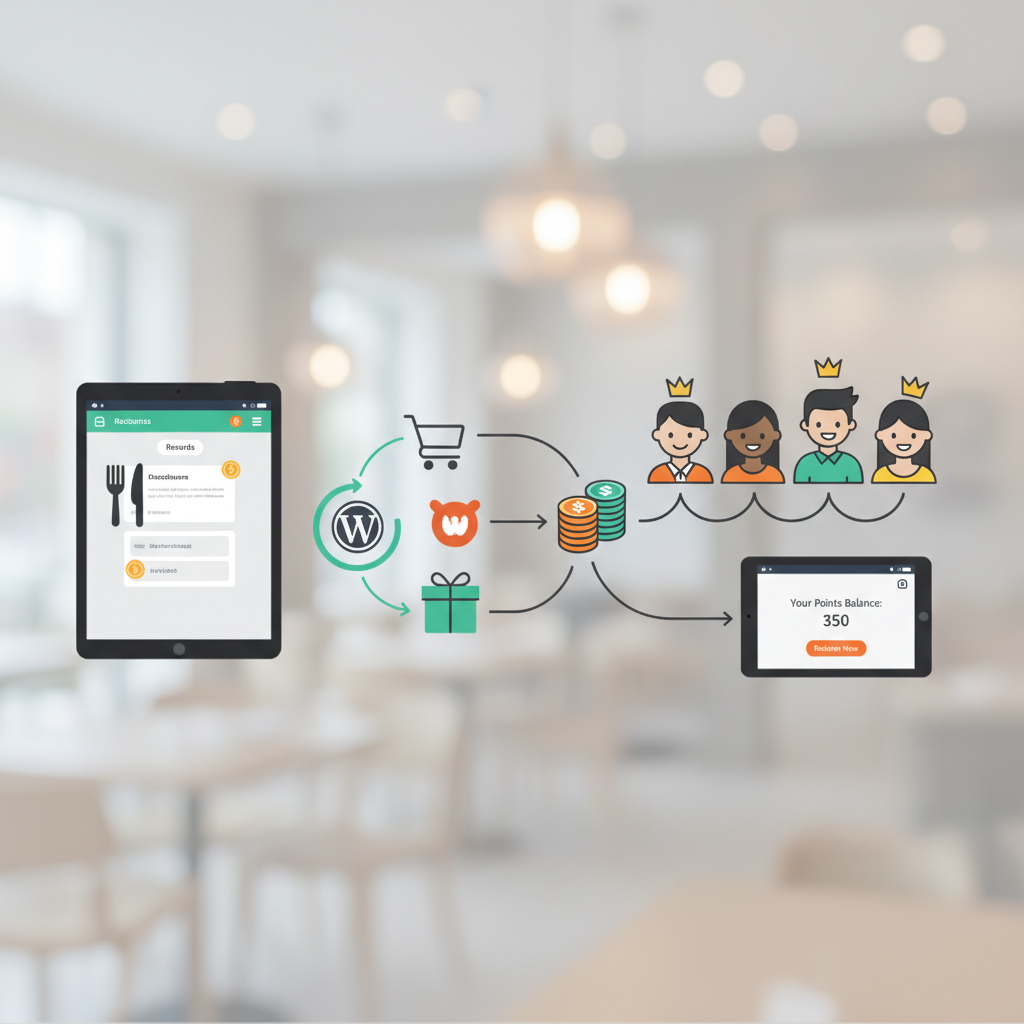
- Step 5: Display Point Balances on the My Account Page
- Step 6: Set Up Bonus Point Actions
- Creating Automated Loyalty Emails and SMS to Keep Customers Coming Back
- Choosing Your Automation Tools
- Five Automated Messages Every Restaurant Should Set Up
- Promoting Your Loyalty Program on Your Restaurant Website and Social Media
- On-Site Promotion Tactics
- Social Media and Push Notification Strategies
- Tracking Loyalty Program Performance: Key Metrics and WooCommerce Reports
- The Four Metrics That Matter Most
- Using WooCommerce Reports and Google Analytics
- Putting It All Together
Why Loyalty Programs Matter for Restaurants With Online Ordering
Here’s a number that should stop every restaurant owner in their tracks: acquiring a new customer costs five to seven times more than retaining an existing one. According to research from Bain & Company, increasing customer retention by just 5% can boost profits by 25% to 95%. For restaurants operating on razor-thin margins, that’s not a nice-to-have — it’s a survival strategy.
Repeat customers don’t just come back more often. They spend more per visit, are more likely to try new menu items, and they refer friends. The National Restaurant Association has consistently found that regulars account for roughly a third of a restaurant’s traffic but can drive well over half of its revenue. When you move your ordering online, you gain something traditional dine-in never offered: data. You know exactly what each customer orders, how often they visit, and what gets them to come back.
This is where digital loyalty programs crush the old-school punch card. Physical cards get lost, can’t be tracked, and offer zero insight into customer behavior. A digital program integrated into your WooCommerce Restaurant Website and Track Order Data (2025)”>WooCommerce Restaurant Website (2025)”>Restaurant Website to DoorDash, Uber Eats & Grubhub (2025)”>WordPress restaurant website captures every interaction, automates rewards, and lets you personalize outreach. If you’re already running an plugin/woofood-food-delivery-plugin/”>online ordering system on WooCommerce, you’re sitting on the infrastructure to build a loyalty engine that practically runs itself.
Let’s walk through exactly how to make that happen.
Types of Restaurant Loyalty Programs You Can Run With WordPress
Not every loyalty model fits every restaurant. The right structure depends on your order volume, average ticket size, and how customers interact with your brand. Here are the four most effective models — and which restaurant types they suit best.
Points-Based Systems
Customers earn points for every dollar spent and redeem them for discounts, free items, or exclusive perks. This is the most popular model for a reason: it’s flexible, easy to understand, and works beautifully with WooCommerce’s extensible checkout. Best for: fast-casual restaurants, pizza shops, and delivery-heavy operations where frequent, mid-range orders are the norm.
Visit-Based Rewards
Think “buy 9, get the 10th free” — but digital. Customers earn credit for each completed order rather than each dollar spent. This model is simple and works well when your average order value doesn’t vary much. Best for: coffee shops, sandwich joints, and any restaurant where the typical order falls in a tight price range.
Tiered VIP Programs
Customers unlock progressively better rewards as they hit spending thresholds — Bronze, Silver, Gold, for example. Tiers create aspiration and a sense of exclusivity. A customer who’s $20 away from Gold status is highly motivated to place another order. Best for: fine dining, upscale casual restaurants, and multi-location brands that want to cultivate high-value regulars.
Referral-Based Programs
Reward existing customers for bringing in new ones. Typically, both the referrer and the new customer receive a discount or bonus points. This turns your loyal base into a marketing channel. Best for: any restaurant looking to grow its customer base, especially those in competitive urban markets where word-of-mouth carries weight.
The beauty of running your restaurant site on WordPress with WooCommerce is that each of these models can be implemented through plugins — no custom development required. You can even combine models, like running a points system with a referral bonus on top.
[IMAGE: Visual comparison chart showing the four loyalty program types (points-based, visit-based, tiered VIP, referral-based) with columns for how they work, best restaurant type, and pros/cons]
How to Set Up a Points and Rewards System in WooCommerce (Step-by-Step)
A points-based system is the most versatile starting point for most restaurants. Here’s how to get one running on your WordPress site.
Step 1: Install a Points and Rewards Plugin
The WooCommerce Points and Rewards extension is the most established option. After purchasing and downloading it, go to Plugins → Add New → Upload Plugin in your WordPress dashboard, upload the zip file, and activate it. Free alternatives like SUMO Reward Points or myCred exist, though they require more configuration.
Step 2: Configure Your Earn and Redeem Ratios
Navigate to WooCommerce → Points & Rewards → Settings. Here you’ll set two critical ratios:
- Earning ratio: How many points a customer earns per dollar spent. A common starting point for restaurants is 1 point per $1 spent. Some operators go higher (2-5 points per dollar) to make accumulation feel faster.
- Redemption ratio: How many points equal a dollar of discount. For example, 100 points = $1 off. This gives you control over the actual cost of your rewards program.
A practical example: if you set earning at 5 points per $1 and redemption at 100 points = $1, a customer spending $20 earns 100 points, which translates to $1 off their next order — effectively a 5% reward rate. That’s sustainable for most restaurant margins.
Step 3: Assign Points to Menu Item Purchases
By default, the plugin assigns points based on the product price. But you can override this on individual products. Go to any menu item in Products → Edit and scroll to the Points and Rewards section under Product Data. Want to run a double-points promotion on a new pasta dish? Set a custom point value there. If you’re using FoodMaster for your restaurant ordering, your menu items are already WooCommerce products, so points integrate seamlessly with your existing catalog.
Step 4: Enable Point Redemption at Checkout
Under the plugin settings, enable the “Apply Discount” option at checkout. Customers will see a message like “You have 500 points — redeem 100 points for a $1 discount” directly on the checkout page. You can set a maximum discount percentage (e.g., cap redemptions at 50% of the order total) to protect your margins on any single order.
Step 5: Display Point Balances on the My Account Page
The plugin automatically adds a My Points tab to the WooCommerce My Account page. Customers can see their current balance, earning history, and redemption log. This transparency builds trust and keeps the program top of mind every time someone logs in to reorder.
Step 6: Set Up Bonus Point Actions
Beyond purchases, award points for actions that benefit your business:
- Account creation: 50-100 sign-up bonus points
- Leaving a review: 25-50 points per review
- First order: Double points on the initial purchase
These bonus actions accelerate early engagement and give new customers a reason to participate immediately.
Creating Automated Loyalty Emails and SMS to Keep Customers Coming Back
A loyalty program without communication is like a restaurant without a sign out front. Automation is what transforms a passive points balance into active re-engagement. The goal is to send the right message at the right moment — without you lifting a finger after the initial setup.
Choosing Your Automation Tools
For email, FluentCRM is a strong choice for WordPress restaurant sites because it runs entirely within your dashboard (no external SaaS fees) and integrates natively with WooCommerce. MailPoet is another solid option with a generous free tier. For SMS, tools like Twilio-based plugins or services like FunnelKit Automations can trigger text messages based on WooCommerce events.
Five Automated Messages Every Restaurant Should Set Up
- Welcome Reward Email: Triggered immediately after account creation. “Welcome to [Restaurant Name] Rewards! You’ve earned 100 bonus points — that’s $1 toward your first order.” Include a direct link to your online menu.
- Birthday Discount: If you collect birthdate during registration (add a custom field via a plugin like Flexible Checkout Fields), schedule an email 2-3 days before their birthday with a personalized offer. “Happy Birthday, Sarah! Enjoy a free dessert with your next order this week.” Birthday emails have some of the highest open rates in email marketing — Experian has reported they generate over 300% more revenue per email than standard promotional messages.
- Points Expiration Reminder: If you set points to expire (12 months is a reasonable window), send a reminder 30 days and 7 days before expiration. “You have 350 points expiring on March 15 — that’s $3.50 in free food. Don’t let it go to waste!”
- Win-Back Campaign for Inactive Customers: If a customer hasn’t ordered in 60-90 days, trigger a re-engagement sequence. Start with a gentle reminder, follow up with a bonus points offer, and end with a “We miss you” message that includes a limited-time discount. This three-email sequence can recapture 10-15% of lapsed customers when done well.
- Milestone Rewards: Celebrate when customers hit point thresholds or order counts. “You’ve placed your 25th order with us! Here’s 200 bonus points as a thank you.” These messages reinforce the relationship and make customers feel valued beyond the transaction.
The key is connecting your WooCommerce order data with your email platform’s automation triggers. FluentCRM and FunnelKit both allow you to create automations based on WooCommerce order completion, total spend thresholds, and custom user meta — which is where your points data lives.
[IMAGE: Screenshot-style illustration of an email automation workflow showing triggers like “order completed,” “points threshold reached,” and “inactive for 60 days” flowing into different email and SMS message sequences]
Promoting Your Loyalty Program on Your Restaurant Website and Social Media
Even the best loyalty program fails if customers don’t know about it. Promotion needs to happen at every touchpoint — on your website, during the ordering process, and across your social channels.
On-Site Promotion Tactics
Homepage banner: Add a prominent banner or hero section announcing your rewards program. Keep the message benefit-focused: “Earn free food every time you order” beats “Join our loyalty program.” Use your theme’s built-in banner options or a plugin like OptinMonster for targeted pop-ups.
Checkout page messaging: This is the highest-intent moment on your site. Display a message like “Create an account to earn 100 points on this order” for guest checkout users. For logged-in members, show their current balance and how many more points they’ll earn with this purchase. If you’re running FoodMaster as your WooCommerce restaurant plugin, the checkout process is already streamlined for food orders — adding a loyalty callout here keeps the flow natural.
Menu page widget: Place a sidebar or floating widget on your online menu that says “Earning 5 points per $1 on every item.” This keeps the reward incentive visible while customers are browsing and deciding what to order.
Pop-ups with intent: Use exit-intent pop-ups for first-time visitors: “Before you go — join our rewards program and get $2 off your first order.” Time-delayed pop-ups (appearing after 15-20 seconds on the menu page) can also work without feeling aggressive.
Social Media and Push Notification Strategies
Announce your loyalty program launch as a dedicated social media campaign, not just a single post. Run a “Founding Members” promotion where the first 100 sign-ups get double points for their first month. This creates urgency and gives you content for multiple posts.
For ongoing engagement, share member milestones (with permission), spotlight popular reward items, and run limited-time double-points events tied to slower business days. “Double Points Tuesday” can shift ordering patterns and fill gaps in your weekly revenue.
Push notifications via tools like PushEngage or OneSignal let you reach loyalty members directly in their browser — no email open required. Use them sparingly for high-value messages: flash double-points events, new menu item launches, or “Your points are about to expire” reminders. Push notifications see average click-through rates of 4-8%, significantly higher than email for time-sensitive offers.
Tracking Loyalty Program Performance: Key Metrics and WooCommerce Reports
Launching a loyalty program without tracking its impact is guesswork. You need to know whether the program is actually driving incremental revenue or just discounting orders that would have happened anyway. Focus on these KPIs.
The Four Metrics That Matter Most
- Repeat Purchase Rate: The percentage of customers who place more than one order in a given period. Track this monthly. A healthy loyalty program should push this number up within 3-6 months of launch. For restaurants, a repeat rate above 30% is solid; above 40% is excellent.
- Average Order Value (AOV) Lift: Compare the AOV of loyalty members versus non-members. Members should spend more per order — if they’re spending less (just using discounts), your earn/redeem ratios need adjustment.
- Redemption Rate: What percentage of earned points actually get redeemed? Industry benchmarks for loyalty program redemption hover around 13-15% according to Bond Brand Loyalty research. If your rate is below 10%, customers may not find the rewards compelling enough. Above 20%, your program might be too generous and eating into margins.
- Customer Lifetime Value (CLV): The total revenue a customer generates over their entire relationship with your restaurant. This is the ultimate measure. Calculate it as: Average Order Value × Purchase Frequency × Average Customer Lifespan. Track CLV separately for loyalty members and non-members to quantify the program’s true ROI.
Using WooCommerce Reports and Google Analytics
WooCommerce’s built-in analytics (Analytics → Orders and Analytics → Revenue) let you filter by registered customers, giving you a baseline view of member purchasing behavior. The Points and Rewards plugin adds its own reporting section showing points earned, redeemed, and outstanding across your customer base.
For deeper analysis, connect your site to Google Analytics 4 with enhanced ecommerce tracking. GA4’s audience segments let you create cohorts of loyalty members (based on user properties or events) and compare their behavior against non-members. You can track metrics like sessions-to-purchase ratio, time between orders, and which menu categories loyalty members favor. If you haven’t set up GA4 ecommerce tracking yet, it’s one of the most impactful analytics investments you can make for your restaurant site.
Review these metrics monthly for the first six months, then quarterly once patterns stabilize. Don’t be afraid to adjust your point values, reward thresholds, or promotional tactics based on what the data tells you. The restaurants that treat loyalty programs as living systems — not set-and-forget features — are the ones that see compounding returns over time.
Putting It All Together
Building a customer loyalty program for your WordPress restaurant website isn’t a weekend project, but it’s not a six-month endeavor either. Most restaurant owners can go from zero to a fully functional points-based system in a single afternoon if their WooCommerce foundation is already in place. The email automations take another day or two to configure and test. Promotion is ongoing, but the initial setup is straightforward.
Here’s your action plan: start with a simple points-based system, set conservative earn/redeem ratios you can afford, automate five core email sequences, promote the program at every customer touchpoint, and measure results monthly. Adjust as you learn what motivates your specific customers.
If you’re running your restaurant’s online ordering through FoodMaster on WooCommerce, you already have the product catalog, customer accounts, and checkout infrastructure that a loyalty program plugs directly into. The hardest part — getting customers to order online — is already solved. Now it’s about giving them a reason to keep coming back.
Commission-free ordering
Run restaurant orders on your own WordPress site
FoodMaster adds delivery, pickup, dine-in, POS, and kitchen tools — with zero per-order fees.