
On this page
- Why Coupons and Promo Codes Matter for Online Restaurant Ordering
- How WooCommerce Coupons Work (Built-In Features You Already Have)
- Creating Your First Coupon
- Discount Types Explained
- Usage Restrictions and Limits
- Best Coupon Strategies for Restaurants: First Order, Free Delivery, BOGO, and More
- First-Time Customer Discount
- Free Delivery Over a Threshold
- Buy-One-Get-One (BOGO) Deals
- Happy Hour and Time-Based Coupons
- Holiday and Seasonal Promotions
- Reactivation Coupons for Lapsed Customers
- How to Create Auto-Apply Coupons and URL-Based Promo Codes in WooCommerce
- Auto-Apply Coupons
- URL-Based Coupon Codes
- Combining Coupons With Your Loyalty Program, Email Campaigns, and Social Media
- Email Marketing Integration
- Social Media Promotion
- Stacking With Loyalty and Rewards Programs
- Tracking Coupon Performance: Which Promos Actually Bring in More Orders
- WooCommerce Built-In Reports
- Google Analytics and GA4 Tracking
- A/B Testing Your Promotions
- Protecting Your Margins
- Putting It All Together
Why Coupons and Promo Codes Matter for Online Restaurant Ordering
A customer opens your restaurant’s online ordering page, browses the menu, adds a few items to the cart — and then hesitates. The total feels a bit high. They close the tab. That abandoned cart scenario plays out thousands of times daily across restaurant websites, and a well-timed coupon code is often the nudge that turns hesitation into a completed order.
Discount strategies aren’t just about slashing prices. They’re precision tools for shaping customer behavior. A 15% first-order discount acquires a new customer. A free delivery threshold of $30 pushes the average order value up. A “buy one entrée, get a free appetizer” deal introduces customers to menu items they wouldn’t have tried otherwise.
The numbers back this up. According to Valassis (now Vericast), roughly 90% of consumers have used coupons at some point, and the food and restaurant category consistently ranks among the top sectors for coupon redemption. RetailMeNot research has found that nearly 80% of consumers say a coupon or discount has influenced them to buy from a brand they wouldn’t normally try. For restaurants competing against aggregator platforms like DoorDash and UberEats — which constantly dangle promos — having your own coupon strategy on your direct ordering website isn’t optional. It’s survival.
The good news? If your restaurant runs on WooCommerce, you already have a powerful coupon engine built right into your store. Let’s walk through exactly how to use it.
How WooCommerce Coupons Work (Built-In Features You Already Have)
WooCommerce ships with a surprisingly robust coupon system that many restaurant owners never fully explore. You don’t need a single extra plugin to create professional discount codes. Here’s the step-by-step walkthrough.
Creating Your First Coupon
Navigate to WooCommerce → Coupons in your WordPress dashboard (in newer WooCommerce versions, this may appear under Marketing → Coupons). Click Add Coupon. You’ll see a field at the top where you enter the coupon code — this is what customers type at checkout. Keep it memorable and brand-relevant: WELCOME15, FREEDEL, or TACO20 work far better than random strings.
Below the code field, add an optional description. This is internal-only — your staff will see it, but customers won’t. Use it to note the campaign purpose, like “Instagram story promo — June 2025.”
Discount Types Explained
Under the General tab, you’ll choose from three discount types:
- Percentage discount: Takes a percentage off the entire cart. A 10% code on a $45 order saves the customer $4.50. Best for broad promotions.
- Fixed cart discount: Subtracts a flat dollar amount from the cart total. A $5-off coupon feels tangible and easy to understand. Great for minimum-spend promotions (“$5 off orders over $25”).
- Fixed product discount: Applies a flat discount to specific products only. Perfect for promoting a new menu item or clearing excess inventory on a particular dish.
Check the Allow free shipping box if you want the coupon to also waive delivery fees. Set the Coupon expiry date to create urgency — a code that expires in 48 hours converts faster than one with no deadline.
Usage Restrictions and Limits
The Usage restriction tab is where you protect your margins. Set a Minimum spend to prevent customers from using a $10-off code on a $12 order. You can also restrict the coupon to specific product categories — say, only entrées or only pizza — and exclude sale items if you’re already running a separate promotion.
Under the Usage limits tab, set Usage limit per coupon (total redemptions allowed) and Usage limit per user. For a first-order discount, set the per-user limit to 1. This prevents abuse while still welcoming every new customer.
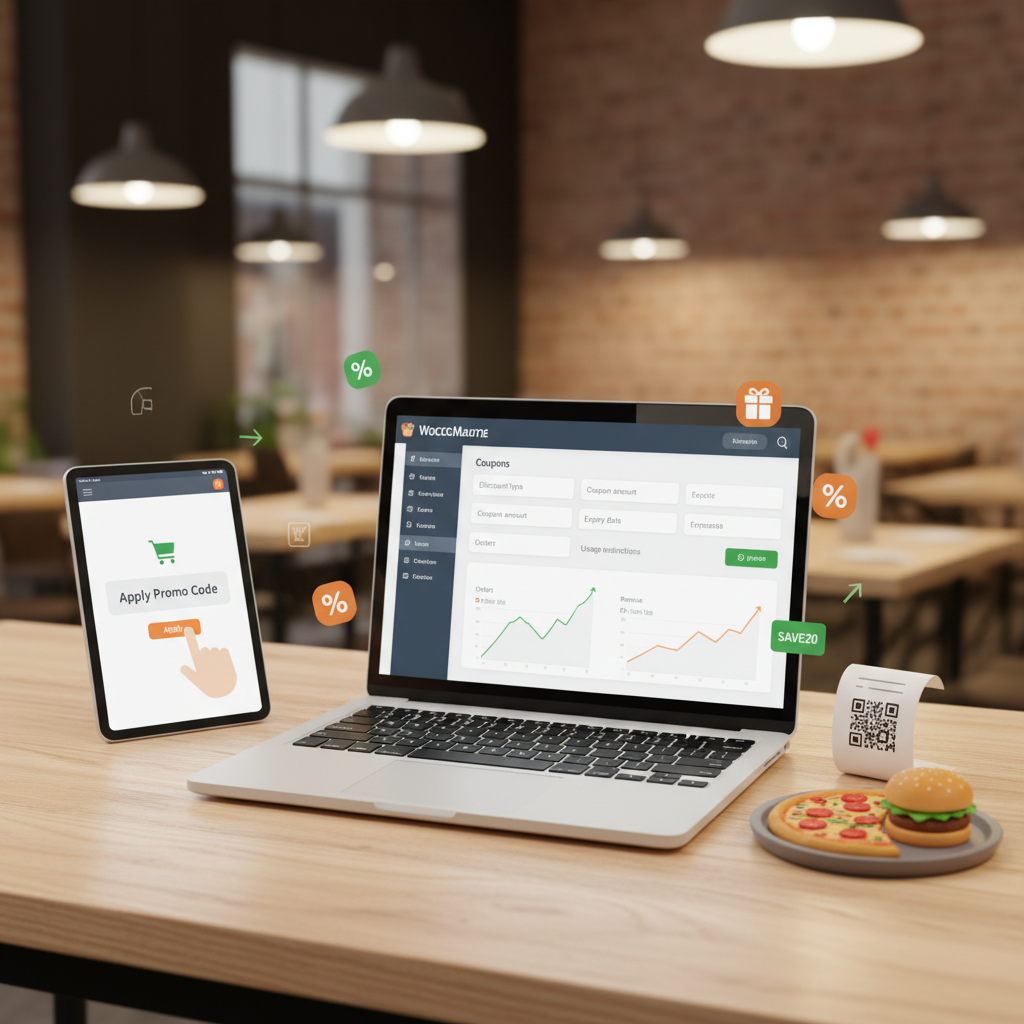
[IMAGE: Screenshot of the WooCommerce coupon creation screen showing the General tab with discount type dropdown, coupon amount field, and expiry date picker]
If you’re running your restaurant ordering through a WooCommerce restaurant plugin like FoodMaster, all these native coupon features work seamlessly with your food ordering flow. Customers see the coupon field right at checkout alongside their delivery or pickup details, with zero extra configuration needed.
Best Coupon Strategies for Restaurants: First Order, Free Delivery, BOGO, and More
Not all coupons are created equal. The strategy behind the discount matters more than the discount itself. Here are the proven approaches that work specifically for food ordering.
First-Time Customer Discount
This is the single most important coupon for any restaurant with online ordering. A 15–20% discount on the first order dramatically lowers the barrier for someone who’s never ordered from you before. Set the per-user limit to 1, require account creation at checkout (so you capture their email), and promote the code prominently on your homepage and social media profiles.
Example: Code FIRSTBITE — 15% off, one use per customer, no minimum spend, expires 30 days after creation.
Free Delivery Over a Threshold
Delivery fees are the number-one reason customers abandon online food orders. Instead of eliminating delivery charges entirely (which erodes your margins), offer free delivery when the cart exceeds a specific amount. If your average order value is $28, set the free delivery threshold at $35. Customers will add an extra side or drink to qualify, boosting your revenue per order.
Example: Code FREEDEL35 — $0 fixed cart discount with “Allow free shipping” checked, minimum spend $35.
Buy-One-Get-One (BOGO) Deals
BOGO promotions work exceptionally well for restaurants because food has relatively low marginal cost compared to retail products. A “buy one pizza, get a second half off” deal feels generous to the customer while your actual cost on that second pizza might only be $3–4 in ingredients. WooCommerce’s native coupons don’t support BOGO natively, but you can approximate it with a fixed product discount on specific items, or use a lightweight BOGO plugin to handle the logic.
Happy Hour and Time-Based Coupons
If your kitchen is slow between 2 PM and 5 PM, a time-limited coupon drives orders during off-peak hours. Create a code like HAPPYHOUR with a 20% discount and promote it specifically for that window. While WooCommerce doesn’t have built-in time scheduling for coupons, you can manually activate and deactivate them, or use a scheduling plugin to automate the process.
Holiday and Seasonal Promotions
Super Bowl Sunday, Valentine’s Day, Halloween, local festivals — these are prime opportunities for themed promotions. Create limited-time codes that tap into the event’s energy: GAMEDAY10 for Super Bowl, HEARTS20 for Valentine’s. The expiration date creates natural urgency, and the themed branding makes the promotion feel special rather than desperate.
Reactivation Coupons for Lapsed Customers
A customer who ordered three months ago but hasn’t returned is worth targeting with a personalized “we miss you” coupon. A $5-off code sent via email to customers who haven’t ordered in 60+ days can reactivate a meaningful percentage of your dormant customer base at minimal cost.
How to Create Auto-Apply Coupons and URL-Based Promo Codes in WooCommerce
Asking customers to remember and manually type a coupon code adds friction. Every extra step between “I want food” and “order placed” costs you conversions. Two techniques eliminate that friction entirely.
Auto-Apply Coupons
WooCommerce doesn’t natively support auto-applying coupons when cart conditions are met, but several free and premium plugins handle this cleanly. The concept is simple: when a customer’s cart meets certain criteria (e.g., total exceeds $40, or it’s their first order), the discount applies automatically without any code entry.
To set this up, you’d typically install a coupon automation plugin, create your coupon with the desired restrictions in WooCommerce, then configure the auto-apply rules within the plugin’s settings. The customer sees the discount appear on the cart page with a message like “Free delivery applied! Your order qualifies for free shipping.” This feels like a pleasant surprise rather than a transaction, which strengthens brand perception.
URL-Based Coupon Codes
This is a game-changer for social media and email marketing. Instead of telling followers “use code SUMMER15 at checkout,” you share a direct link like yourrestaurant.com/?coupon=SUMMER15 that automatically applies the coupon when clicked. The customer lands on your site with the discount already active in their session.
Several free plugins enable URL coupons in WooCommerce. Once installed, you simply append the coupon code as a URL parameter. This is perfect for:
- Instagram bio links: Swap your bio link to a coupon URL during promotions
- Email campaigns: Embed the coupon URL in your call-to-action button
- QR codes on flyers or receipts: Generate a QR code that points to the coupon URL
- Facebook and Google ads: Use the coupon URL as your landing page to track campaign-specific conversions
If you’re using FoodMaster for your restaurant ordering system, customers who land on your site via a coupon URL will see the discount reflected as they browse your menu and build their order. The seamless integration between WooCommerce’s coupon engine and FoodMaster’s ordering flow means there’s no disconnect between the promotion and the checkout experience.
[IMAGE: Diagram showing the customer journey from clicking a coupon URL on social media, landing on the restaurant ordering page with the discount pre-applied, and completing checkout with the savings visible]
Combining Coupons With Your Loyalty Program, Email Campaigns, and Social Media
A coupon in isolation is a one-time tactic. A coupon woven into a broader marketing system becomes a growth engine. Here’s how to connect the pieces.
Email Marketing Integration
Your email list is the most valuable marketing asset your restaurant owns — you control it completely, unlike social media algorithms. Segment your list and send targeted coupons:
- Welcome series: New subscribers get a first-order discount immediately
- Post-purchase follow-up: 3 days after an order, send a “thanks for ordering” email with a 10% code for their next purchase
- Win-back campaigns: Customers inactive for 45+ days receive a $7-off reactivation coupon
- Birthday rewards: A free dessert or appetizer coupon sent on the customer’s birthday (collect birthdays during account registration)
WooCommerce integrates with Mailchimp, and several email automation tools can trigger coupon emails based on purchase history and customer behavior. The key is making each coupon feel personalized rather than mass-blasted.
Social Media Promotion
Different platforms call for different coupon strategies. On Instagram Stories, use swipe-up links (or link stickers) with URL-applied coupons and a 24-hour expiration to match the story’s ephemeral nature. On Facebook, pin a post with your current promotion and update it monthly. On TikTok, partner with local food influencers and give them unique coupon codes — you’ll track exactly how many orders each influencer drives.
Exclusive platform-specific codes (INSTA10, FB15, TIKTOK20) serve double duty: they incentivize orders and tell you which channels are actually converting.
Stacking With Loyalty and Rewards Programs
Coupons and loyalty programs aren’t competing strategies — they’re complementary. A first-order coupon gets the customer in the door. The loyalty program keeps them coming back. Consider allowing customers to earn points on coupon-discounted orders (even if at a reduced rate) so they feel they’re making progress toward a reward even when using a promo code. This creates a virtuous cycle: coupon → first order → loyalty enrollment → points accumulation → repeat orders without needing coupons.
Tracking Coupon Performance: Which Promos Actually Bring in More Orders
Running coupons without tracking their performance is like cooking without tasting — you’re guessing instead of knowing. WooCommerce gives you solid reporting tools to measure what’s working.
WooCommerce Built-In Reports
Navigate to WooCommerce → Reports → Coupons (or use the Analytics section in newer versions). Here you’ll see:
- Coupon usage count: How many times each code was redeemed
- Discount amount: Total dollar value of discounts given per coupon
- Orders using coupons: Which specific orders used which codes
Export this data monthly and compare it against your total revenue. If a coupon generated $200 in discounts but drove $2,000 in orders that wouldn’t have happened otherwise, that’s a strong return. If it generated $200 in discounts on orders that would have come in anyway, it’s margin erosion.
Google Analytics and GA4 Tracking
For deeper insights, connect your WooCommerce store to WooCommerce Restaurant Website (2025)”>WooCommerce Restaurant Website and Track Order Data (2025)”>Google Analytics 4. GA4’s e-commerce tracking can attribute revenue to specific campaigns, traffic sources, and — when you use platform-specific coupon codes — individual marketing channels. You’ll see not just that a coupon was redeemed, but whether the customer came from an Instagram ad, an email campaign, or a Google search.
A/B Testing Your Promotions
Don’t assume you know which offer will perform best. Test systematically:
- Run two different coupon values simultaneously (e.g., 10% off vs. $5 off) with different codes
- Promote each to a similar-sized audience segment
- After two weeks, compare redemption rates, average order values, and total revenue generated
- Kill the underperformer and scale the winner
You might discover that a $5-off coupon outperforms a 15%-off coupon even though the 15% discount is technically larger on bigger orders. Customer psychology around discounts is often counterintuitive — the only way to know what works for your customers is to test.
Protecting Your Margins
Set a calendar reminder to review coupon performance quarterly. Look for warning signs: coupons being shared on public deal sites, the same customers using multiple “first order” codes with different email addresses, or overall profit margins declining despite rising order volume. If a coupon is being abused, tighten the usage restrictions or retire it. A promotion that costs more than it generates isn’t marketing — it’s charity.
Putting It All Together
The restaurants that thrive with online ordering in 2025 aren’t necessarily the ones with the biggest discounts — they’re the ones with the smartest discount strategies. Start with the WooCommerce coupon features you already have. Create a first-order discount and a free delivery threshold today. Track the results for two weeks. Then layer in auto-apply coupons, email automation, and social media-specific codes as you learn what resonates with your customers.
If you’re building your restaurant’s online ordering system from scratch, a solution like FoodMaster gives you the complete WooCommerce-powered ordering infrastructure — delivery, pickup, dine-in, QR table ordering, kitchen display, and POS — with full compatibility with every coupon strategy covered here. You keep 100% of your revenue (zero commissions), and your coupon campaigns drive customers to your website, not a third-party platform.
Start small, measure everything, and scale what works. Your next regular customer might be one well-timed promo code away.
Commission-free ordering
Run restaurant orders on your own WordPress site
FoodMaster adds delivery, pickup, dine-in, POS, and kitchen tools — with zero per-order fees.