Tipping for WooCommerce
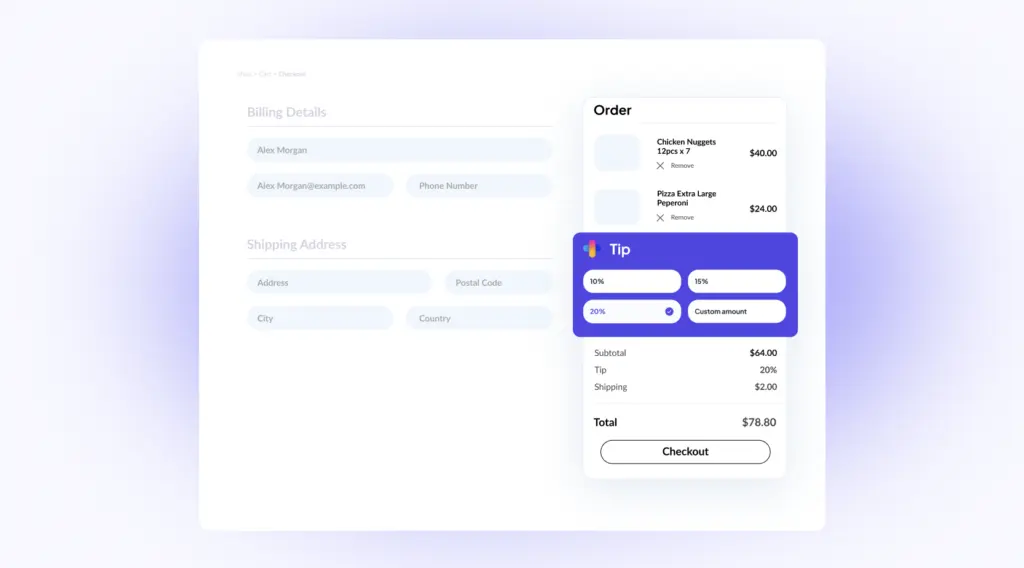
Let customers add a custom amount or tap a preset percentage or fixed tip before they pay. Use the same plugin for gratuities, donations, or “support us” contributions — including WooCommerce Blocks checkout.
Start collecting tips
Turn on tipping, choose custom, percentage, or fixed amounts, and review totals from the WordPress dashboard.
1
Keep the default tip copy, or rename it to “Support us” or “Make a donation” for charities and creators.
2
Offer a custom amount, percentages of the cart subtotal, fixed presets, or a mix. Show the section only for selected products, categories, or order totals.
3
Tips are added to the order total, emails, and invoices. Review totals and contributing orders under Analytics > Tips.
Tips, donations, and reports
Built for food ordering and delivery stores, and usable as a donation tool on any WooCommerce site.
Screenshots
Checkout tip options and donation tracking from the WooCommerce dashboard.
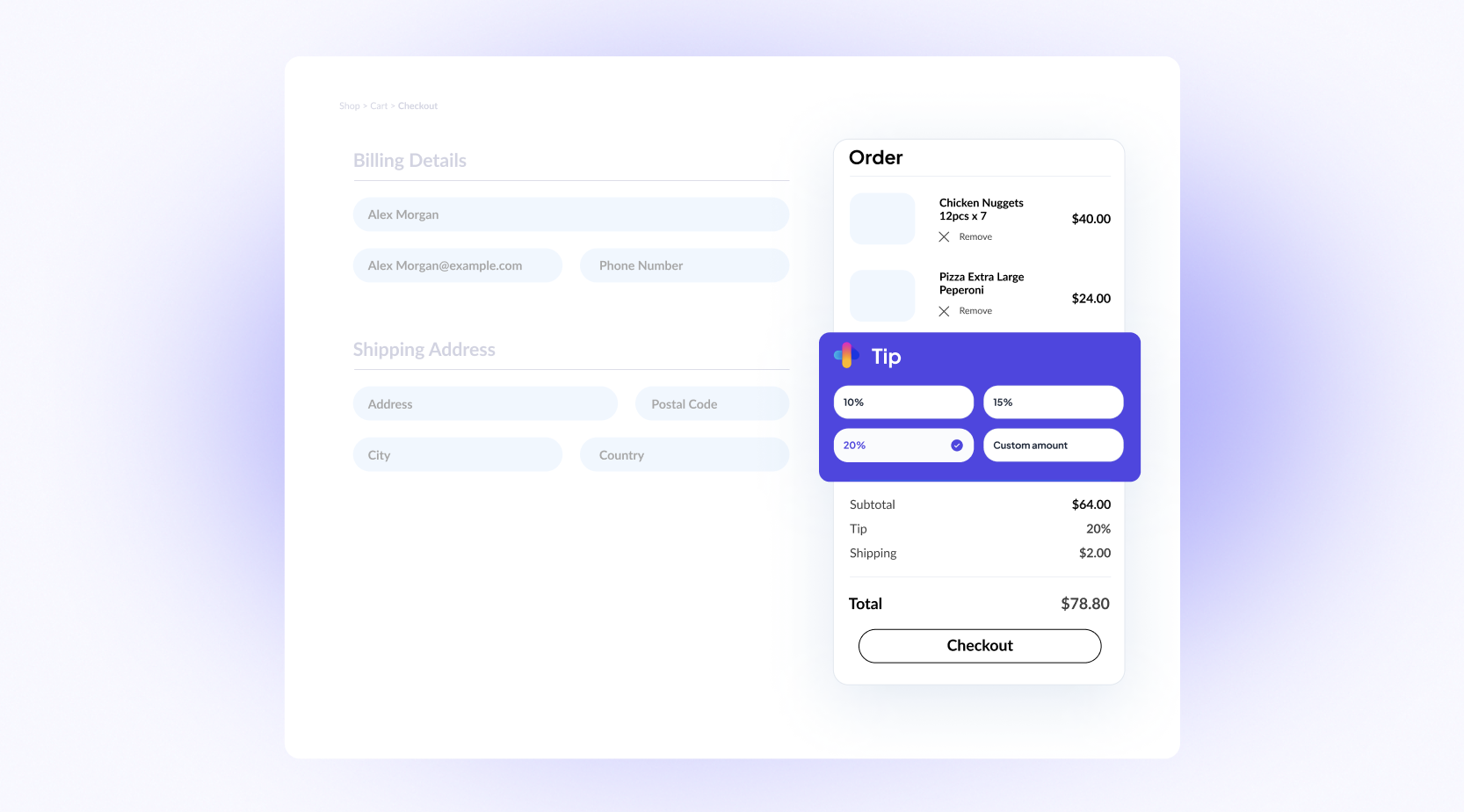
Tipping for WooCommerce adds a tip or donation option on checkout. Customers can type an amount or choose a percentage or fixed preset. Totals show on the order, in emails, and in Analytics > Tips.
Customer reviews
Comments from store owners using Tipping for WooCommerce at checkout.
★★★★★
Working like a charm! There are options to offer both percentage based tips (based on order value) and I can also set predefined amounts for tips.
★★★★★
The plugin works great and is easy to set up. Support is even better. Had a small compatibility issue. Contacted support and it was fixed in no time. Highly recommend it.
★★★★★
Thanks to Dimos my problem was fixed in a matter of minutes. All working great now! Would recommend!
Custom amounts, percentages, and fixed presets, with reports, Blocks checkout, and support included.
Custom, percentage, and fixed tip amounts on WooCommerce checkout, plus donation labels and reports.
One WordPress site. Year 2 is $79 for updates and support — the plugin keeps working if you don’t renew.
Install it, use it on a real project, and ask for a full refund within 30 days if it is not right for you.
Frequently asked questions
Common questions about adding tips or donations to WooCommerce checkout.
It is a plugin that lets customers add a tip during checkout. It is useful for food delivery and restaurants, and it can be used on any WooCommerce site.
On the WooCommerce checkout page, before they complete the order. It also works with Blocks cart and checkout.
Custom amounts, predefined percentages of the cart subtotal (for example 10%, 15%, or 20%), and predefined fixed amounts (for example $2, $5, or $10).
Yes. The tip is added to the final order total and is visible to the customer and the store admin. It is processed with the order through the store’s WooCommerce payment gateway.
Yes. The tip amount appears in the order summary, including emails and invoices.
Yes. Change the labels (for example “Support us” or “Make a donation”) and use it as a donation option. You can also change wording with a translation plugin such as Loco Translate.
Use the tip reports in the WordPress dashboard and Analytics > Tips for totals, number of contributing orders, and date filters.
Yes. Conditional visibility can show the section based on product category, a specific product in the cart, or the order total.
PHP 7.4 or later, WordPress 6.4 or later, and WooCommerce 7.0 or later.
Collect tips on checkout
Custom, percentage, or fixed amounts — plus donation labels, reports, and Blocks checkout.