
What it does
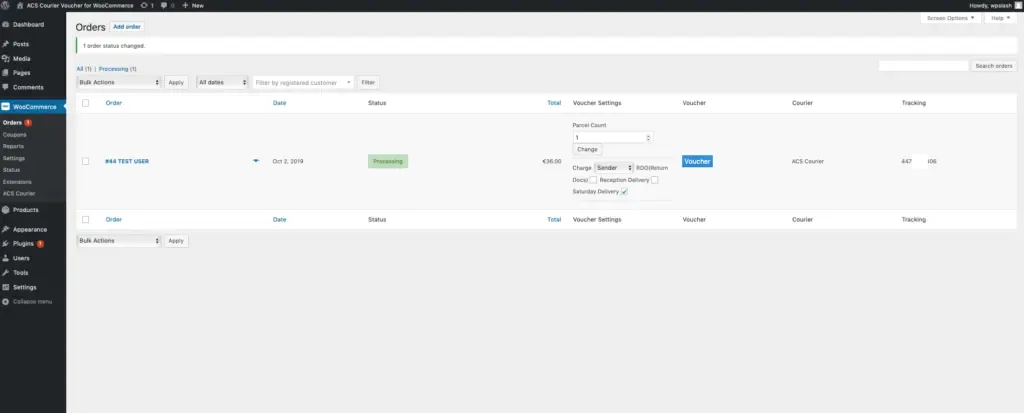
ACS Vouchers puts the courier workflow on the screen where you already work. Open an order, create the voucher, print it, and the tracking number is written back to the order and to the customer email, without copying addresses between the shop and the courier’s own panel.
You enter your ACS account credentials once. After that every voucher is created from inside WordPress, with no separate login and no re-typing.
From the order screen you can
- Create and print the voucher for the order in front of you
- Cancel a voucher you no longer need
- Trace it and see the current status
- Write the tracking number back into the order and the customer email
How it works
- 1
Buy on wpslash.com
Direct checkout here. The download and your licence key arrive immediately.
- 2
Activate the licence in WordPress
Upload the plugin, paste the key, and updates start arriving in your dashboard.
- 3
Enter the ACS credentials once
Then work from the order screen: create, print, cancel, trace.
Requirements
| What | Version or note |
|---|---|
| WordPress | 6.0 or newer |
| WooCommerce | 7.0 or newer |
| PHP | 7.4 or newer |
| Courier account | A valid ACS Courier account |
| Licence | A wpslash.com licence key, activated in WordPress |