
Start selling on Greece’s Skroutz Marketplace
With the Skroutz Marketplace integration for WooCommerce, you can fully manage Skroutz Marketplace orders directly from your WooCommerce backend. Accept or reject orders, configure default order statuses, enable automatic order acceptance, and keep fulfillment centralized in one system.
Orders placed on Skroutz Marketplace sync instantly with WooCommerce using the Skroutz API. Stock levels update automatically, ensuring real-time inventory accuracy and preventing overselling.
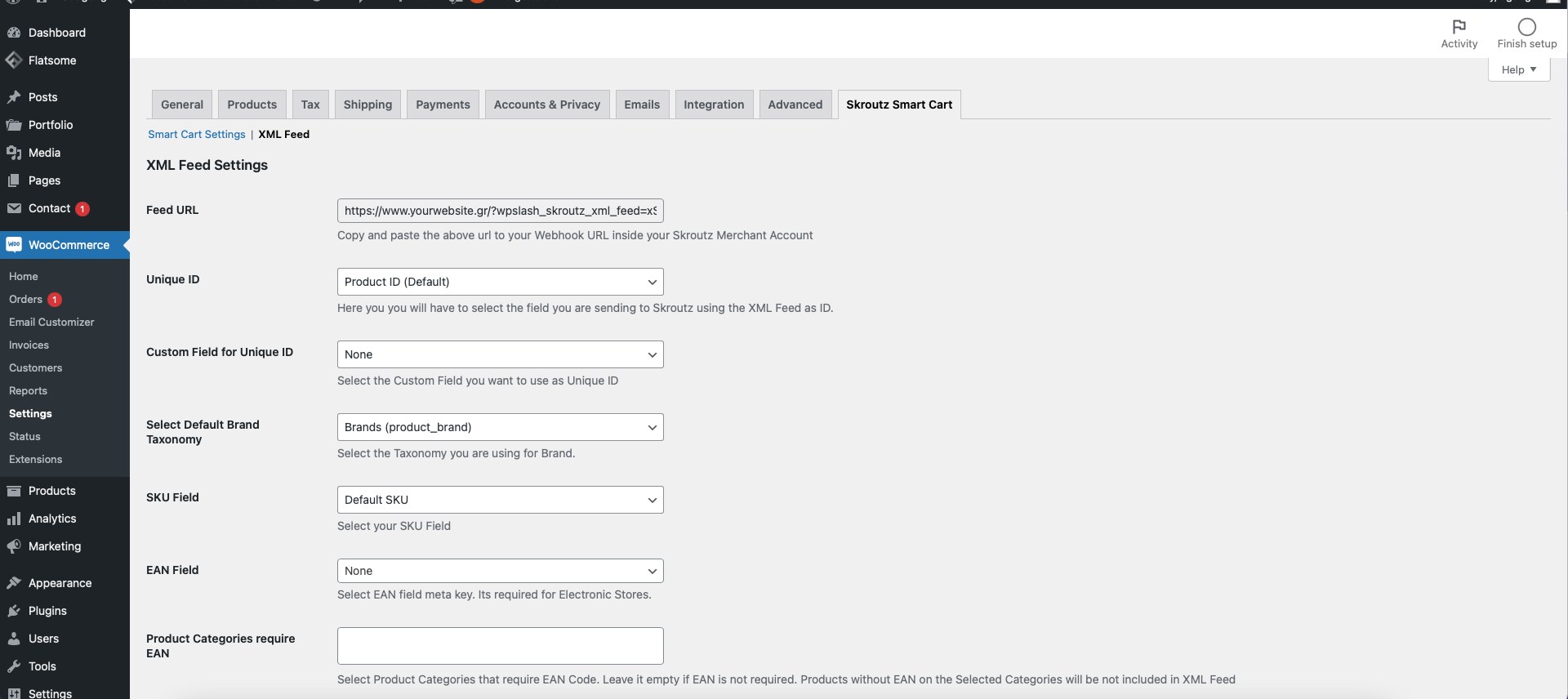
During the Skroutz.gr onboarding process, merchants are required to submit an XML product feed. The plugin automatically generates a fully compatible Skroutz XML feed based on your WooCommerce catalog, including support for unique product IDs, EAN fields, size and color attributes, brand taxonomy, and product availability settings.
Skroutz Marketplace & XML for WooCommerce combines both Skroutz XML feed generation and Marketplace API integration in one plugin. From onboarding and product export to real-time order syncing, instant inventory updates through the Products API, and stock control, everything is managed inside WooCommerce.
How it works
- 1
Generate the XML feed
The plugin creates your Skroutz XML feed URL from the WooCommerce catalog. Submit it during Skroutz.gr onboarding.
- 2
Connect your Skroutz merchant account
Add the API token and the webhook URL so Marketplace orders reach WooCommerce in real time.
- 3
Sell and fulfil from WooCommerce
Accept or reject orders, print vouchers and let stock, prices and availability sync on their own.
Requirements
| What | Version or note |
|---|---|
| WordPress | 6.5 or newer |
| WooCommerce | 4.0 or newer |
| PHP | 7.4 or newer |
| Skroutz account | A Skroutz merchant account with an API token, for the Marketplace and the Products API |
Customise the feed with filters
Developers can fine-tune the Skroutz XML feed with filters. Use wpslash_skroutz_feed_query_args to change which products are queried. This example only includes products with stock greater than zero:
add_filter( 'wpslash_skroutz_feed_query_args', function ( $args, $settings ) {
    $args['meta_query'][] = array(
        'key'     => '_stock',
        'value'   => 0,
        'compare' => '>',
        'type'    => 'NUMERIC',
    );
    return $args;
}, 10, 2 );
Use wpslash_skroutz_feed_include_product to apply your own exclusion rules, for example hide products whose _hide_from_skroutz custom field is set to yes, or products priced below 5 euros:
add_filter( 'wpslash_skroutz_feed_include_product', function ( $include, $product, $settings ) {
    if ( 'yes' === get_post_meta( $product->get_id(), '_hide_from_skroutz', true ) ) {
        return false;
    }
    if ( floatval( $product->get_price() ) < 5 ) {
        return false;
    }
    return $include;
}, 10, 3 );
Use wpslash_skroutz_feed_product_price to adjust prices in the feed. This example multiplies every price by 1.10:
add_filter( 'wpslash_skroutz_feed_product_price', function ( $price, $product ) {
    return number_format( floatval( $price ) * 1.10, 2, '.', '' );
}, 10, 2 );