On this page
- Why Choosing the Right Restaurant Ordering Platform Matters
- FoodMaster (Formerly WooFood) for WooCommerce — Deep Dive
- Core Strengths
- Pricing and Learning Curve
- Ideal Use Case
- GloriaFood vs MenuDrive — Hosted Platforms for Quick Setup
- GloriaFood
- MenuDrive
- The Trade-Off: Convenience vs Control
- ChowNow vs Square Online — Marketplace Alternatives with Brand Control
- ChowNow
- Square Online
- Feature-by-Feature Comparison Table and Scoring
- How to Choose the Right Platform for Your Restaurant — Decision Framework
- If You Already Run WordPress (or Plan To)
Why Choosing the Right Restaurant Ordering Platform Matters
A single wrong decision about your online ordering platform can quietly drain your restaurant’s revenue for years. Third-party marketplaces charge commissions ranging from 15% to 30% per order — meaning a restaurant processing $20,000 in monthly WooCommerce Restaurant: Percentage Off, BOGO, Free Delivery, and Seasonal Campaigns to Boost Online Orders (Complete Guide)”>online orders could lose $3,000 to $6,000 every month in fees alone. Over a year, that’s up to $72,000 that never reaches your bottom line.
Beyond fees, the platform you choose determines whether you own your customer data or rent access to it. It dictates how much control you have over your branding, your SEO visibility, your menu presentation, and your ability to scale. Migrating from one system to another mid-stream is painful — you risk losing order history, customer relationships, and search engine rankings you’ve built over months.
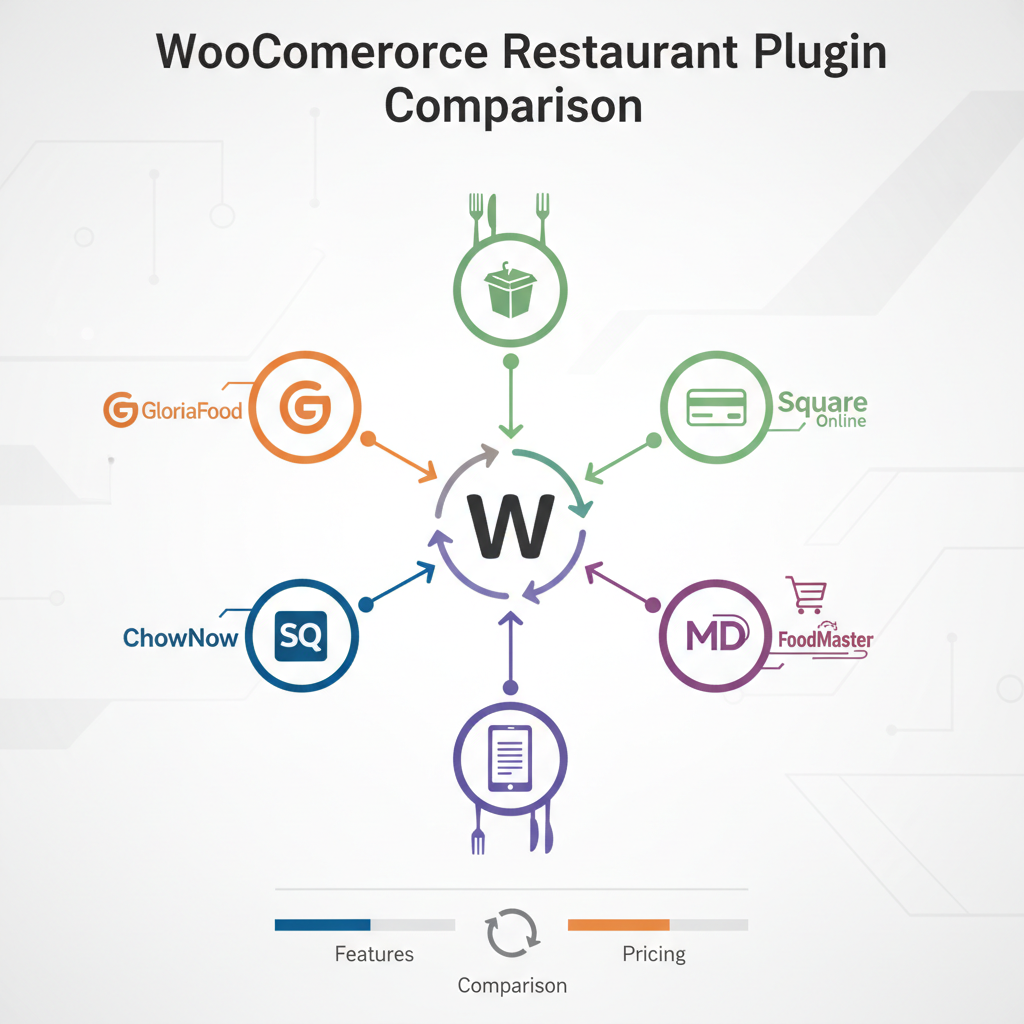
The five platforms in this comparison represent fundamentally different approaches to restaurant online ordering. FoodMaster (formerly WooFood) is a self-hosted WooCommerce plugin that gives you complete ownership. GloriaFood and MenuDrive are hosted platforms offering quick setup with varying trade-offs. ChowNow provides commission-free ordering with branded apps at a premium price. Square Online leverages Square’s POS ecosystem with a free entry point. Each serves a different type of restaurant owner — and picking the right one depends on your technical comfort, budget, and long-term vision.
FoodMaster (Formerly WooFood) for WooCommerce — Deep Dive
FoodMaster operates on a fundamentally different model than hosted platforms: it’s a WordPress plugin built on WooCommerce, which means your restaurant’s ordering system lives on your server, under your domain, with your complete control over every aspect of the experience.
Core Strengths
The most significant advantage is zero commission fees. Whether you process 50 orders a month or 5,000, FoodMaster charges no per-order percentage. You pay a license fee for the plugin, and every dollar of revenue stays with you. For restaurants doing serious online volume, this difference compounds dramatically over time.
Because FoodMaster runs on WooCommerce, it inherits the entire WooCommerce ecosystem. That means access to dozens of payment gateways (Stripe, PayPal, Square, cash on delivery), compatibility with loyalty plugins, coupon systems, analytics tools, and email marketing integrations. You’re not locked into a single vendor’s feature set — you can extend your store with any of WooCommerce’s 50,000+ extensions.
The plugin includes features purpose-built for restaurants: menu customization with toppings, extras, and variations, delivery zone management with distance-based or zip code-based rules, tipping support, POS functionality, kitchen display screens, QR code table ordering for dine-in, and automatic order printing. It’s a complete restaurant ordering system, not a generic e-commerce tool with food bolted on.
Pricing and Learning Curve
FoodMaster uses a license-based pricing model — either a one-time purchase or annual subscription depending on the tier. There are no per-order fees, no revenue sharing, and no hidden costs. The trade-off is that you need WordPress hosting (typically $5–$30/month for quality managed hosting) and some willingness to configure WooCommerce.
The learning curve is real but manageable. If you’ve never touched WordPress, expect to spend a few hours on initial setup. If you already run a WordPress site, adding FoodMaster is straightforward. The plugin includes setup wizards and documentation, and the WooCommerce community offers extensive resources for troubleshooting.
Ideal Use Case
FoodMaster is the strongest choice for independent restaurants that want full ownership of their online ordering — no middleman, no commission drain, no platform lock-in. It’s particularly powerful for restaurants already running WordPress or those planning to invest in SEO and content marketing, since you control every aspect of your site’s technical optimization.
[IMAGE: FoodMaster plugin dashboard showing menu management with toppings, delivery zones, and order management interface in WooCommerce]
GloriaFood vs MenuDrive — Hosted Platforms for Quick Setup
Not every restaurant owner wants to manage WordPress hosting and plugin configurations. GloriaFood and MenuDrive both offer hosted solutions where the platform handles the technical infrastructure. But their approaches — and their costs — differ significantly.
GloriaFood
GloriaFood’s headline feature is its free tier, which includes basic online ordering, a menu builder, and a widget you can embed on any existing website. For a restaurant that needs to start accepting orders tomorrow with zero upfront investment, it’s genuinely appealing.
However, the free tier comes with clear limitations. GloriaFood branding appears on your ordering interface. Advanced features — online payment acceptance, promotional tools, branded mobile app publishing, and detailed reporting — require upgrading to paid plans, which run approximately $9–$29/month per feature module. These add up quickly. A restaurant wanting payment processing, promotions, and a branded app could easily spend $50+/month.
The deeper issue is integration depth. GloriaFood’s widget sits on top of your website rather than integrating into it. For WordPress users, this means limited SEO benefit from your menu pages, minimal design control, and no access to WooCommerce’s plugin ecosystem. Your ordering data lives on GloriaFood’s servers, not yours.
MenuDrive
MenuDrive positions itself as a marketing-first ordering platform. Beyond basic ordering functionality, it includes built-in email and SMS campaign tools, a loyalty rewards program, and automated remarketing to customers who haven’t ordered recently. For restaurants that lack marketing infrastructure, these bundled tools offer genuine value.
MenuDrive’s pricing is subscription-based, typically starting around $149/month for a single location, plus payment processing fees. There’s also typically a setup fee. This is significantly more expensive than self-hosted solutions, but the bundled marketing tools partially offset the cost for restaurants that would otherwise pay separately for email marketing and loyalty software.
The Trade-Off: Convenience vs Control
Both platforms offer speed and simplicity — you can be live in hours rather than days. But you’re renting the platform, not owning it. If GloriaFood changes its pricing or MenuDrive sunsets a feature, you have limited recourse. Your customer data, order history, and menu configurations live on their servers. Migrating away means starting over.
For restaurants running WordPress, neither platform offers the deep integration that a WooCommerce restaurant plugin provides. You can’t leverage WooCommerce’s coupon engine, analytics plugins, or the thousands of extensions that let you customize every aspect of the customer experience.
ChowNow vs Square Online — Marketplace Alternatives with Brand Control
ChowNow and Square Online occupy a middle ground: they’re more established than simple widget tools, and they both emphasize keeping your restaurant’s brand front and center rather than burying it behind a marketplace.
ChowNow
ChowNow’s core promise is commission-free ordering with a flat monthly fee. Plans typically start around $149/month and go up to $399/month for premium tiers, often with an annual contract. For restaurants processing high order volumes, this flat-fee model can save thousands compared to commission-based platforms.
ChowNow’s standout feature is its branded mobile app — they’ll build and publish a custom app for your restaurant on both iOS and Android. They also offer direct integration with Google ordering (so customers can order straight from your Google Business Profile) and Instagram ordering. These distribution channels can meaningfully increase order volume without the commission hit of DoorDash or Uber Eats.
The downsides: ChowNow’s website builder is limited compared to WordPress. You get a functional ordering page, but not a fully customizable website. For restaurants that want deep control over their site’s design, blog content, or SEO strategy, ChowNow’s web presence feels restrictive. The price point is also steep for smaller restaurants — $1,788 to $4,788 per year is a significant commitment.
Square Online
Square Online offers a free tier that includes basic online ordering, which makes it attractive for restaurants already using Square’s point-of-sale hardware. The seamless sync between in-store POS and online orders is genuinely useful — inventory, order history, and customer profiles stay unified across channels.
Square Online also partners with DoorDash for built-in delivery management, allowing restaurants to offer delivery without managing their own drivers. Paid plans ($29–$79/month) unlock features like custom domains, reduced transaction fees, and marketing tools.
For WordPress users, though, Square Online presents a fundamental problem: it’s a separate website builder. You can’t embed Square Online’s ordering into an existing WordPress site with the same depth as a native WooCommerce plugin. You’d essentially run two separate web presences, which fragments your SEO authority and creates a disjointed customer experience.
[IMAGE: Side-by-side comparison table showing pricing tiers, commission structures, and key features of all five restaurant ordering platforms]
Feature-by-Feature Comparison Table and Scoring
Here’s how all five platforms stack up across the criteria that matter most to restaurant owners. Scores are on a 1–5 scale, with 5 being the strongest.
| Criteria | FoodMaster | GloriaFood | MenuDrive | ChowNow | Square Online |
|---|---|---|---|---|---|
| Pricing / Value | 5 | 4 | 2 | 2 | 4 |
| Commission Fees | 5 (None) | 5 (None) | 3 | 5 (None) | 4 |
| WordPress Integration | 5 | 2 | 1 | 1 | 1 |
| Menu Customization | 5 | 3 | 3 | 3 | 3 |
| Delivery Management | 4 | 3 | 3 | 3 | 5 |
| Payment Gateway Options | 5 | 2 | 2 | 2 | 3 |
| Customer Data Ownership | 5 | 2 | 2 | 3 | 3 |
| SEO Control | 5 | 1 | 1 | 2 | 3 |
| Third-Party Plugin Compatibility | 5 | 1 | 1 | 2 | 2 |
| Multi-Location Support | 3 | 3 | 4 | 4 | 4 |
| Ease of Setup | 3 | 5 | 4 | 4 | 5 |
| Total Score (/55) | 50 | 31 | 26 | 31 | 37 |
Key takeaway from the scores: FoodMaster dominates in categories that matter for long-term ownership — data control, SEO, payment flexibility, and plugin compatibility. Square Online scores well for ease of use and delivery logistics. GloriaFood and ChowNow tie in aggregate but serve very different audiences. MenuDrive’s higher cost relative to its feature set makes it the hardest to justify unless you heavily value its bundled marketing tools.
How to Choose the Right Platform for Your Restaurant — Decision Framework
Rather than recommending one platform for everyone, here’s a practical decision tree based on your specific situation.
If You Already Run WordPress (or Plan To)
This is the clearest decision path. FoodMaster is the only option in this comparison that integrates natively with WordPress and WooCommerce. Every other platform either sits on top of your site as a widget or requires a completely separate web presence. If you’ve invested in a WordPress site — its design, its content, its SEO —
Commission-free ordering
Run restaurant orders on your own WordPress site
FoodMaster adds delivery, pickup, dine-in, POS, and kitchen tools — with zero per-order fees.