On this page
- Quick Comparison
- 1. Single Store Address Setup
- Location Coverage
- Checkout Clarity
- Navigation Accuracy
- Operational Overhead
- 2. Multi-Location Pickup Setup
- Location Coverage
- Checkout Clarity
- Navigation Accuracy
- Operational Overhead
- 3. Customer-Directions-First Setup
- Location Coverage
- Checkout Clarity
- Navigation Accuracy
- Operational Overhead
- Pros and Cons of Each Pickup Address Setup
- Which Setup Fits Your Restaurant Type
- Final Takeaways
- FAQs
- How do I choose the right pickup address setup?
- When should I switch to a multi-location setup?
- What directions should I show for hard-to-find pickup spots?
- Related Blog Posts
If customers go to the wrong door, your address setup is part of the problem. For pickup-only restaurants, I’d keep it simple: use one store address for one pickup counter, multi-location pickup for brands with several branches, and a directions-first setup when the address alone won’t get people to the right spot.
Here’s the short version:
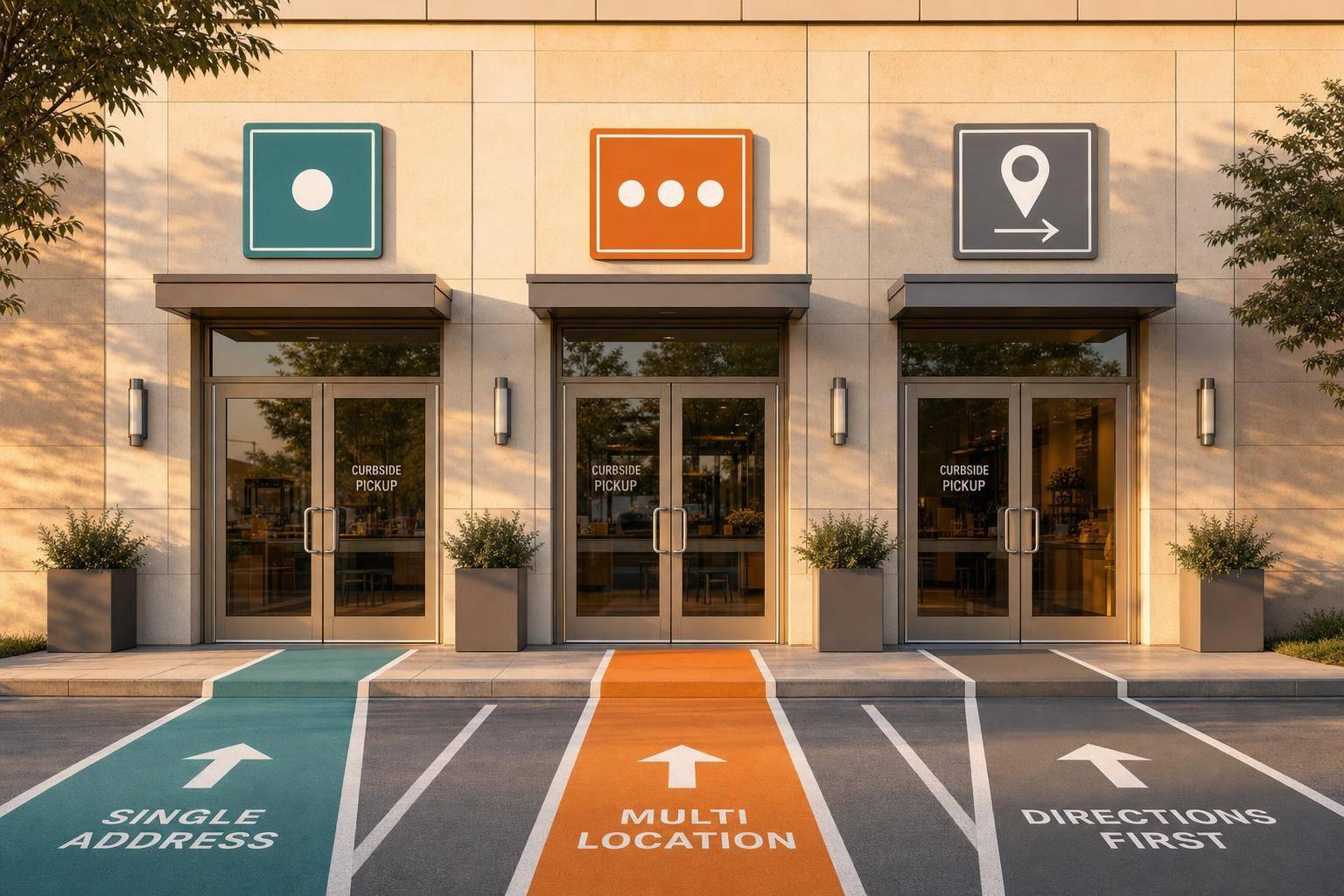
- Single store address: best if all pickup orders go to one place
- Multi-location pickup: best if each branch has its own hours, menu, and pickup counter
- Directions-first setup: best for food halls, campuses, ghost kitchens, and shared buildings
A few points matter most:
- Customers should know the pickup spot before they order
- The same address and instructions should appear in the menu, cart, checkout, and confirmation
- In the U.S., pickup tax is often tied to the store location
- Small direction details – like “enter from Oak Street” – can cut wrong-door pickups
For many restaurants using the best food ordering plugin options, this choice comes down to just 3 things: how many pickup points you run, how hard they are to find, and how much day-to-day setup work you want.
Quick Comparison
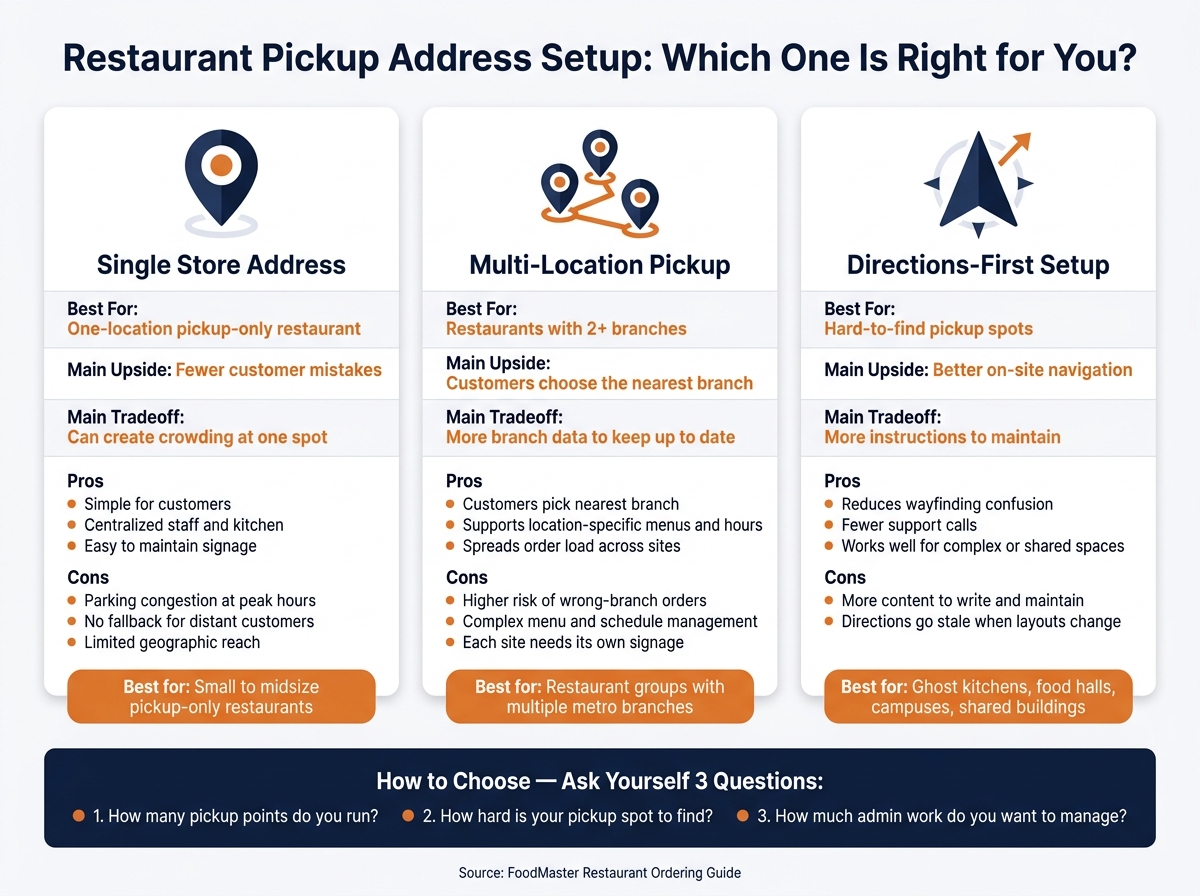
Restaurant Pickup Address Setup: Which One Is Right for You?
| Setup | Best For | Main Upside | Main Tradeoff |
|---|---|---|---|
| Single store address | One-location pickup-only restaurant | Fewer customer mistakes | Can create crowding at one spot |
| Multi-location pickup | Restaurants with 2+ branches | Customers can choose the nearest branch | More branch data to keep up to date |
| Directions-first | Hard-to-find pickup spots | Better on-site navigation | More instructions to maintain |
If I were setting up an online food ordering system, I’d pick the model that makes pickup easy to follow without extra calls, texts, or staff help.
sbb-itb-7e654f7
1. Single Store Address Setup
One address. One kitchen. One pickup counter.
Every online order goes to the same physical spot, and every setup choice – hours, prep times, tax rules – applies to that one location.
Location Coverage
Start with a simple check: can one pickup point handle the demand you actually have?
This setup works well for restaurants with steady local pickup traffic. If most orders come from a nearby, predictable area, one address usually makes sense.
Checkout Clarity
With one location, checkout is much easier to follow. Customers don’t have to pick between branches, so there’s no chance they order from the wrong one.
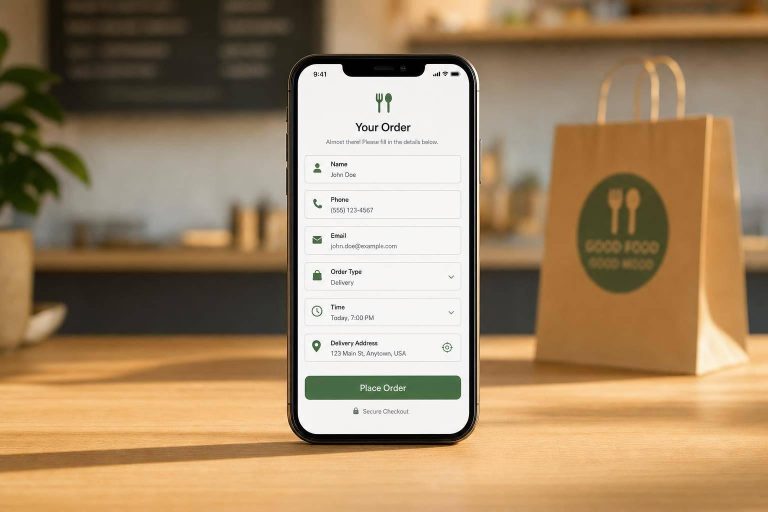
The full pickup address should show up in the key spots: at the top of the menu, in the cart, and again at checkout. For example, "All orders are pickup-only at 123 Main St, Springfield, IL 62704." Add a pickup window like "Ready between 6:00 p.m. and 6:15 p.m." and a short note on where to go inside the restaurant. Do that, and a lot of confusion gets cleared up before it starts.
That same clear wording should carry over to the directions screen too.
Navigation Accuracy
Use the official postal address exactly as it appears, including suite numbers and directional details. A small mismatch can send people to the wrong place.
If your restaurant is in a strip mall or shares a building, add a short landmark or access note. For example: "Enter from Oak Street; pickup is at the back of the building." You can also add a Google Maps link or a static map on the confirmation page so customers can open directions with one tap.
Operational Overhead
Managing one address keeps the back end lean. You set hours, prep-time rules, tax settings, and ticket routing once. There’s no need for branch-level routing or menu filtering.
FoodMaster – Restaurant Ordering Plugin lets you set one pickup location, connect menus to it, and define time slots in one place. You can also add a lead time – say, 20 minutes for standard orders – to help staff manage prep flow.
Once orders start coming from separate neighborhoods or multiple branches, a multi-location setup becomes the next step.
2. Multi-Location Pickup Setup
Two locations. Five locations. Eight spread across a metro area. As soon as you set up a multi-location restaurant, customers need to know exactly which branch they’re ordering from before they add even one item to the cart.
Location Coverage
With multiple pickup points, the address isn’t just a store detail. It’s a routing choice. List every location that offers pickup, and make each one easy to scan.
Each location should show:
- Full U.S. address
- Pickup hours
- Any branch-specific limits
If you manage 3–10 locations, group them by area. Labels like Los Angeles – Downtown or Los Angeles – Westside help people find the right store faster. Distance-based sorting can also help by showing the nearest branch first after a ZIP code search or location share.
Once locations are set up, the next issue is simple: customers have to choose the right branch before they start ordering.
Checkout Clarity
Location selection should happen before menu browsing, not during checkout. If someone browses the wrong branch, cancellations usually follow.
After a store is selected, that choice should stay in view the whole time: in the cart, on the checkout page, and in the order confirmation email. You’re picking up at: 847 W. Lake St., Chicago, IL 60607 is much clearer than Pickup at: West Loop.
FoodMaster – Restaurant Ordering Plugin can enforce store selection before browsing begins, display the chosen pickup address at every checkout step, and keep that location locked through order completion.
Once branch selection is fixed, the pickup instructions also need to match that exact location.
Navigation Accuracy
Each branch confirmation should include a short note in plain English: Use the north lot; pickup is inside the main entrance. For spots in strip malls, food halls, or shared buildings, that kind of on-site guidance matters just as much as the map link.
Verify every branch pin in Google Business Profile so it points to the actual entrance, not just the middle of the building. A bad pin during peak hours creates the kind of headache that leads to late pickups.
That setup only holds up if each branch’s hours, menus, and closures stay current.
Operational Overhead
Old branch data leads to wrong pickups. That’s the main operational risk in a multi-location setup. Hours, holiday closures, menu availability, and prep times all need to stay current for each branch.
A simple fix is to assign one person per location to handle updates for hours, closures, and routing. Location-level permissions help too. Each manager sees only their own orders and can update only their own store settings.
FoodMaster supports per-location settings from one admin panel.
3. Customer-Directions-First Setup
Some restaurants run from one kitchen but hand off orders at several pickup spots: a lobby desk, a curbside bay, a gate, or a locker bank. In that kind of setup, the street address by itself just doesn’t do the job. A customer-directions-first setup starts with the pickup point, not the address.
That matters most when the pickup spot sits inside a big, confusing place. Think ghost kitchens, food halls, stadiums, university campuses, and corporate office buildings. In those spaces, “just look us up on Google Maps” leaves too much room for error.
Location Coverage
Treat each pickup point as its own labeled zone, entrance, or bay. That’s the whole point of this model: the street address alone won’t get people to the order. Each spot needs its own label, GPS coordinates, operating hours, pickup type, and access notes.
A simple way to organize it is to group spots by area first, like Campus North and Campus South, then let customers narrow down to the exact location. You can also hide pickup points that are closed or unavailable at that time, which keeps the list clean and easier to use.
Checkout Clarity
Customers should choose their pickup spot before they browse the menu. If they don’t, they can build an order for the wrong location and only notice at the end.
Once they’ve picked a spot, the checkout page should make it obvious:
"You’re picking up at: Lobby A, near the information desk. Estimated ready time: 12:15 PM."
That same pickup point should appear again in the email or SMS, along with a direct map link to the right pin.
FoodMaster – Restaurant Ordering Plugin can support a pre-order pickup selection step and repeat the chosen pickup instructions in the checkout summary, confirmation screen, and order emails.
Navigation Accuracy
A street address won’t help much if someone needs to find Curbside Bay C in a shared parking lot. One wrong entrance can turn into one late pickup.
Each pickup point needs written directions that use actual landmarks, like:
"Enter from 5th Ave., turn right into the parking garage, look for the orange ‘Pickup’ signs near column D3."
If the site layout is messy, add a simple map or a short landmark note. Small details like that can save a lot of back-and-forth.
Each pickup point also needs its own GPS pin. Don’t use the building’s center point. If the navigation link drops customers at the wrong door, the whole flow breaks down fast.
Operational Overhead
This setup cuts down on customer confusion, but it does add more admin work than a plain address-based flow. Every pickup point needs its own rules, hours, and instructions. Staff also need to know which zone each order belongs to, and someone still has to deal with late arrivals and pickups at the wrong spot.
The practical move is to keep only the pickup points people use most, use clear naming like Gate-B-Walkup or Lot-C-Curbside, and route orders to the right prep team based on the selected zone. FoodMaster – Restaurant Ordering Plugin supports multiple restaurant locations with WooCommerce from one admin panel, with role-based access so staff only see orders tied to their zone. That keeps the backend easier to run, even when the physical setup is complicated.
Pros and Cons of Each Pickup Address Setup
The main choice comes down to this: do you want the simplest checkout, the broadest reach, or the clearest on-site directions? Every pickup address setup gives you one thing and asks you to give up another. In most cases, the tradeoff is between simplicity, reach, and how easy it is for people to find the right door.
A single store address keeps checkout clean and easy. There’s less for the customer to think about, and your team only has to manage one pickup point. The downside shows up during busy hours, when pickup lines and parking can pile up at the same spot.
Multi-location pickup helps you serve more nearby customers because they can choose the branch closest to them. That said, it also brings more branch-level coordination, which can get messy if menus, hours, or staffing differ by site.
A customer-directions-first setup is often the best fix when people keep ending up at the wrong entrance. It gives clearer guidance, but it also needs upkeep. If access points, doors, or traffic flow change, those directions need to change too.
Here are the core tradeoffs:
| Setup Type | Pros | Cons | Best Use Case |
|---|---|---|---|
| Single Store Address | Simple for customers; centralized staff and kitchen; easy to maintain signage and parking at one site | Parking congestion at peak hours; no fallback for customers far away; limited geographic reach | Small to midsize pickup-only restaurant with one location and manageable parking |
| Multi-Location Pickup | Customers pick the nearest branch; supports location-specific menus, hours, and capacity; spreads order load | Higher risk of wrong-branch orders; more complex menu and schedule management; each site needs its own signage | Restaurant groups with multiple branches in one metro area, each with its own kitchen and pickup counter |
| Directions-First | Reduces wayfinding confusion; fewer support calls; works well for complex or shared spaces | Requires more content to write and maintain; directions go stale when physical layouts change | Ghost kitchens, food halls, campuses, or any site where a street address alone won’t get customers to the right door |
That makes it much easier to narrow the right fit based on the kind of restaurant you run.
Which Setup Fits Your Restaurant Type
Use the tradeoffs above to match the setup to your operation. The main things to look at are how many locations you run, how hard your pickup spot is to find, and how much admin work you want to manage.
For a pickup-only single-site restaurant, the best fit is a single store address setup. You use one address, one pickup point, and one short pickup note. Simple, clean, and easy to keep up.
If one location isn’t enough, switch to a branch-based flow. A multi-location pickup setup works best when each order needs to go to a specific branch.
For a location with hard-to-find entrances, shared lots, or limited parking, a customer-directions-first setup works better than a street address on its own. Pair the address with clear guidance – "Park in Garage B, use the north entrance, follow signs to Level 2 Food Court" – and repeat those instructions on the product page, at checkout, and in the confirmation message.
Here’s the quick match:
| Restaurant Type | Best Setup | Why It Fits |
|---|---|---|
| Pickup-only single-site | Single store address setup | Simplest to configure and maintain |
| Multiple branches | Multi-location pickup setup | Each branch needs its own address, hours, and pickup routing |
| Hard-to-find entrances, shared lots, or limited parking | Customer-directions-first setup | A street address alone may not lead customers to the correct pickup point |
Final Takeaways
The best pickup address setup is the one that makes pickup easy to spot for customers and easy for staff to handle. In plain terms, it depends on two things: how many locations you run and how simple the pickup point is to find.
A single-address setup, a multi-location setup, and a directions-first setup each match a different pickup pattern. That’s why wayfinding matters just as much as the address itself.
Clear signs and visible pickup points matter because many customers judge pickup by how easy it is to find, not just by the address on the order.
FoodMaster – Restaurant Ordering Plugin helps keep addresses, instructions, hours, and checkout routing in sync across the whole pickup flow. So customers see the same guidance at checkout, in the confirmation message, and on-site.
Keep pickup instructions as simple as you can. Add more detail only when the layout of the site makes it needed. The goal is a pickup flow customers can follow without asking for help.
FAQs
How do I choose the right pickup address setup?
Choose the setup based on how many locations you run and how much control each one needs.
For 2–10 locations, a single WooCommerce install with a location selector is usually the best fit. It keeps things simpler and makes day-to-day management easier.
Once you get to 10+ locations – or if you’re dealing with franchises that have different branding and menus – WordPress Multisite makes more sense. Each location can have its own dashboard, which gives teams more room to run things on their own.
For smaller setups, you can also use location-based categories. That’s often enough if each store follows a similar setup.
In FoodMaster, you can set each store’s address, hours, pickup options, and lead time. That way, customers can see when their order will be ready before they check out.
When should I switch to a multi-location setup?
Switch to a multi-location setup once you grow past a single kitchen, one menu, and one set of hours. In plain terms, you’ll usually need it when you run two or more branches with separate delivery zones, location-based pricing, different menus, or separate staff access.
For most groups with 2 to 10 locations, the simplest and most efficient setup is one WordPress installation with a location switcher. Go with WordPress Multisite only when you have 10+ locations that run like independent businesses.
What directions should I show for hard-to-find pickup spots?
Show clear, action-focused directions on each location page. Go beyond the street address. Add nearby landmarks and a few neighborhood details so customers can find the pickup spot without second-guessing themselves.
If you use an embedded map, add a custom marker so the spot is easy to see at a glance.
Each location page should also include:
- The branch’s address
- Its phone number
- A clear button that links to that branch’s menu
Related Blog Posts
Commission-free ordering
Run restaurant orders on your own WordPress site
FoodMaster adds delivery, pickup, dine-in, POS, and kitchen tools — with zero per-order fees.