
Ask any restaurant owner who’s been on WooCommerce Restaurant Plugin Comparison: FoodMaster vs GloriaFood vs ChowNow vs Square Online vs MenuDrive — Features, Pricing, and the Best Choice for Your Online Ordering System (2024)” rel=”nofollow”>WooCommerce Restaurant (Without Losing Margin)” rel=”nofollow”>WooCommerce Restaurant (Without Losing Margins)” rel=”nofollow”>Uber Eats for more than a year, and you’ll get the same tired sigh. The orders come in. The money goes out. And somehow, at the end of the month, the numbers just don’t add up the way they should.
I’ve spent the last few years helping pizzerias, burger joints, and small cafés figure out where their profits actually go. Spoiler: a huge chunk vanishes into commissions most owners barely understand. So let’s talk honestly about what Uber Eats, DoorDash, and running your own WooCommerce-based ordering site really cost — and which one leaves more cash in your pocket.
The True Cost of Third-Party Delivery Apps in 2026
Third-party apps love to advertise their “partnership” model. What they don’t advertise as loudly is the commission structure. Uber Eats typically charges between 15% and 30% per order depending on the plan you pick. DoorDash sits in a similar range — 15% for basic (pickup or self-delivery) and up to 30% for their Premier tier. Grubhub? Around 15% to 30% too, plus marketing fees if you want to actually be seen in the app.
Here’s a real-world example from a small pizzeria I worked with in Ohio. They were doing about $18,000/month through DoorDash. After the 30% commission, credit card processing baked in, promotional fees they opted into to stay competitive, and a monthly tablet rental fee, they were netting closer to $11,400. That’s $6,600 gone. Every single month.
And the extras add up quick:
- Tablet rental or activation fees (often $0–$25/month, sometimes waived, sometimes not)
- Promotional “Sponsored Listing” fees — usually another 5–10% if you want visibility
- Chargeback and refund policies that almost always side with the customer
- Delivery radius limits that force you into their courier network
On thin restaurant margins (usually 3–9% net for independents), giving up 30% of gross revenue per order is brutal. Some orders literally lose money once you factor in food cost, labor, and packaging.
How Self-Hosted WooCommerce Ordering Works (and What It Really Costs)
Now let’s flip the equation. A self-hosted WooCommerce ordering site runs on your own WordPress installation. You own the domain, the customer data, the menu, and every dollar that comes through minus payment processing fees. No middleman taking a bite.
The stack looks something like this:
- Hosting: $10–$30/month for a decent managed WordPress host (SiteGround, Kinsta, Cloudways, etc.)
- Domain: ~$15/year
- WooCommerce: Free
- Restaurant ordering plugin: One-time or annual license, typically $50–$150/year
- Payment gateway: Stripe or PayPal at ~2.9% + $0.30 per transaction
- Optional add-ons: SMS notifications, printer integration, KDS — varies
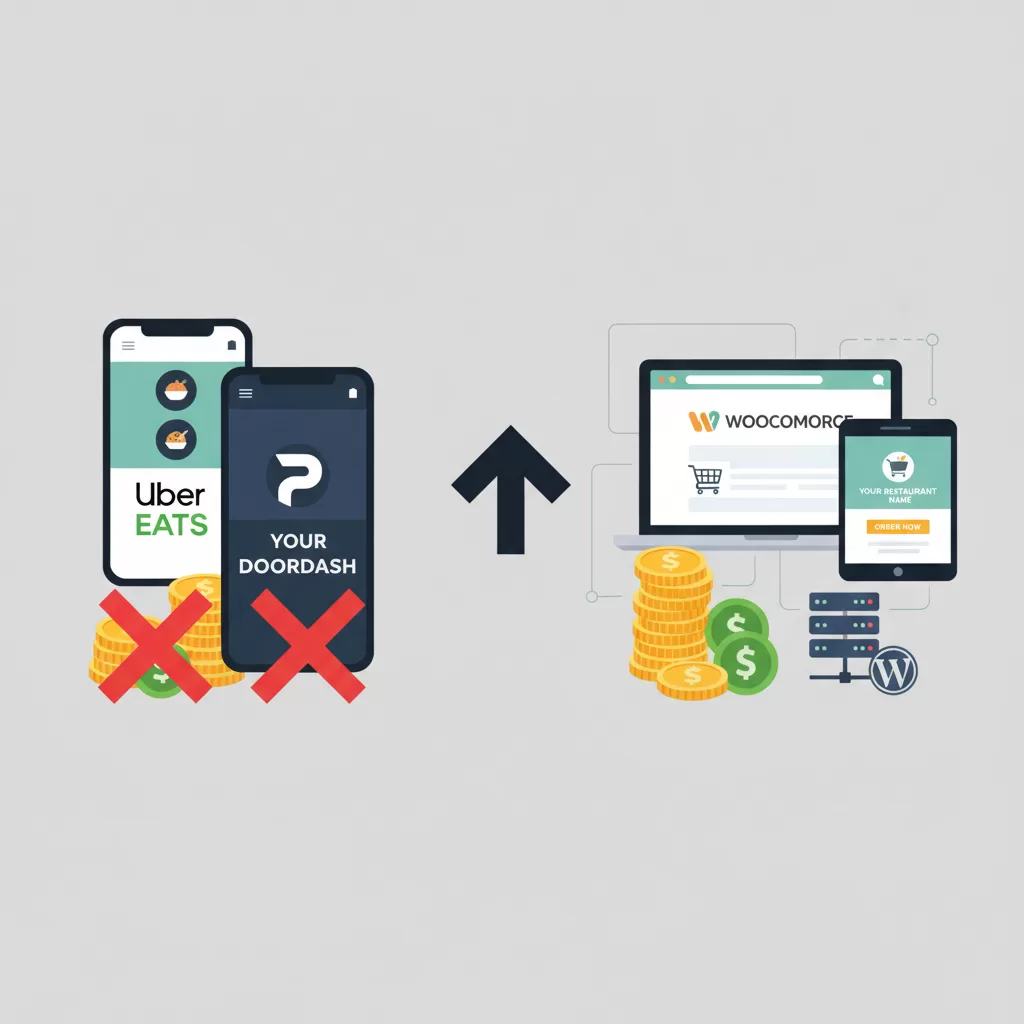
Compare that to giving up 30% per order. Even a restaurant doing $5,000/month online pays around $145 in Stripe fees versus $1,500 in DoorDash commissions. The plugin I usually recommend is FoodMaster, a WooCommerce restaurant ordering system that handles delivery zones, pickup slots, dine-in with QR codes, and automatic kitchen printing without any per-order fees. One flat price, unlimited orders. That alone changes the math.
[IMAGE: side-by-side cost breakdown chart comparing DoorDash commission fees versus self-hosted WooCommerce monthly expenses]
Head-to-Head Comparison: Uber Eats vs DoorDash vs Grubhub vs Self-Hosted
Let’s put them all on the same table so you can see the trade-offs clearly.
Commission and Fees
Uber Eats: 15–30% + optional ad fees. DoorDash: 15–30% + Premier boost costs. Grubhub: 15–30% + marketing tier fees. Self-hosted WooCommerce: ~2.9% payment processing only. That’s it.
Customer Data Ownership
This is the one that quietly kills long-term growth. On Uber Eats and DoorDash, the customer isn’t yours — they’re the platform’s. You don’t get their email, phone number, or ordering history in any usable format. On your own site, you own everything. Every repeat customer, every phone number, every favorite dish.
Marketing Reach
Fair credit where it’s due: Uber Eats and DoorDash have massive audiences. If you’re brand new and nobody knows you exist, they can put your restaurant in front of thousands of hungry people. Self-hosted sites need actual marketing effort — Google Business Profile, local SEO, social media, printed inserts.
Delivery Logistics
You do not have to choose between your own site and their couriers. FoodMaster integrates with DoorDash and Uber Eats delivery: customers order on your WooCommerce site, the delivery cost is calculated at checkout, and the order is sent to DoorDash or Uber Eats automatically. You pay for the delivery, not a commission on the order. See how the integration works.
Third-party apps handle the driver network, which sounds great until you realize you have zero control over food quality on arrival, driver behavior, or delivery time. With self-hosted, you can use your own drivers, hire a local courier, or plug into DoorDash Drive (their white-label delivery API) and pay a flat per-delivery fee instead of a percentage.
Menu Control and Payouts
Changing a menu item on Uber Eats can take 24–48 hours to sync. On your own WordPress site? Instant. Payouts on third-party apps typically come weekly. With Stripe or PayPal, you get money in 1–2 business days directly to your bank.
The Hybrid Approach — Why Most Successful Restaurants Use Both
Here’s what most experienced owners eventually figure out: it’s not either/or. The smartest operators I know use marketplaces as discovery tools and their own site as the profit machine.
The playbook goes like this. New customer discovers your restaurant on DoorDash. Order arrives with a small insert card that says “Order direct next time — get 15% off + free breadsticks.” That customer, now knowing your food is good, orders from your website next Friday. You keep 97% of that revenue instead of 70%. Repeat that a few hundred times a month and the difference is life-changing.
A burger joint I consulted for in Austin was doing 60% of orders through DoorDash. Within six months of running direct-order incentives — QR codes on receipts, loyalty perks on the website, and a printed insert in every third-party bag — they’d flipped that ratio. 65% direct, 35% marketplace. Their monthly net income jumped by roughly $4,800 without adding a single new customer.
The key insight: you’re not fighting the marketplaces. You’re using them for what they’re good at (customer acquisition) and moving those customers to a channel where you actually make money.
Setting Up Your Own Ordering System to Compete with Delivery Giants
If you’ve never built a WooCommerce site before, this feels intimidating. It’s not. Here’s the honest step-by-step:
- Buy hosting and a domain. Managed WordPress hosting like SiteGround or Cloudways will set you back around $15–$25/month. Pick a domain that matches your restaurant name.
- Install WordPress and WooCommerce. Both free. Most hosts have one-click installers.
- Pick a restaurant-ready theme. You want something that loads fast and looks clean on mobile. Around 70% of food orders happen on phones, so mobile-first is non-negotiable.
- Install a restaurant ordering plugin. This is where a purpose-built plugin matters. Generic WooCommerce won’t handle things like delivery time slots, minimum order per zone, or kitchen ticket printing. A plugin like FoodMaster adds ordering hours, delivery zones by postal code or radius, dine-in QR ordering, and integration with thermal printers out of the box.
- Configure delivery zones. Set radius or postal code areas with different minimum orders and delivery fees. Charge $2.99 within 3 miles, $4.99 within 5 miles, no delivery beyond that. Simple.
- Connect Stripe and PayPal. Both are easy to set up. Stripe handles cards, Apple Pay, and Google Pay. PayPal covers the folks who prefer it. You’ll want cash-on-delivery too for pickup orders.
- Integrate delivery. Use your own drivers, hire local couriers, or connect DoorDash Drive for on-demand couriers at flat fees (usually $8–$12 per delivery instead of a percentage cut).
- Test everything. Place a test order. Have a friend order. Break things before customers do.
The whole setup, if you’re methodical, takes a weekend. If you’d rather have someone do it, most WordPress developers can build a full ordering system in 10–20 hours.
[IMAGE: restaurant owner using a WordPress dashboard showing incoming food orders with delivery zones on a map]
Migration Strategy — Weaning Your Business Off Marketplace Dependence
Getting off the delivery apps entirely isn’t realistic for most restaurants — and honestly, you probably shouldn’t. But reducing dependence is absolutely doable. Here’s what actually works:
1. Printed Inserts in Every Bag
A simple business card-sized insert in every third-party order. “Order direct at yoursite.com and save 15%.” Include a QR code. This alone converts 8–15% of marketplace customers to direct within two months, based on what I’ve tracked with clients.
2. Website-Exclusive Discounts
Never match your marketplace price on your website. Always be cheaper direct. Even a 10% discount is a win because you’re saving 20%+ in commissions.
3. SMS and Email Campaigns
Once you have your own site, you’re collecting phone numbers and emails. Build a list. Send a text on slow Tuesdays with a discount code. Restaurants that do this consistently see 15–25% of their direct orders come from SMS blasts.
4. Google Business Profile
Optimize your GBP with the “Order Online” button pointing to your site, not Uber Eats. This one change routes hundreds of orders per month back to you for zero commission. Add photos, respond to reviews, keep your hours updated.
5. Loyalty Perks
Give direct customers something the apps can’t. Free item on their fifth order. Birthday freebie. A “regulars” tier with exclusive menu items. Loyalty is stickier than any marketing dollar.
Real Numbers — Break-Even Analysis and When Self-Hosted Pays Off
Let’s run actual numbers because this is where the argument gets settled. Assume an average order value of $30.
Scenario 1: 100 orders/month ($3,000 revenue)
DoorDash (25% commission): $750 in fees. You keep $2,250.
Self-hosted: ~$25 hosting + ~$12 plugin (monthly equivalent) + $87 payment processing = $124 in costs. You keep $2,876.
Difference: $626/month, or $7,512/year.
Scenario 2: 500 orders/month ($15,000 revenue)
DoorDash: $3,750 in fees. You keep $11,250.
Self-hosted: ~$37 fixed costs + $435 processing = $472. You keep $14,528.
Difference: $3,278/month, or $39,336/year.
Scenario 3: 1,000 orders/month ($30,000 revenue)
DoorDash: $7,500 in fees. You keep $22,500.
Self-hosted: ~$50 fixed costs (better hosting) + $870 processing = $920. You keep $29,080.
Difference: $6,580/month, or $78,960/year.
Even at just 100 orders per month, self-hosted saves you enough to cover a part-time employee’s paycheck. At 1,000 orders, you’re talking about the equivalent of a second location’s profit.
The real break-even point? Around 15–20 direct orders per month. Once you’re above that, self-hosted pays for itself and everything above is pure gain. Most restaurants hit that in the first week.
The catch is customer acquisition. If you can’t drive traffic to your own site, the theoretical savings mean nothing. That’s why the hybrid approach makes sense for most operators — use the apps to fill the discovery gap, convert those customers to direct through smart incentives, and watch your margins climb.
Look, I’m not going to pretend running your own site is zero effort. It’s not. You’ll deal with the occasional plugin update, a payment gateway hiccup, or a customer who can’t figure out how to check out. But compared to handing 25–30% of every dollar to a delivery giant month after month? It’s not even close. The restaurants that figure this out early are the ones still standing five years from now.
If you’re ready to run the numbers for your own place, start small — get the site up, run it alongside your existing marketplace orders, and start nudging customers over. Six months in, look at your P&L. I promise the story it tells will surprise you.