

On this page
- Why Local SEO Beats Paid Ads for Most Restaurants
- Setting Up and Optimizing Your Google Business Profile
- Step 1: Claim and Verify
- Step 2: Fill Out Every Single Field
- Step 3: Connect Your Ordering System
- Step 4: Post Weekly Updates
- Adding Restaurant Schema Markup to Your WordPress Site
- The Three Schema Types You Need
- Method 1: Use a Plugin (Easiest)
- Method 2: Manual JSON-LD (Most Control)
- Test Everything
- Bonus: MenuItem Schema for Rich Menu Previews
- On-Page Local SEO for Your WooCommerce Menu Pages
- Title Tags and Meta Descriptions
- NAP Consistency
- Embed Google Maps on Your Contact Page
- Location Landing Pages for Multi-Branch Restaurants
- Internal Linking
- Getting Reviews, Citations, and Local Backlinks That Actually Move Rankings
- Getting More Google Reviews (Ethically)
- Respond to Every Review
- Citations: Get Listed Everywhere That Matters
If you run a restaurant and you’re pouring money into Facebook ads while ignoring Restaurant Website for Local SEO in WordPress (So Hungry Customers Find You First)”>Restaurant Website on Google: Local SEO for WordPress (2026)”>Local SEO for Restaurant Websites: How to Rank #1 on Google Maps and Attract Nearby Diners in 2026″>Google Maps, you’re leaving a small fortune on the table. The person searching “pizza near me” at 6:47 PM on a Tuesday isn’t browsing — they’re hungry, they have their wallet out, and they’re going to order from one of the top three results within the next ten minutes. That’s the game. And the good news? Winning it doesn’t require a huge budget. It requires local SEO done right.
This guide walks you through exactly how to rank your WooCommerce restaurant on Google Maps and in local search results — from claiming your Google Business Profile to adding proper Restaurant schema, earning reviews, and tracking your progress over 90 days. Grab a coffee. This is the good stuff.
Why Local SEO Beats Paid Ads for Most Restaurants
Google has publicly stated that roughly 46% of all searches have local intent. For restaurants, that number is even higher — people rarely type “pizza” without an implicit “near me” attached. And searches containing “near me” have exploded in the last five years, with Google reporting massive year-over-year growth in mobile local queries.
Here’s why that matters: when someone searches “sushi near me” or “best burger downtown,” Google shows a map with three results (the Local Pack) before any organic listings appear. Those three spots receive the overwhelming majority of clicks — industry studies from BrightLocal and Moz consistently show the Local Pack captures more than 40% of clicks on local queries.
Compare that to paid ads:
- Google Ads for restaurants typically cost between $1–$4 per click in competitive urban markets, and conversion rates hover around 3–5%.
- Facebook/Instagram ads are great for awareness, but the intent is soft. Someone scrolling reels isn’t necessarily ready to order.
- Local Pack rankings, meanwhile, are free forever once you earn them, and the intent is white-hot.
Ranking #1 on Google Maps for your city + cuisine combination is essentially an always-on ad that never charges you per click. The catch: it takes structured effort. Let’s get into it.
Setting Up and Optimizing Your Google Business Profile
Your Google Business Profile (GBP) — formerly Google My Business — is the single most important local SEO asset you own. It’s also the one most restaurant owners half-finish and forget about.
Step 1: Claim and Verify
Head to google.com/business and search for your restaurant. If it exists, click “Claim this business.” If not, add it fresh. Google will verify ownership via postcard, phone, email, or video — video verification is now the default for most new food service listings, so have your storefront and signage ready.
Step 2: Fill Out Every Single Field
This is where most owners quit early. Don’t. Google rewards completeness. Fill in:
- Primary category: Be specific. “Neapolitan Pizza Restaurant” beats “Restaurant.” Your primary category has the largest impact on which searches you rank for.
- Secondary categories: Add up to 9 more (e.g., “Takeout Restaurant,” “Delivery Restaurant,” “Italian Restaurant”).
- Service options: Toggle on dine-in, takeout, delivery, curbside pickup, no-contact delivery — whatever applies.
- Hours: Include holiday hours. Nothing kills trust faster than a customer showing up to a locked door.
- Attributes: Wheelchair accessible, outdoor seating, Wi-Fi, kid-friendly, vegan options, gluten-free menu — all of these help Google match you to specific searches.
- Photos: Upload at least 20 high-quality images. Include exterior, interior, staff, and — this matters — individual dishes shot in natural light. Restaurants with 100+ photos get roughly 520% more calls than those with only a handful, per Google’s own data.
Step 3: Connect Your Ordering System
Under “Food ordering” in your GBP dashboard, you can add a direct link to your WooCommerce ordering page. This is huge — it bypasses third-party aggregators that charge 20–30% commissions and sends customers straight to your own site. If you’re using FoodMaster as your restaurant ordering plugin, link directly to your menu page (e.g., yourdomain.com/menu) so the “Order Online” button on your Google listing feeds your own checkout.
[IMAGE: annotated Google Business Profile dashboard highlighting the food ordering link, categories, and attributes sections for a restaurant]
Step 4: Post Weekly Updates
GBP has a “Posts” feature most restaurants ignore. Posting a weekly special, event, or new menu item signals freshness to Google and keeps your listing dynamic. Think of it like free social media that actually influences rankings.
Adding Restaurant Schema Markup to Your WordPress Site
Schema markup is structured data that tells Google exactly what your page is about — not just “here’s a bunch of text,” but “here’s a restaurant, here’s its menu, here are its prices, here’s its rating.” Google uses this to generate rich results: star ratings under your listing, price ranges, menu previews, and even “reserve a table” buttons.
The Three Schema Types You Need
- Restaurant — the parent schema describing your business
- Menu — links to your menu page
- MenuItem — describes individual dishes, prices, and dietary info
Method 1: Use a Plugin (Easiest)
If you’re using Rank Math or Yoast SEO Premium (with Local SEO add-on), both offer built-in schema generators for restaurants. In Rank Math, go to Titles & Meta → Local SEO, set business type to “Restaurant,” and fill in cuisine, price range, opening hours, and geo-coordinates. The plugin injects valid JSON-LD automatically.
Method 2: Manual JSON-LD (Most Control)
Paste something like this into your site’s — either via a code snippet plugin like WPCode or directly in your theme’s header:
{
  "@context": "https://schema.org",
  "@type": "Restaurant",
  "name": "Bella Napoli Pizzeria",
  "image": "https://bellanapoli.com/images/hero.jpg",
  "url": "https://bellanapoli.com",
  "telephone": "+1-415-555-0142",
  "priceRange": "$$",
  "servesCuisine": ["Italian", "Neapolitan Pizza"],
  "address": {
    "@type": "PostalAddress",
    "streetAddress": "412 Valencia Street",
    "addressLocality": "San Francisco",
    "addressRegion": "CA",
    "postalCode": "94103",
    "addressCountry": "US"
  },
  "geo": {
    "@type": "GeoCoordinates",
    "latitude": 37.7645,
    "longitude": -122.4218
  },
  "openingHoursSpecification": [{
    "@type": "OpeningHoursSpecification",
    "dayOfWeek": ["Monday","Tuesday","Wednesday","Thursday","Friday","Saturday","Sunday"],
    "opens": "11:30",
    "closes": "22:00"
  }],
  "acceptsReservations": "True",
  "hasMenu": "https://bellanapoli.com/menu",
  "aggregateRating": {
    "@type": "AggregateRating",
    "ratingValue": "4.7",
    "reviewCount": "312"
  }
}
Only use aggregateRating if the ratings actually exist on your own site — fabricating them violates Google’s guidelines and can trigger manual penalties.
Test Everything
Before you celebrate, run your URL through Google’s Rich Results Test. It will show exactly which structured data Google detects, warn you about errors, and preview how your listing might appear in search. Fix every red flag before moving on.
Bonus: MenuItem Schema for Rich Menu Previews
If you sell dishes through WooCommerce products, each product page can carry its own MenuItem schema with price, description, and even suitableForDiet (vegan, gluten-free, kosher). FoodMaster’s product structure maps neatly onto this — categories become MenuSection, products become MenuItem, and variations (small/medium/large) become MenuAddOn. Some SEO plugins auto-generate this from WooCommerce data; check your plugin’s WooCommerce integration settings.
On-Page Local SEO for Your WooCommerce Menu Pages
Schema and GBP get you in the door. On-page SEO is what keeps you there.
Title Tags and Meta Descriptions
Every page should have a location-specific title. Instead of generic:
- ❌ “Menu | Bella Napoli”
- ✅ “Wood-Fired Pizza Menu | Bella Napoli — Mission District, San Francisco”
Meta descriptions should include the cuisine, neighborhood, and a call to action: “Order authentic Neapolitan pizza for delivery or pickup in the Mission District. Fresh dough daily, ready in 25 minutes.”
NAP Consistency
Your Name, Address, and Phone number must be identical across your website, Google Business Profile, Yelp, Facebook, TripAdvisor, and every directory. “St.” vs “Street” vs “St” is enough to confuse Google’s entity graph. Pick one format and enforce it everywhere.
Embed Google Maps on Your Contact Page
Embed the actual Google Maps iframe (not just a screenshot) on your contact and homepage. This provides a location signal Google’s crawler picks up directly.
Location Landing Pages for Multi-Branch Restaurants
If you operate more than one location, do not cram all addresses onto a single contact page. Create a dedicated page per location — /locations/mission-district/, /locations/oakland/ — each with unique content, its own embedded map, its own hours, its own reviews, and its own schema block. This is how chains rank in multiple map packs simultaneously.
[IMAGE: side-by-side comparison of a poorly optimized restaurant homepage versus a fully optimized one showing local SEO elements like NAP, embedded map, schema, and location pages]
Internal Linking
Link your location pages to specific menu categories: the “Oakland” location page could link to “Vegan Pizzas Available in Oakland” while “Mission” links to “Late-Night Menu (open until 2 AM Fri/Sat).” Contextual internal links spread ranking equity and help Google understand which menu items are available where.
Getting Reviews, Citations, and Local Backlinks That Actually Move Rankings
Google’s local ranking algorithm relies heavily on three signals: relevance (schema, categories, on-page content), proximity (searcher’s location — you can’t control this), and prominence (reviews, citations, backlinks). The third pillar is where most restaurants either win big or lose badly.
Getting More Google Reviews (Ethically)
Reviews are the fastest way to climb the map pack. Aim for a steady drip — five new reviews per week beats fifty in one day (which looks suspicious).
- QR code table cards: Print small cards with “Enjoyed your meal? Scan to leave us a review” linking to your Google review URL (find it in your GBP dashboard under “Get more reviews”). If you’re already using QR table ordering with FoodMaster, add the review prompt to the post-payment thank-you screen.
- Post-order emails: 24 hours after delivery or pickup, WooCommerce can send an automated email asking for a review. Keep it short and personal.
- Receipt inserts: A physical receipt with “Leave us 5 stars” and a QR code converts surprisingly well.
- Never buy reviews: Google’s algorithm detects unnatural review patterns, and getting caught means losing your listing entirely.
Respond to Every Review
Yes, every single one. Google confirmed in 2022 that responding to reviews improves local rankings. Positive reviews get a warm thank-you; negative reviews get a professional, non-defensive response offering to make it right. Never argue publicly — future customers are reading.
Citations: Get Listed Everywhere That Matters
A citation is any mention of your business name, address, and phone number on another website. Priority list:
Commission-free ordering
Run restaurant orders on your own WordPress site
FoodMaster adds delivery, pickup, dine-in, POS, and kitchen tools — with zero per-order fees.
WordPress Local SEO: Google Business Profile, Location Pages, and Schema (2026)
A customer searches for pizza nearby, finds your restaurant, and taps the menu link. If that link opens…
Online Ordering System for Business: A Practical Guide for Restaurants in 2026
A customer finishes building a pizza order, reaches checkout, and discovers their address is outside the delivery area.…
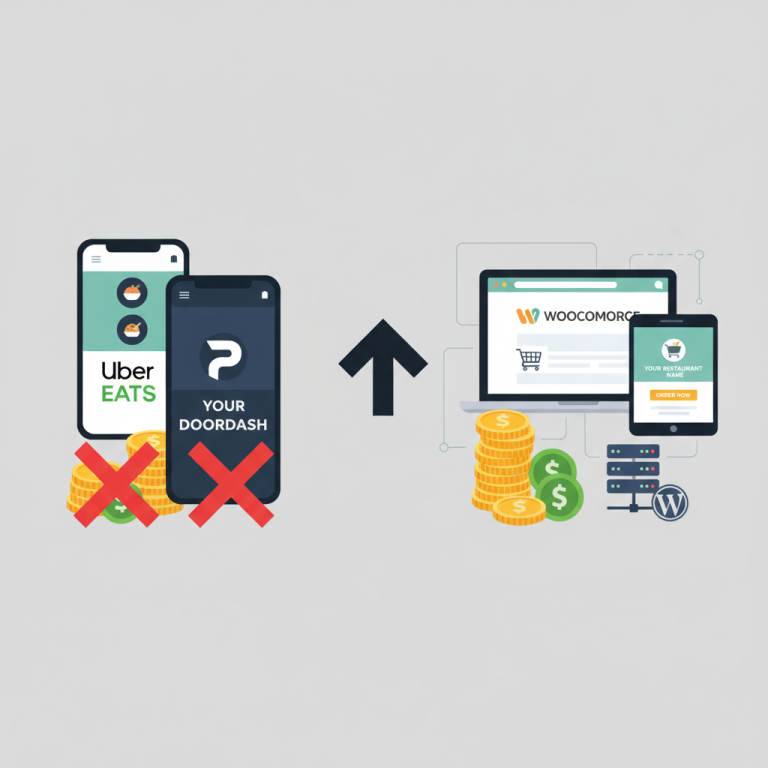
Uber Eats vs DoorDash vs Self-Hosted WooCommerce Ordering: Which Saves Restaurants More Money?
Ask any restaurant owner who’s been on