On this page
- Why Email Automation Is a Restaurant’s Highest-ROI Marketing Channel
- Choosing the Right Email Platform for a WooCommerce Restaurant
- Quick Comparison
- Setting Up the Foundation: Lists, Segments, and Consent
- Install and Connect
- Segments Every Restaurant Should Build Day One
- Consent and Compliance
- Building the 5 Must-Have Automated Flows
- 1. Welcome Series with First-Order or Second-Order Discount
- 2. Abandoned Cart Recovery — Timed for Hungry People
- 3. Post-Order Review and Upsell
- 4. Win-Back Campaign for Lapsed Diners
- 5. Birthday and Anniversary Rewards
- Writing Emails That Actually Get Opened and Drive Orders
- Subject Line Formulas That Work
- Copywriting for Hungry Readers
- Personalization With Order History
- Plain Text vs Designed Emails
- Measuring Performance and Improving Deliverability
- KPIs Worth Tracking
Most restaurant owners obsess over Instagram followers and Google reviews while ignoring the marketing channel that quietly outperforms both: email. If you’re running a WooCommerce restaurant, you’re already sitting on a goldmine of customer data — order history, favorite dishes, average spend, delivery addresses — and every order you take feeds that database automatically. The question isn’t whether you should be running email automation. It’s why you aren’t yet.
This guide walks you through the exact flows, tools, and copywriting tactics that turn one-time diners into weekly regulars, without you touching a keyboard after setup.
Why Email Automation Is a Restaurant’s Highest-ROI Marketing Channel
The Direct Marketing Association has reported email ROI figures in the range of $36–$42 for every $1 spent across industries, and restaurants tend to sit near the top of that curve because food is a repeat purchase with strong emotional triggers. Compare that to organic social reach on Facebook and Instagram, which has dropped below 5% for most business pages — meaning 95 out of 100 followers never even see your post about tonight’s special.
Email lands directly in an inbox that your customer chose to give you. And unlike a boosted post that vanishes in 24 hours, an automation you build today keeps working for years.
Here’s where WooCommerce restaurants have an unfair advantage: your store already knows who ordered the truffle pizza three Fridays in a row, who spent $89 on a family combo last Sunday, and who hasn’t ordered since June. That data powers segmentation most brick-and-mortar restaurants can only dream about.
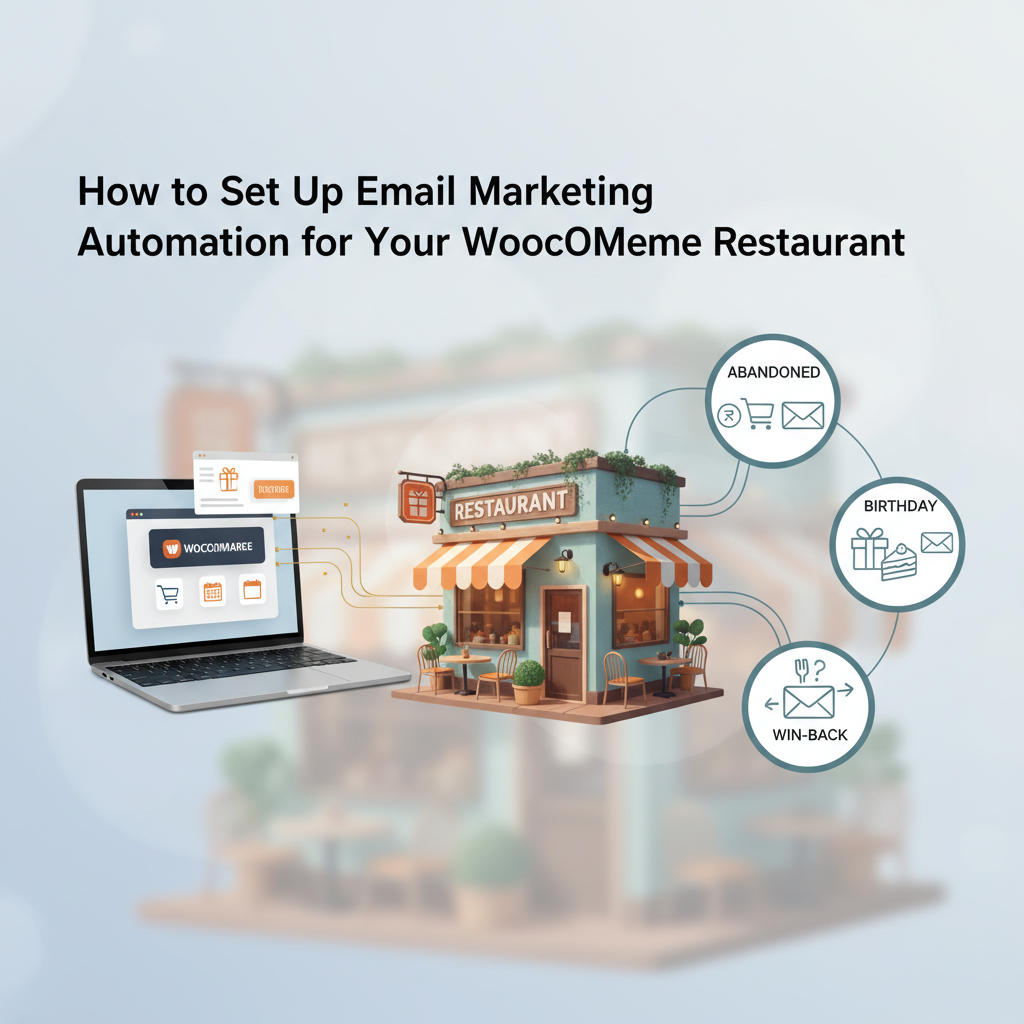
Throughout this article, we’ll build five core flows: a welcome series, WooCommerce Restaurant (Email + SMS)”>abandoned cart recovery, post-order follow-up, a win-back sequence, and birthday rewards. Together they typically add 15–25% incremental revenue for a restaurant doing consistent online orders.
Choosing the Right Email Platform for a WooCommerce Restaurant
Your platform choice will shape everything else, so it’s worth spending an hour on this decision. Here’s how the main contenders stack up for restaurants specifically.
Quick Comparison
- MailPoet — Runs inside WordPress, deep native WooCommerce integration, generous free tier up to 500 subscribers. Ideal for single-location pizzerias and cafes who want everything under one roof.
- FunnelKit Automations — Built specifically for WooCommerce with visual automation builder, excellent abandoned cart recovery, and no per-email fees since it uses your own SMTP. Great middle-ground pick.
- Klaviyo — The heavyweight for data-driven segmentation and SMS. Free up to 250 contacts, then pricing scales quickly. Best for chains and restaurants doing $30K+ per month online.
- Omnisend — Email + SMS + push in one tool, solid pre-built restaurant workflows. Free plan available.
- Mailchimp for WooCommerce — Familiar interface but the WooCommerce sync has historically been shakier than competitors. Fine for basic newsletters, less ideal for advanced automation.
If you’re running a single pizzeria doing under 500 orders a month, MailPoet or FunnelKit will cover 90% of what you need without breaking the bank. Multi-location operators with loyalty programs and SMS needs should look hard at Klaviyo or Omnisend.
One thing to verify before committing: does the platform pull WooCommerce order line items (not just totals)? Personalizing an email with “Your favorite Margherita is back in the oven” requires product-level data, and not every integration exposes that cleanly.
Setting Up the Foundation: Lists, Segments, and Consent
Before you build a single email, the plumbing has to work. Skip this section and you’ll be flying blind three months in.
Install and Connect
After installing your chosen plugin, the first step is authorizing the WooCommerce connection. Most tools will then run a one-time historical sync — pulling in every past customer, order, and product. This can take a few hours if you have thousands of orders. Let it finish before you start building.
If you’re using a dedicated restaurant ordering solution like FoodMaster’s WooCommerce food ordering plugin, your order data (delivery vs pickup, order type, tips, scheduled times) flows straight into WooCommerce order meta — which means your email tool can segment on those fields too. That’s how you build a “pickup-only customers who live within 3 miles” segment that generic e-commerce email tools can’t touch.
Segments Every Restaurant Should Build Day One
- New customers — 1 order, placed in the last 14 days
- Repeat regulars — 3+ orders in the last 90 days
- VIPs — Top 10% by lifetime spend
- Lapsed diners — Last order 30–90 days ago
- At-risk — Last order 90+ days ago
- Delivery-only vs Pickup-only — Useful for targeting operational promos
- High average ticket — Order value above your restaurant’s mean, worth VIP treatment
Consent and Compliance
Add a clear checkbox at checkout: “Send me exclusive offers and updates from [Restaurant Name].” Do not pre-check it — that violates GDPR and is a gray area under CAN-SPAM. For EU customers, use double opt-in (they confirm via a follow-up email) to stay clean. Keep a record of when and how each subscriber opted in; most quality email plugins log this automatically.
Include a physical mailing address in every email footer (CAN-SPAM requirement in the US) and a one-click unsubscribe link. Gmail and Yahoo now require list-unsubscribe headers for bulk senders — your email platform should handle this, but verify it in the settings.
Building the 5 Must-Have Automated Flows
Now the fun part. These five flows do most of the heavy lifting. Build them in this order.
1. Welcome Series with First-Order or Second-Order Discount
Trigger: New subscriber (from checkout opt-in or a website popup).
- Email 1 (immediate): “Welcome to the family — here’s what makes our sauce different.” Subject: “Hey [First Name], your table is ready 🍕”
- Email 2 (Day 2): Story about the chef or the restaurant’s origin. Include one signature dish photo.
- Email 3 (Day 4): A coupon for their next order — 15% off or free delivery. Subject: “A little thank-you (open before Friday)”
Give the discount on the second order rather than the first if you already offer a first-time promo elsewhere. This trains customers to expect rewards for loyalty, not just for signing up.
2. Abandoned Cart Recovery — Timed for Hungry People
Restaurant carts are different from typical e-commerce carts. Someone browsing pad thai at 6:47 PM is either going to order in the next 20 minutes or they’re going to eat something else. Waiting 24 hours to send the first recovery email misses the entire window.
- Email 1 (30 minutes): “Still hungry? Your cart’s warm.” One-click link back to the exact cart.
- Email 2 (2 hours): Only if they still haven’t ordered. Add urgency: “Kitchen’s open until 10 — grab your order.”
- Email 3 (24 hours): Soft offer — 10% off if they complete the order today. Subject: “That pizza’s still on our mind”
Industry data from Klaviyo and Omnisend consistently shows abandoned cart flows recover 5–15% of lost orders. For a restaurant doing $20K/month online, that’s an extra $1,000–$3,000 essentially on autopilot.
[IMAGE: workflow diagram showing three abandoned cart emails with timing intervals and sample subject lines]
3. Post-Order Review and Upsell
Trigger: 24 hours after order status changes to “completed.”
- Email 1 (Day 1): “How was everything?” — link to Google review, plus a “reorder in one click” button showing the exact items they got last time.
- Email 2 (Day 7): Cross-sell — “Loved the burger? Try the smash trio next.” Recommend items from complementary categories, not the same one.
The reorder button is the sleeper hit here. When someone taps it, you’ve bypassed menu-browsing paralysis entirely. If your setup uses FoodMaster, previous order data is already stored in WooCommerce meta, so any decent email tool can pull the last three items into the email dynamically.
4. Win-Back Campaign for Lapsed Diners
Trigger: No orders in 30, 60, and 90 days respectively.
- Day 30: Soft check-in. “We miss you — here’s what’s new on the menu.” No discount yet.
- Day 60: Free side or drink with next order. Subject: “On the house 🍟”
- Day 90: Bigger incentive — 20% off or free delivery. Subject: “Last call: your favorites are waiting”
Track which stage most customers reactivate at. If 80% come back at Day 60 with a free side, you don’t need to give away 20% at Day 90 — save the margin.
5. Birthday and Anniversary Rewards
Collect birthdays via a simple field on the checkout page or a post-purchase survey. Then:
- 7 days before birthday: “Something’s coming for your birthday…” (builds anticipation)
- Day of: Free dessert or a $10 credit valid for 14 days
Anniversary emails (one year since first order) work similarly and cost almost nothing to send. Sentimental, personal, and they tend to hit inboxes on days when competitors aren’t emailing.
Writing Emails That Actually Get Opened and Drive Orders
You can build the world’s best automation architecture and still flop if the emails themselves are dull. Restaurants have one massive advantage here: food is inherently emotional and visual. Lean into it.
Subject Line Formulas That Work
- Sensory + curiosity: “The garlic knots came out perfect today”
- Personalized craving: “Craving that Pepperoni again, [First Name]?”
- Time-bound: “Taco Tuesday ends in 4 hours”
- Question: “What’s for dinner tonight?”
- Numbers: “3 new bowls on the menu (one’s spicy)”
Keep subject lines under 50 characters so they don’t get truncated on mobile. Use emojis sparingly — one, at most, and only when it genuinely adds meaning.
Copywriting for Hungry Readers
Write like you’d describe a dish to a friend at the bar, not like a menu. “Slow-roasted for six hours until it falls off the bone” beats “Premium quality beef ribs.” Sensory words — sizzling, crispy, smoky, melted, charred — do more work than adjectives like “delicious” or “amazing.”
For the body, one hero image of the food up top, a single paragraph of copy, and one big CTA button. That’s it. Multi-column newsletters with six dishes look busy on mobile, where 70%+ of your opens will happen.
Personalization With Order History
This is where WooCommerce data earns its keep. Instead of “Check out our menu,” try:
- “You ordered the Carbonara twice last month — the chef added a truffle version this week.”
- “It’s been 21 days since your last Margherita. Kitchen’s ready when you are.”
- “Your usual Friday order is one click away.”
Even simple merge tags — first name, last item ordered, last order date — outperform generic blasts by 20–30% in open rates in most restaurant accounts I’ve seen.
Plain Text vs Designed Emails
Counterintuitive but true: a plain-text email from the owner (“Hey — quick note, we’re testing a new ramen tonight, thought you’d want first crack”) often outperforms polished designs. Use it for personal touches. Save the beautifully designed templates for menu launches and holiday promos.
[IMAGE: side-by-side example of a plain text personal email vs a designed promotional email for a restaurant]
Measuring Performance and Improving Deliverability
If you’re not measuring, you’re guessing. Here are the numbers that actually matter.
KPIs Worth Tracking
- Open rate — Restaurant benchmarks: 25–40% for automations, 20–30% for broadcasts. Note that Apple’s
Commission-free ordering
Run restaurant orders on your own WordPress site
FoodMaster adds delivery, pickup, dine-in, POS, and kitchen tools — with zero per-order fees.