On this page
- 1. FoodMaster by WPSlash
- 2. Flavor – Restaurant Menu & Ordering Plugin
- 3. RestroPress
- 4. GloriaFood
- 5. Five Star Restaurant Menu
- 6. Jetrsuspended / JetMenu + JetWooBuilder (Crocoblock)
- 7. Menufy WordPress Integration
- 8. Flavor Orders (formerly WPPizza)
- 9. Orderable
- 10. KnawatPOS / Table Ordering Plugins
- How to Choose the Right Plugin for Your Restaurant
- Why I Keep Recommending FoodMaster
- Final Thoughts
Running a restaurant online isn’t what it used to be. A few years ago, you could get away with a basic menu page and a phone number. Not anymore. Customers expect to browse your menu, customize their meals, pick a delivery time, and check out — all without leaving your website.

That’s where a solid WooCommerce restaurant ordering plugin comes in.

If your restaurant runs on WordPress, WooCommerce gives you the foundation. But you need the right plugin to turn a standard online store into a fully functioning food ordering system. The wrong choice means clunky menus, confused customers, and lost orders. The right one means smooth operations and happier diners.

I’ve tested, researched, and compared dozens of options. Here are the 10 best WooCommerce restaurant ordering plugins worth your attention in 2026 — and one that stands clearly above the rest.
—
1. FoodMaster by WPSlash
Let’s start with the one I keep coming back to.
FoodMaster is purpose-built for restaurants, cafés, pizzerias, and any food business running on WordPress. It’s not a generic WooCommerce add-on that’s been awkwardly repurposed for food. Every feature was designed with restaurant owners in mind.
Here’s what makes it different:
– Intuitive menu management — Organize categories, add photos, set prices, and manage variations without touching a line of code.
– Toppings and extras — Let customers build their perfect meal with add-ons like extra cheese, sauces, or side dishes.
– Delivery and pickup scheduling — Customers choose when and how they get their food. You control available time slots.
– Minimum order amounts — Set thresholds for delivery areas to keep every order profitable.
– Tip functionality — Give customers the option to tip at checkout, which your staff will appreciate.
– Zone-based delivery — Define delivery areas by distance or zip code and set specific fees for each zone.
– Fully responsive design — Looks great on phones, tablets, and desktops. Most of your customers are ordering from their couch on a mobile device anyway.
What I genuinely appreciate about FoodMaster is that it doesn’t overwhelm you. The setup is straightforward, the dashboard makes sense, and you don’t need to hire a developer to get things running.
If you’re serious about building a restaurant ordering system that you actually own and control — instead of paying monthly fees to third-party platforms — FoodMaster should be at the top of your list.
—
2. Flavor – Restaurant Menu & Ordering Plugin
Flavor is a lightweight option that handles the basics well. You get a clean menu layout, add-to-cart functionality, and some customization options for food items.
Pros:
– Simple setup
– Clean design out of the box
– Works with most WooCommerce themes
Cons:
– Limited delivery zone management
– Fewer advanced features compared to FoodMaster
– Add-on costs can pile up
Flavor works if you’re running a small café with a simple menu. Once your needs grow, though, you’ll likely hit its ceiling.
—
3. RestroPress
RestroPress takes a slightly different approach. Instead of building on top of WooCommerce, it creates its own ordering framework within WordPress.
Pros:
– Dedicated food ordering interface
– Add-on support for extras and toppings
– Pickup and delivery options
Cons:
– Doesn’t use WooCommerce’s ecosystem, which limits payment gateways and extensions
– Smaller community and fewer integrations
– Updates can be inconsistent
It’s a decent choice if you want something standalone. But if you already use WooCommerce for other products or want access to its massive extension library, this isn’t the smoothest path.
—
4. GloriaFood
GloriaFood is a popular name in the restaurant tech space. Their WordPress plugin connects your site to their cloud-based ordering system.
Pros:
– Free tier available
– Slick interface for customers
– Built-in marketing tools
Cons:
– You don’t truly own the system — it’s hosted on their servers
– Premium features require a subscription
– Limited customization on the WordPress side
– You’re dependent on a third party for uptime and data
For restaurant owners who want full control over their ordering process and customer data, this dependency is a real concern.
—
5. Five Star Restaurant Menu
Five Star focuses primarily on displaying your menu beautifully. It handles the presentation layer extremely well.
Pros:
– Gorgeous menu layouts
– Multiple display styles
– Mobile responsive
Cons:
– Ordering functionality is limited without add-ons
– More of a menu display tool than a complete ordering system
– Requires extra plugins for a full checkout experience
If your main goal is showing off your dishes with stunning visuals and you handle orders through other channels, Five Star does that job nicely. But as a complete WooCommerce restaurant ordering plugin? It falls short.
—
6. Jetrsuspended / JetMenu + JetWooBuilder (Crocoblock)
Crocoblock’s suite of plugins — JetMenu and JetWooBuilder specifically — can be combined to create custom restaurant ordering experiences using Elementor.
Pros:
– Extreme design flexibility
– Works with Elementor’s drag-and-drop builder
– Huge template library
Cons:
– Steep learning curve
– You’re essentially building a custom solution from scratch
– Not restaurant-specific — you need to configure everything manually
– Requires multiple premium plugins working together
This approach suits developers or agencies building a bespoke restaurant site. For a restaurant owner who just wants to start taking orders by next weekend, it’s overkill.
—
7. Menufy WordPress Integration
Menufy provides online ordering for restaurants and offers a WordPress integration to embed their system on your site.
Pros:
– Professional ordering interface
– Handles payments and order routing
– Customer support team
Cons:
– Takes a commission on each order
– Your ordering system lives on their platform
– Limited branding customization
– You’re building someone else’s customer base, not yours
The commission model is the dealbreaker for many. Over time, those per-order fees add up significantly, especially when alternatives like FoodMaster’s food ordering system charge a one-time fee with no ongoing commissions.
—
8. Flavor Orders (formerly WPPizza)
WPPizza rebranded and evolved into Flavor Orders. It’s been around for years and has a loyal user base, especially among pizzerias.
Pros:
– Tried and tested
– Specific features for pizza shops (sizes, crusts, halves)
– Straightforward admin panel
Cons:
– Interface feels dated compared to newer plugins
– Limited delivery management
– Fewer integrations with modern tools
– Development pace has slowed
If you run a pizza shop and want something reliable without bells and whistles, it works. But the restaurant industry moves fast, and this plugin hasn’t always kept pace.
—
9. Orderable
Orderable is a newer player that’s been gaining traction. It’s designed specifically for WooCommerce restaurant ordering and looks promising.
Pros:
– Modern UI
– Product add-ons and modifiers
– Tipping support
– Delivery and pickup time slots
Cons:
– Still maturing — some features feel incomplete
– Premium pricing for advanced features
– Smaller user base means fewer community resources
Orderable is one to watch. But “one to watch” means it’s not quite where it needs to be yet. For a restaurant that needs reliability today, more established options provide greater confidence.
—
10. KnawatPOS / Table Ordering Plugins
A few plugins focus on in-restaurant table ordering rather than delivery. KnawatPOS and similar tools let customers scan a QR code and order from their table.
Pros:
– Great for dine-in experiences
– Reduces the need for front-of-house staff
– Modern and contactless
Cons:
– Not designed for delivery or pickup
– Limited as a standalone solution
– Often requires pairing with another plugin for a complete system
These are excellent complements to a full WooCommerce restaurant ordering plugin, but they shouldn’t be your only tool.
—
How to Choose the Right Plugin for Your Restaurant
With ten solid options on the table, how do you decide? Ask yourself these questions:
What’s your business model?
Delivery-focused? Pickup only? Dine-in with table ordering? Your plugin needs to match how you serve customers.
How complex is your menu?
Simple sandwich shop? You can get away with a basic plugin. Extensive menu with customizable options and combo deals? You need something robust like FoodMaster.
Do you want to own your data?
Third-party platforms control your customer information. A self-hosted WooCommerce solution keeps everything in your hands.
What’s your budget?
Subscription models drain your wallet month after month. One-time purchase plugins save you money long-term.
How tech-savvy are you?
Some plugins require developer-level skills. Others — like FoodMaster — are designed for restaurant owners, not programmers.
—
Why I Keep Recommending FoodMaster
I’ve spent a lot of time helping restaurant owners get online. The pattern I’ve seen over and over is this:
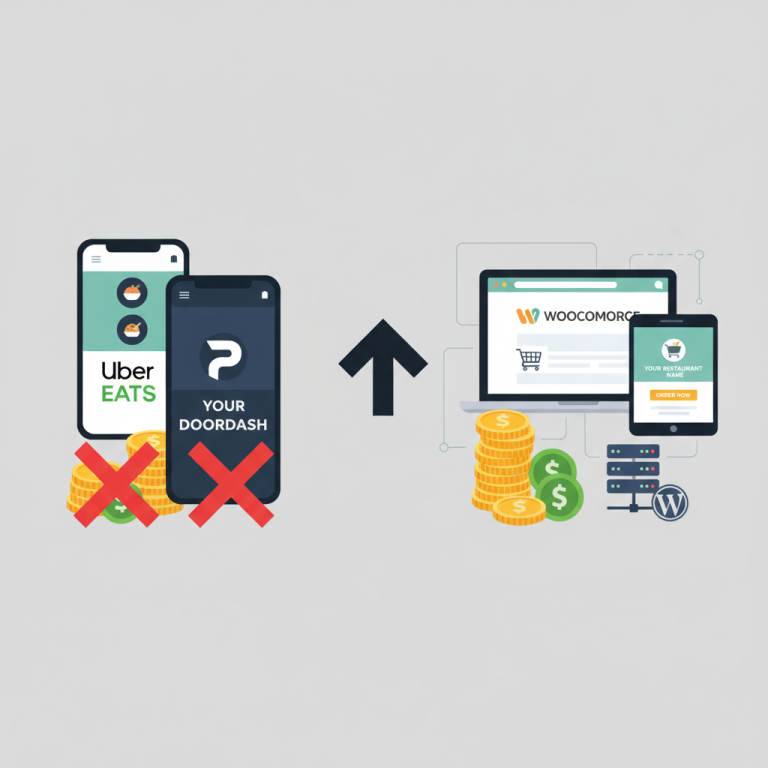
1. They sign up for a third-party platform.
2. They pay commissions on every order.
3. They realize they don’t own their customer relationships.
4. They switch to WordPress and look for a better solution.
FoodMaster solves that cycle. You pay once, install it on your WordPress site, and you’re in business. No commissions. No monthly fees eating into your margins. No third party standing between you and your customers.
The plugin handles everything a modern restaurant needs:
– Full menu management with categories and images
– Customizable toppings, extras, and modifiers
– Delivery zone configuration with distance or zip-code rules
– Time-slot management for delivery and pickup
– Tip support at checkout
– Minimum order enforcement
– Mobile-friendly design that works flawlessly on any device
It’s the kind of restaurant ordering system that pays for itself after a handful of orders.
—
Final Thoughts
The WooCommerce restaurant ordering plugin landscape in 2026 offers more choices than ever. That’s great news, but it also means making the wrong choice is easier than ever.
Don’t get distracted by flashy features you’ll never use. Focus on what matters: a clean ordering experience for your customers, reliable operations for your team, and full ownership of your business data.
If I had to narrow this list down to one recommendation, it would be FoodMaster. It hits the sweet spot of functionality, ease of use, and value. Whether you’re launching your first online menu or migrating away from an expensive third-party platform, it’s built for exactly that transition.
👉 Get started with FoodMaster today
Your customers are already searching for your food online. Make sure they can actually order it — directly from your website, on your terms.
Commission-free ordering
Run restaurant orders on your own WordPress site
FoodMaster adds delivery, pickup, dine-in, POS, and kitchen tools — with zero per-order fees.