
On our recently version of WooFood , we have added support for Automated and Bulk SMS using BulkGate
If you want to configure BulkGate with WooFood you can follow the instructions below.
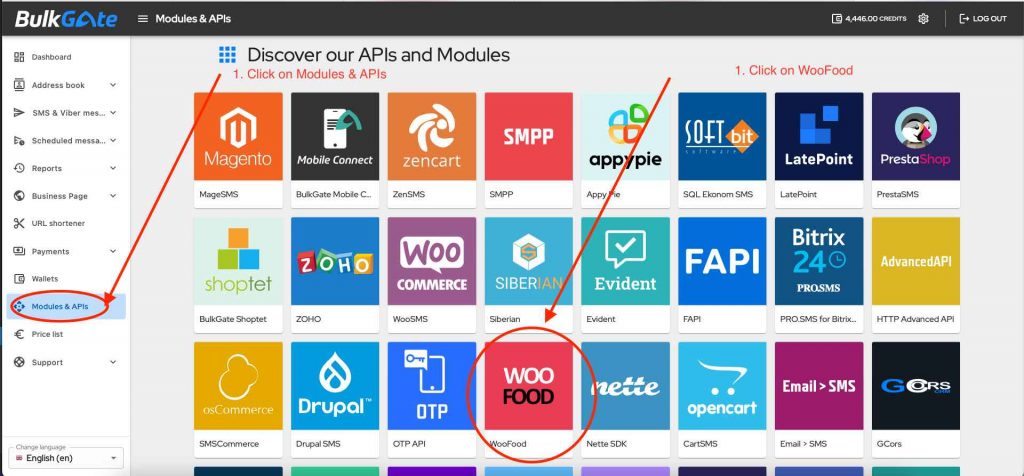
- Click on Modules & APIs inside your BulkGate Account
- You will find “WooFood” inside modules
- Click on WooFood
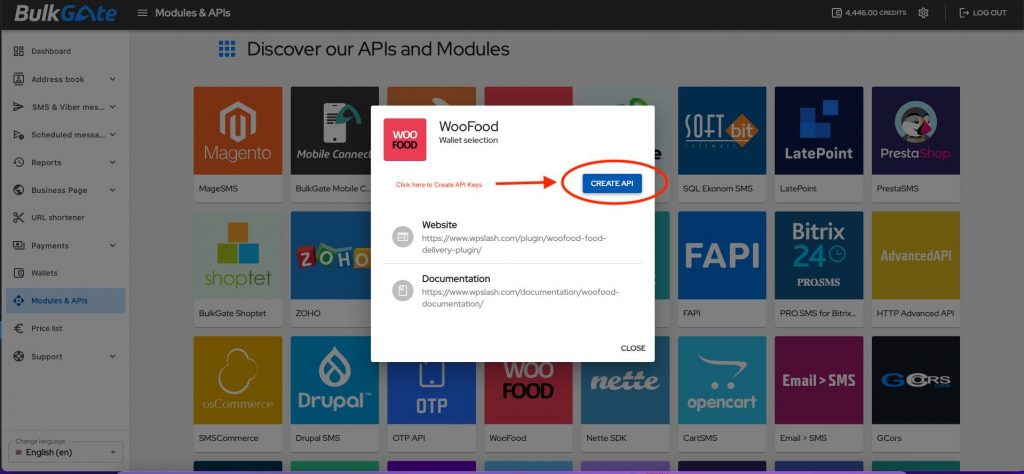
- Press Create API
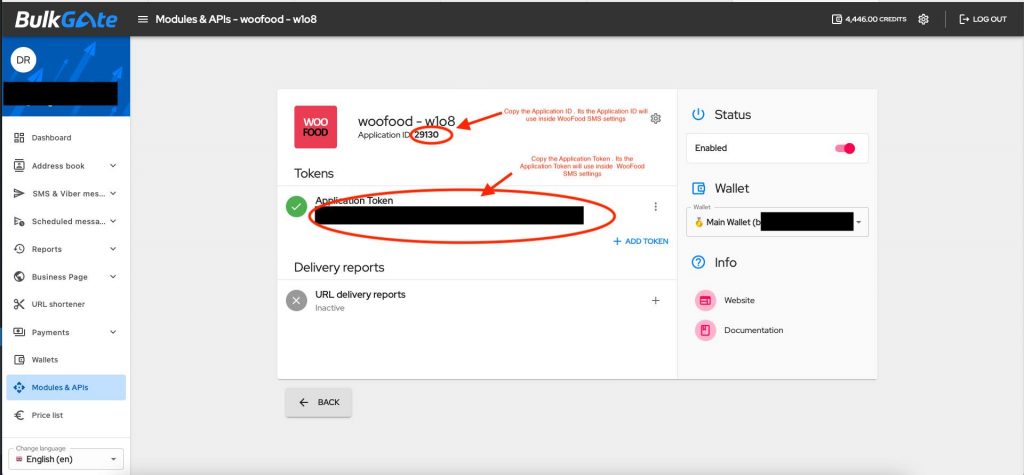
- Copy Application ID and Application Token and paste them under WooFood > SMS > Configuration.
- You are ready to Go.
Commission-free ordering
Run restaurant orders on your own WordPress site
FoodMaster adds delivery, pickup, dine-in, POS, and kitchen tools — with zero per-order fees.