On this page
- Quick Comparison
- 1. FoodMaster – Restaurant Ordering Plugin
- Menu Controls
- Delivery Logic
- Scheduling and Order Operations
- 2. WooFood
- Menu Controls
- Delivery Logic
- Scheduling and Order Operations
- 3. GloriaFood for WooCommerce
- Menu Controls
- Delivery Logic
- Scheduling and Order Operations
- 4. Orderable
- Menu Controls
- Delivery Logic
- Scheduling and Order Operations
- 5. WPCafe
- Menu Controls
- Delivery Logic
- Scheduling and Order Operations
- 6. RestroPress
- Menu Controls
- Delivery Logic
- Scheduling and Order Operations
- Pros and Cons of Each Plugin
- Conclusion
- FAQs
- Which plugin features matter most for reducing checkout friction?
- How should I set delivery zones and minimum order rules?
- What scheduling tools help prevent late or overloaded orders?
- Related Blog Posts
If you run restaurant orders through WordPress, the best plugin is the one that removes your biggest bottleneck first. In this comparison, I look at 6 restaurant ordering tools and stack them against the jobs that matter most: menu setup, delivery zones, pickup and delivery scheduling, checkout flow, and staff-side order handling.
Here’s the short version:
- FoodMaster fits stores that want an all-in-one setup with delivery zones, time slots, KDS, POS, and printing in one license.
- WooFood is strong for menu add-ons and category-level option groups.
- GloriaFood for WooCommerce is easy to launch, but it runs much of the ordering flow outside WooCommerce.
- Orderable focuses on cleaner mobile ordering and time-slot control.
- WPCafe works well for WooCommerce stores that want menus, reservations, delivery, pickup, and branch settings in one place.
- RestroPress is the outlier because it does not run on WooCommerce; it uses its own ordering system.
I’d narrow the choice with 4 checks:
- Menu control: Can you handle toppings, sides, sizes, and notes without making a mess of your product setup?
- Delivery rules: Can you set fees, minimums, ZIP/radius/map zones, and block out-of-area orders?
- Scheduling: Can customers choose ASAP or a later slot, and can you set cutoffs, holidays, and prep buffers?
- Staff flow: Can your team accept orders, update statuses, and print tickets without extra steps?
Mobile use matters here too. A lot of food orders happen on phones, so popups, AJAX add-to-cart, mini carts, and simple checkout are not small details. They affect drop-off, order errors, and staff workload.
Quick Comparison
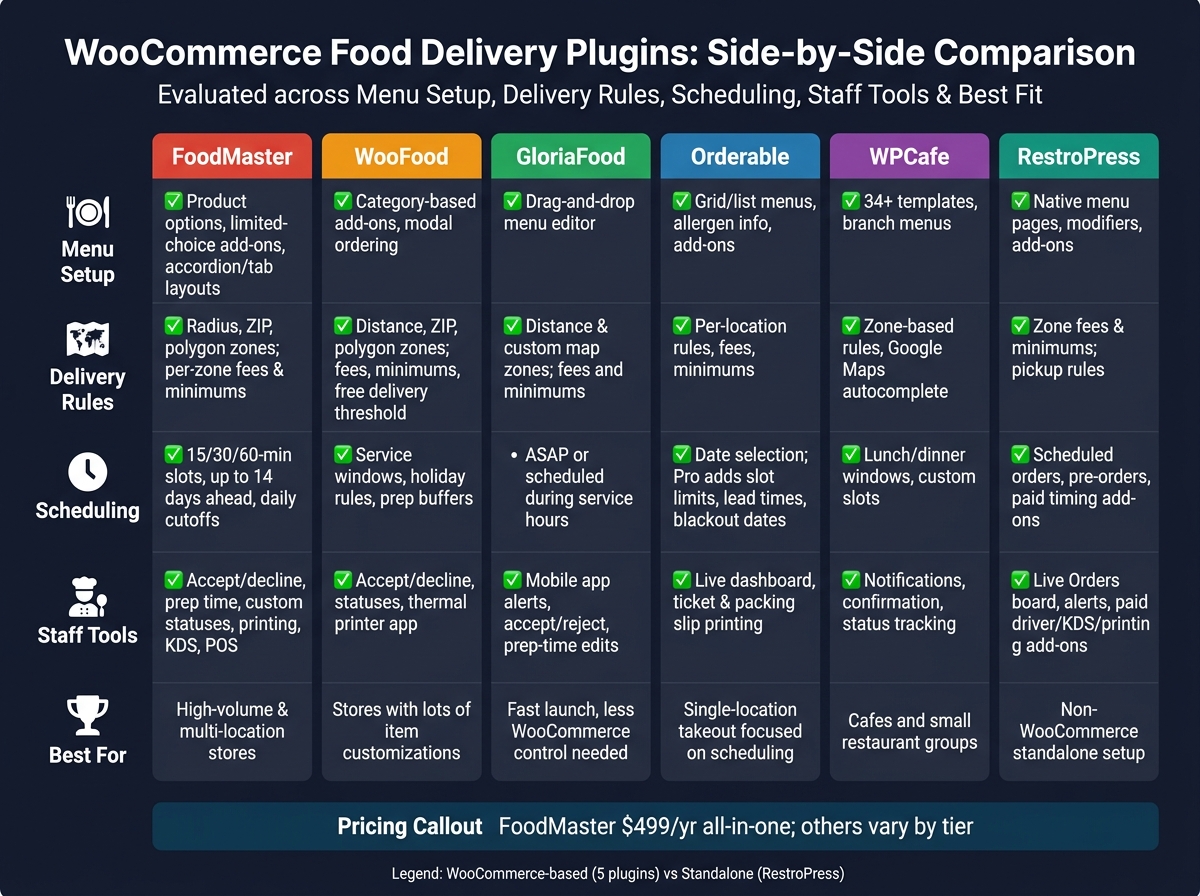
WooCommerce Food Delivery Plugins Compared: Features at a Glance
| Plugin | Menu setup | Delivery rules | Scheduling | Staff-side tools | Best for |
|---|---|---|---|---|---|
| FoodMaster | Product options, limited-choice add-ons, menu layouts | Radius, ZIP, polygon zones; per-zone fees and minimums | 15/30/60-minute slots, up to 14 days, cutoffs | Accept/decline, prep time, custom statuses, printing, KDS and receipt printer integration, POS | High-volume stores and multi-location setups |
| WooFood | Category-based add-ons, modal ordering | Distance, ZIP, polygon zones; fees, minimums, free delivery | Service windows, holiday rules, prep buffers | Accept/decline, statuses, thermal printer app | Stores with lots of item customizations |
| GloriaFood | Drag-and-drop menu editor | Distance and custom map zones; fees and minimums | ASAP or scheduled orders during service hours | Mobile app alerts, accept/reject, prep-time edits | Fast launch with less WooCommerce control |
| Orderable | Grid/list menus, labels, allergen info, add-ons | Per-location rules, fees, minimums | Date selection; paid tier adds slot limits, lead times, blackout dates | Live dashboard, ticket and packing slip printing | Single-location takeout and delivery |
| WPCafe | 34+ templates, branch menus | Zone-based rules and fees, Google Maps autocomplete | Lunch/dinner windows, custom slots | Notifications, confirmation, status tracking | Cafes and small restaurant groups |
| RestroPress | Native menu pages, modifiers, add-ons | Zone fees and minimums; pickup rules | Scheduled orders, pre-orders, paid timing add-ons | Live Orders board, alerts, paid driver/KDS/printing add-ons | Stores that want a non-WooCommerce setup |
The rest of the article breaks down where each plugin helps, where it falls short, and which type of restaurant each one fits best.
sbb-itb-7e654f7
1. FoodMaster – Restaurant Ordering Plugin
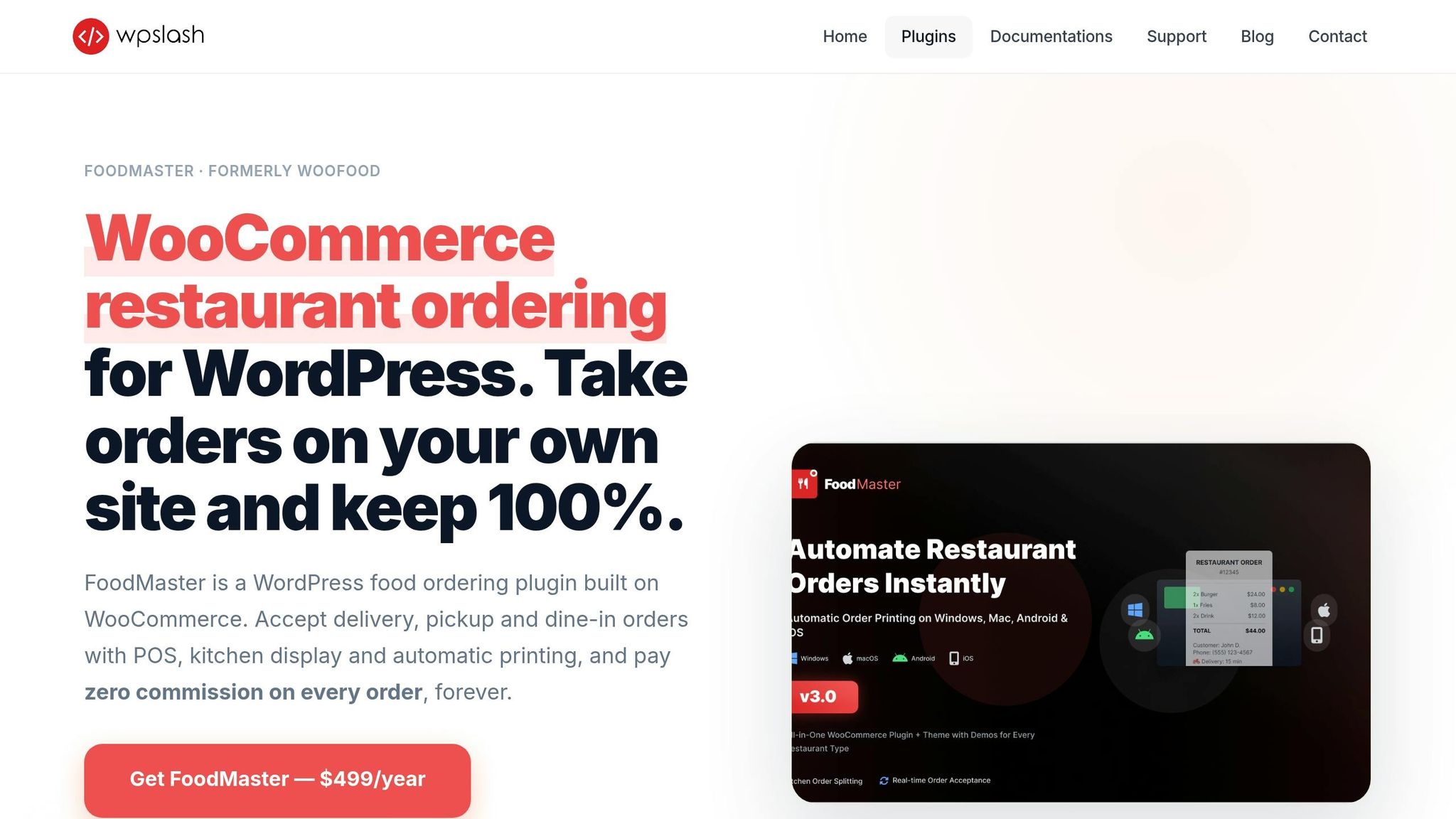
FoodMaster uses WooCommerce products and categories to sort menu items. That means a restaurant can group dishes into sections like appetizers, mains, desserts, and drinks, then show them in front-end layouts like Accordion, Side Menu, and Sticky Tabs.
Menu Controls
FoodMaster comes with a product options system for toppings, sides, sauces, and special instructions. Restaurants can set options as single-choice, multiple-choice, or limited-choice. That makes day-to-day menu setup much easier for things like size upgrades, half-and-half pizzas, and topping limits, without building hundreds of WooCommerce variations.
On the customer side, the ordering flow feels smoother too. Shoppers can open a popup with images, descriptions, and customization options without reloading the page.
Strong menu control matters because it shapes delivery rules and checkout availability.
Delivery Logic
FoodMaster lets restaurants set delivery zones by radius, ZIP code, or custom map polygons. Each zone can have its own minimum order and delivery fee. The address checker blocks checkout for customers outside the set delivery area, which cuts down on failed deliveries.
Once those delivery boundaries are in place, the next piece is timing.
Scheduling and Order Operations
Customers can order ASAP or pick a future time slot. FoodMaster supports 15-, 30-, or 60-minute intervals, with a booking window of up to 14 days. Restaurants can also set daily cutoff times. For example, they can stop next-day orders after 6:00 PM so the kitchen has time to prep.
After that, order status tracking helps keep the kitchen and drivers on the same page. FoodMaster adds restaurant-focused statuses like Accepting, Preparing, Ready, and Out for Delivery. It also includes a live accept/decline mode, so staff can confirm orders and set a prep time.
2. WooFood
WooFood keeps the restaurant ordering flow right inside WooCommerce. The big draw here is how it handles category-based add-ons and scheduled pickup or delivery.
It uses standard WooCommerce products along with an AJAX modal, so customers can browse the menu, tweak their order, and add items without bouncing from page to page.
Menu Controls
WooFood gives you a solid set of add-on formats:
- Multi-select checkboxes
- Checkboxes with selection limits
- Radio buttons
- Dropdowns
One nice touch is that you can apply an option group to a full category instead of setting it up product by product. That makes menu setup less of a grind. It also helps keep delivery rules and checkout limits cleaner across the store.
Delivery Logic
WooFood supports delivery zones based on distance, ZIP code, and custom map polygons. Each zone can have its own minimum order amount, delivery fee, and free delivery threshold. If a customer is outside a covered area, checkout can be blocked.
Scheduling and Order Operations
Customers can place orders for later using set time slots. Restaurants can run multiple service windows per day, add holiday exceptions, and build in prep buffers. Per-product prep times can also feed into delivery estimates, which helps staff avoid timing mistakes during busy hours.
On the operations side, WooFood includes a live accept/decline mode. Staff can confirm orders and enter an estimated prep time. It also adds these order statuses: Order Received, Preparing, Ready for Pickup/Delivery, Out for Delivery, and Delivered. For shops that print tickets, a Windows or macOS desktop app can send new orders to a thermal printer.
3. GloriaFood for WooCommerce
GloriaFood connects to WordPress through its restaurant ordering plugin and adds a See Menu & Order widget with a shortcode or HTML block. WooCommerce powers the site, while GloriaFood takes care of the ordering side. So the first thing worth looking at is how the menu gets built and kept up to date.
Menu Controls
The drag-and-drop menu editor makes it pretty simple to arrange categories, set prices, add photos, and set up size, topping, and extra options. Changes show up in the live widget in real time, which helps when you need to tweak items without waiting around. Once the menu is live, delivery zones and fees decide where customers can place orders.
Delivery Logic
GloriaFood supports delivery zones based on distance or custom map shapes, with zone-based minimum order amounts and flat delivery fees. If an address falls outside the covered area, the system blocks the order on its own. After that part is set, the next piece is timing and day-to-day order handling.
Scheduling and Order Operations
Customers can choose ASAP or scheduled delivery, pickup, or dine-in during the service hours you set, and prep times change the estimated ready time shown at checkout. Staff get new orders through a mobile app with order alerts, and they can accept, reject, or change prep times as needed.
4. Orderable
Orderable is a WooCommerce plugin built for restaurant ordering and delivery workflows. It supports delivery, pickup, and dine-in orders right on your WordPress site. Pricing is simple: one flat annual license.
It handles the main restaurant flow inside WooCommerce, including menus, delivery zones, scheduling, and order handling.
Menu Controls
The plugin comes with mobile-friendly grid and list menu layouts that you can place on any page. You can sort items by category, add dietary labels like gluten-free or vegan, and show allergen details plus nutrition info.
It also supports product add-ons, so customers can tailor an order with toppings, size options, or sides. You can add checkout add-ons too, which works well for extras and last-minute upsells.
Once your items are live, delivery rules decide where people can place an order.
Delivery Logic
Orderable supports multi-location management. Each location can have its own hours, service rules, and delivery areas. You can also set custom fees and minimum order amounts for each one.
Scheduling and Order Operations
The free version includes delivery and pickup date selection. Orderable Pro adds time slots with capacity limits, which helps avoid kitchen pileups during busy hours.
You can also:
- Set lead times for more complex orders
- Add blackout periods
- Use holiday scheduling to block orders on closed days
On the operations side, the live dashboard shows incoming orders in real time. Kitchen ticket and packing slip printing also work without third-party services.
Next, compare how WPCafe handles the same core workflow.
5. WPCafe
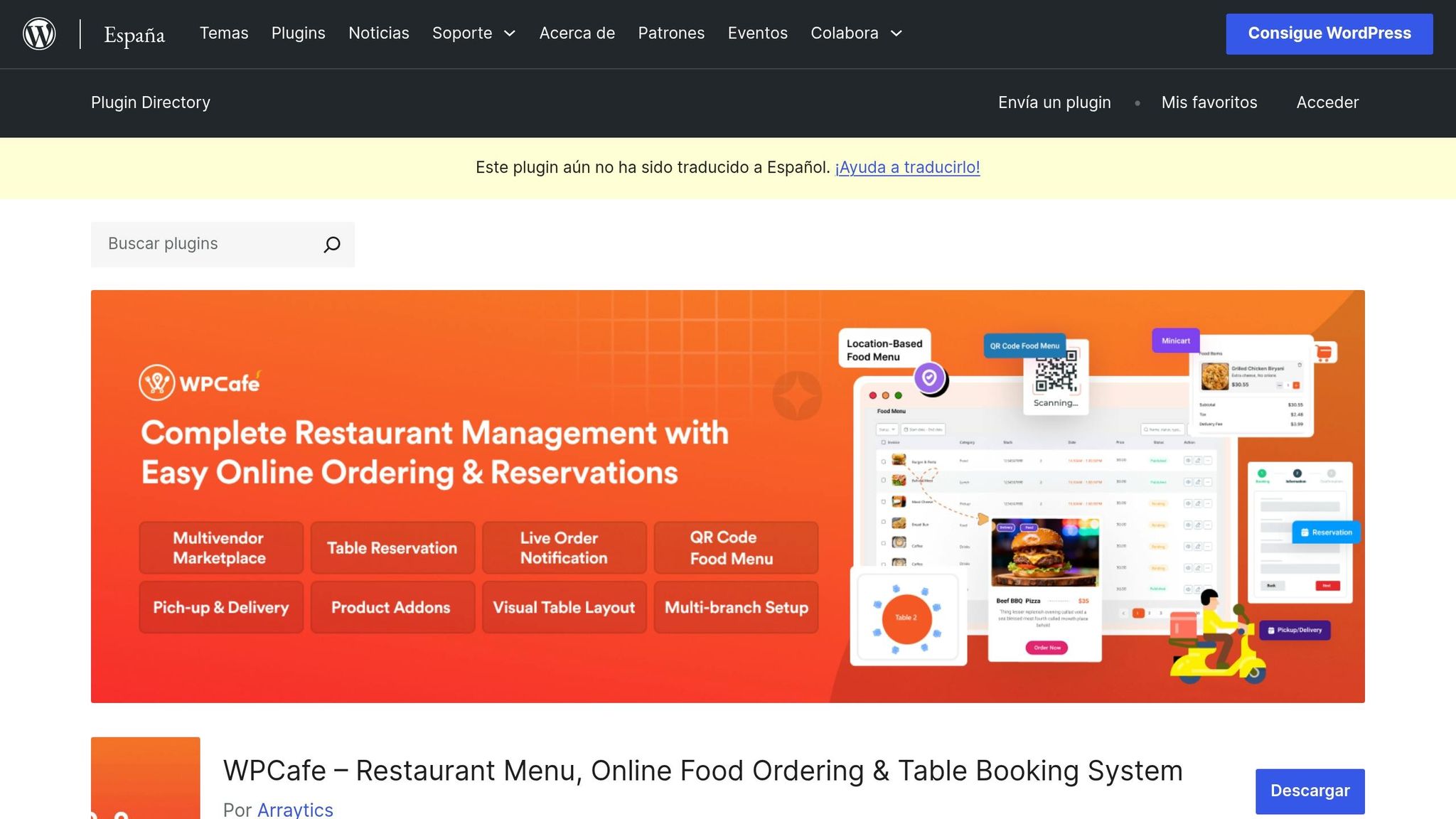
WPCafe is a WordPress/WooCommerce plugin for restaurants and multi-location food businesses. It brings menu display, online ordering, pickup and delivery scheduling, and multi-location management into one dashboard. It also plugs into the standard WooCommerce cart and checkout flow, so customers can add items to a cart, use the mini-cart, and pay through existing WooCommerce payment gateways.
That setup matters. Instead of sending orders through a separate system, WPCafe keeps the whole buying flow inside WooCommerce while adding branch-level control and a mobile-friendly checkout. It has 6,000+ active installs and a 4.5/5 rating.
Menu Controls
WPCafe includes 34+ menu templates and branch-specific menus for multi-location setups. The layouts are mobile-friendly, which helps when most customers are ordering from a phone, not a desktop. Those menu settings also tie straight into checkout and delivery rules, so the front-end menu and back-end order flow stay connected.
Delivery Logic
WPCafe connects straight to WooCommerce, and each order stays in WooCommerce. Delivery can be set up with zone-based rules and fees, such as different charges by ZIP code or service area.
It also supports delivery and pickup at the same time, with settings for delivery timing, prep limits, and location-based availability. On top of that, Google Maps address autocomplete helps cut down on checkout mistakes. Once the address rules are in place, the next part of the flow comes down to scheduling.
Scheduling and Order Operations
Admins can set daily business hours with separate lunch and dinner windows. Customers can then book custom time slots that match lunch, dinner, and prep windows, and restaurants can adjust slot timing to fit operating hours and kitchen prep times.
On the operations side, WPCafe includes live order notifications, one-click order confirmation, cancellation, and status tracking through Processing, Delivering, and Completed statuses.
6. RestroPress
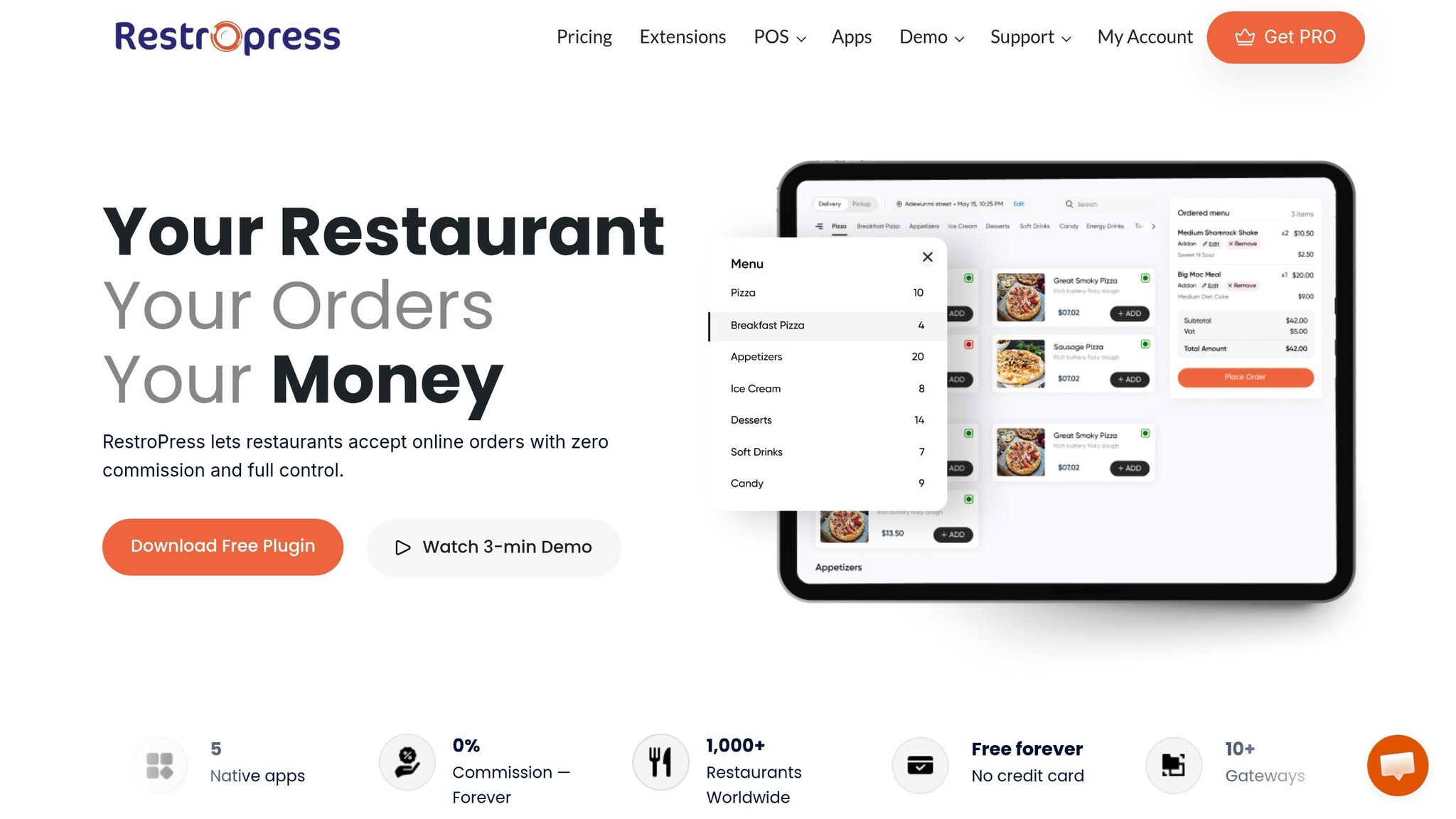
RestroPress is a standalone WordPress food ordering system with a free core plugin and paid extensions for extra features. That matters because it handles restaurant ordering natively, without WooCommerce. Unlike the WooCommerce-based plugins above, RestroPress runs on its own ordering setup.
Menu Controls
After activation, RestroPress creates menu, cart, checkout, and customer dashboard pages, and the [fooditems] shortcode lets you place the ordering flow almost anywhere. Menu items can be grouped by category and set up with modifiers and add-ons. If you run seasonal dishes or limited-stock items, inventory management is available through a paid module so stock levels stay visible.
Delivery Logic
RestroPress supports delivery, pickup, and dine-in ordering from the same menu. You can set delivery fees and minimum order amounts by zone, with separate rules for pickup.
Scheduling and Order Operations
RestroPress supports scheduled orders and pre-orders, so customers can choose a future pickup or delivery time instead of ordering ASAP. The Store Timings and Delivery Cutoff add-on adds business hours, holidays, and same-day order cutoffs.
On the operations side, RestroPress includes a Live Orders board, instant notifications, and status tracking. You can also add tools like a driver app, kitchen display system (KDS), and desktop auto-printing through paid add-ons. The storefront is mobile-responsive, and the Live Orders board supports real-time order handling.
One thing to watch: features like delivery zones, store timings, order intervals, driver tracking, and auto-printing need paid add-ons. So before launch, map out which extensions your restaurant will need.
Pros and Cons of Each Plugin
Those core features come with trade-offs in cost, control, and day-to-day kitchen flow. This breakdown helps match each plugin to the kind of restaurant that will get the most from it.
FoodMaster packs a lot into one $499/year license: a plugin, theme, KDS, POS, and automatic printing, with no per-order commissions. That’s a big plus if you want one system instead of stitching tools together. The downside is the price, especially for smaller restaurants, and setup can take some work. For example, owners may need to configure Google Maps API keys for distance-based delivery zones, which can be tough if they’re not technical.
WooFood works well for restaurants that want flexible product add-ons without a heavy back-office setup. Its main plus is how easily you can handle add-ons. Its weak spot is lighter support for kitchen workflows and multi-location setups.
GloriaFood for WooCommerce is quick to get live, which is a big reason some restaurants pick it. But there’s a catch: it runs outside WooCommerce, stores data off-site, and may need add-ons for payments. If you want close control inside WooCommerce, that setup can feel limiting.
Orderable is a good fit for restaurants that want a smoother checkout and tighter control over order timing. It’s a strong pick for conversion-focused stores that need better pacing for incoming orders. The main trade-off is that some of its stronger features are locked behind the paid tier.
The table below compares these WooCommerce restaurant ordering plugin options and their main trade-offs.
| Plugin | Pros | Cons | Best Fit |
|---|---|---|---|
| FoodMaster | All-in-one setup with KDS, POS, printing, and theme; flat-fee pricing; advanced delivery zone logic | Higher annual cost; Google Maps setup can be challenging | High-volume U.S. restaurants, pizzerias, ghost kitchens, multi-location operations |
| WooFood | Flexible add-on categories; delivery hours and ETA calculation; minimum order thresholds | Less depth on KDS, POS, and multi-location routing; less granular slot control | Small to mid-size restaurants or ghost kitchens with customizable menus |
| GloriaFood for WooCommerce | Fast to launch; simple external setup | Separate hosted system; weaker native WooCommerce integration; add-ons may be needed for payments | Restaurants prioritizing speed-to-launch over long-term control |
| Orderable | One-page ordering flow; drag-and-drop builder; detailed time-slot and capacity controls | Some advanced features require the paid tier; limited multi-kitchen depth | Takeaways and single-location restaurants focused on conversion and scheduling |
| WPCafe | Menus, reservations, delivery, pickup, and QR ordering in one WooCommerce-based setup | Less depth in delivery automation and kitchen tooling | Cafes and small restaurants where reservations and menu presentation come first |
| RestroPress | Strong KDS, POS, and Command Center dashboard; not WooCommerce-native | Some features may require paid add-ons | Restaurants wanting a standalone ordering system with solid kitchen and POS workflows |
These differences set up the final takeaway.
Conclusion
After looking at menus, delivery rules, scheduling, and order handling, the decision comes down to one thing: which bottleneck is hurting you most right now. These plugins tackle the same core restaurant issues, including checkout friction, delivery pricing, order timing, and ticket flow.
Use this four-point framework to narrow the field:
- Checkout & mobile experience: Put weight on plugins with AJAX add-to-cart flows, floating or mini cart widgets, and a streamlined checkout.
- Delivery & pickup logistics: Check for zone-based or distance-based delivery controls, minimum order amounts, per-zone fee rules, time-slot pickers, separate pickup and delivery schedules, and blackout dates.
- Operational workflow & staff communication: Focus on live order handling, automatic printing, and clear notifications.
- Workflow fit: If you need multi-location restaurant ordering, dine-in ordering, reservations, QR code workflows, or POS and messaging integrations, pick a tool that covers those needs without forcing you to stitch together a pile of add-ons.
Delivery zones, minimums, and time slots help protect margin and cut down on late orders.
Pick the plugin that solves your biggest bottleneck without adding more workflow complexity.
FAQs
Which plugin features matter most for reducing checkout friction?
Put the focus on features that make ordering fast, simple, and mobile-friendly. An AJAX-based add-to-cart flow lets customers pick modifiers, toppings, and extras in a pop-up modal without reloading the page.
A sticky mini-cart keeps checkout in view on mobile, which cuts down on extra taps and backtracking. Built-in handling for delivery zones, prep times, and store hours helps block invalid orders before they happen. And support for standard WooCommerce payment gateways makes checkout smoother by letting customers pay with methods they already know and trust.
How should I set delivery zones and minimum order rules?
In your FoodMaster settings in the WordPress dashboard, you can set your delivery area by radius in miles, ZIP codes, or city lists.
You can charge delivery fees in a few simple ways:
- A flat rate
- A distance-based fee
- Free delivery above a set order threshold
You can also set a minimum order amount for specific zones or for your entire delivery service.
What scheduling tools help prevent late or overloaded orders?
FoodMaster comes with scheduling controls that help keep the kitchen from getting slammed during peak times.
You can set rules like:
- Per-day capacity limits so only a set number of orders can be placed each day
- Daily cutoff times for next-day orders
- Minimum lead times so orders have to be placed a certain amount of time ahead
- Maximum advance booking windows to limit how far out customers can book
Related Blog Posts
Commission-free ordering
Run restaurant orders on your own WordPress site
FoodMaster adds delivery, pickup, dine-in, POS, and kitchen tools — with zero per-order fees.