
On this page
A simple way to figure out tip, tax, and shared totals
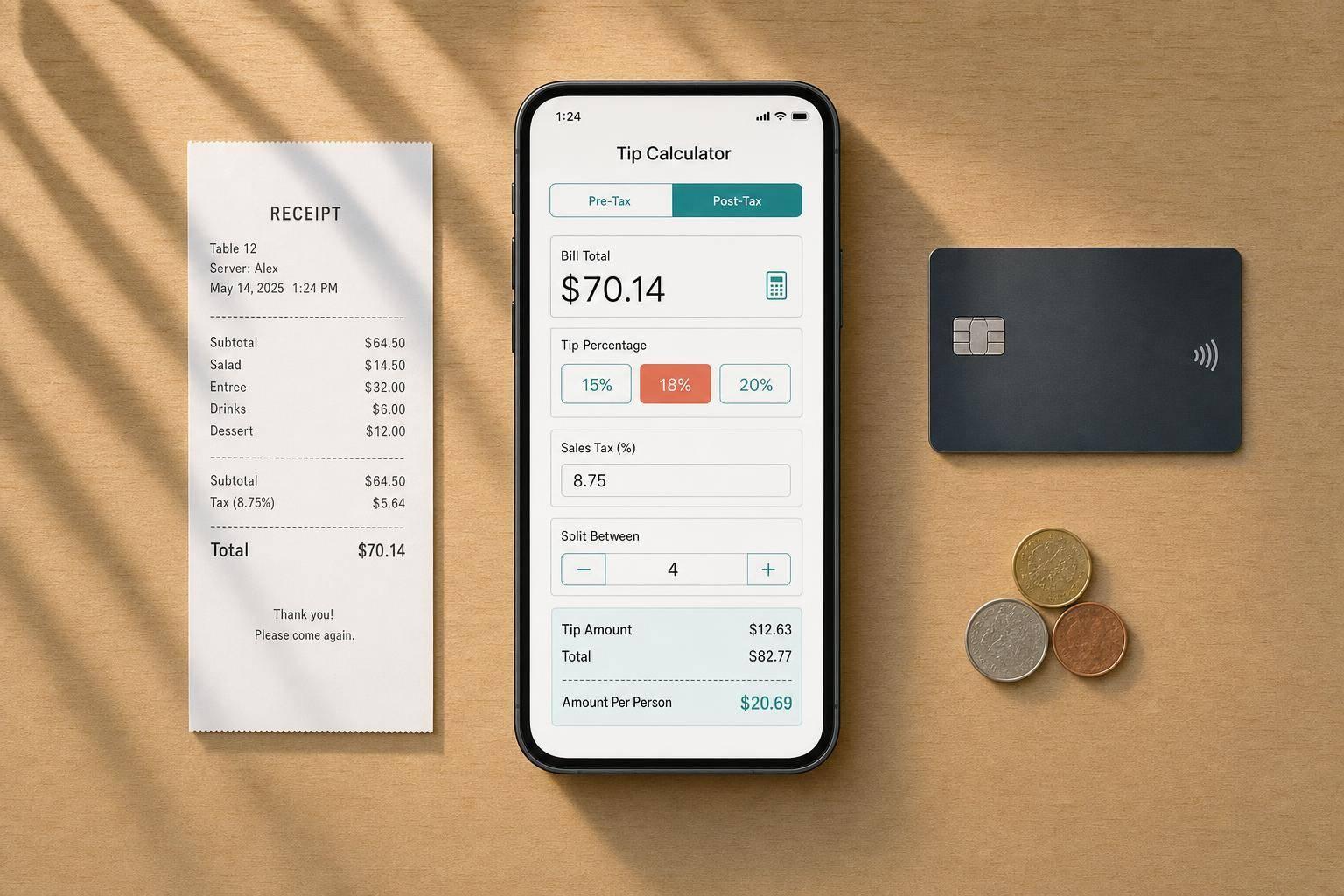
A good tip calculator takes the awkward guesswork out of paying the bill. Whether you’re sitting down for dinner, closing a bar tab, or splitting takeout with friends, it helps you move from subtotal to final total without doing mental math at the table. This tool lets you enter a bill amount, choose a standard tip or set a custom percentage, and include sales tax when needed.
Built for real-world bills
Not every check works the same way. Some people prefer tipping on the pre-tax subtotal, while others use the amount after tax for convenience. This calculator handles both. It also supports splitting the bill evenly, which is especially useful for group meals, shared appetizers, and casual nights out.
Clear totals without the confusion
A strong tip calculator should show more than one number. Here, you can see the tip amount, tax, grand total, and per-person share in a clean summary. If you choose rounding, the changes are shown clearly so you know exactly what was adjusted. For anyone who wants a fast, reliable way to calculate gratuity and divide a check, this tip calculator keeps it straightforward.
FAQs
Should I tip on the pre-tax amount or the total after tax?
That depends on your preference and local custom. Many diners calculate a tip from the pre-tax subtotal because tax isn’t part of the service itself. Others prefer tipping on the full amount for simplicity or generosity. This tool lets you switch between both methods so you can use whichever approach feels right for the situation.
Can I use this for takeout, delivery pickups, or bar tabs?
Yes. The calculator works well for restaurant meals, drinks at a bar, coffee orders, takeout, and other service-based bills. Just enter the subtotal, choose your tip percentage, and add tax if needed. If you’re sharing the cost, it will also break down the amount per person in seconds.
What happens when rounding is turned on?
When rounding is enabled, the calculator adjusts the selected value so the result is easier to pay. Depending on the setting, that might mean rounding the total tip or the per-person amount to a cleaner number. The tool should clearly show the original figures and the rounded outcome, so you can see exactly how the adjustment changes the final total.
Commission-free ordering
Run restaurant orders on your own WordPress site
FoodMaster adds delivery, pickup, dine-in, POS, and kitchen tools — with zero per-order fees.